Seedance 2.0 Prompt Guide
Seedance 2.0 is Bytedance's flagship video generation model, built from the ground up to synthesize picture and sound in a single pass rather than stitching them together. It reads natural-language scripts with cinematic precision, holds character and scene consistency across shots, and accepts images, audio, and video as creative anchors alongside your text.
This guide walks through the prompt patterns that consistently get the most out of the model: how to phrase a shot, when to lean on reference material, and how to control text, motion, camera moves, and edits. Every example below was produced with Seedance 2.0, copy a template, adapt it to your scene, and iterate.
01 General principles
1.1 Basic formula for text instructions
Seedance 2.0 series excels at following natural language logic. You can flexibly combine the following elements based on your creative needs:

The logical foundation of your generation. Clearly define "who" is performing "what action".

Define the overall tone by describing the spatial background, lighting details, or specific visual styles.

Advanced instructions can include scene or ambient sound effects to achieve an immersive, synchronized audiovisual output.
1.2 Reference control for multimodal inputs
In addition to text descriptions, you can also provide materials to lock in the ideal standard state of the frame. Seedance 2.0 series supports deep referencing of images, audio, and video.

In the prompt, clearly specify the reference object, for example, "Use the composition of Image 1" or "Match the motion of Video 2".

The model automatically extracts core features from the reference material and merges them with your text. This ensures the output maintains high fidelity and predictability while still allowing for creative variation.
02 Text rendering
Seedance 2.0 series supports generating common text across multiple scenarios, including T2V (Text-to-Video), I2V (Image-to-Video), R2V (Reference-to-Video), and V2V (Video-to-Video).
- Key Capabilities:
- Intelligent Adaptation: The model automatically matches font styles and colors to the specific context of your scene for seamless visual integration.
- Granular Control: You can explicitly define the following attributes within your prompts:
- Style: Color and font style.
- Dynamic Behavior: How the text appears (entrance style) and the specific timing of its appearance.
- Layout: Precise positioning within the frame.
- Best Practices:
- Use Common Vocabulary: Use widely recognized words and familiar phrases. The model performs best with standard English lexicon.
- Avoid Rare or Obscure Words: High-complexity or dictionary-deep words may lead to inconsistencies. Simpler, high-frequency words ensure higher rendering accuracy.
- Minimize Special Symbols: Limit the use of complex symbols or non-standard punctuation to maintain visual clarity and font fidelity.
2.1 Slogans
Prompt template:
[Text Content] + [Timing] + [Positioning] + [Entrance/Appearance Style], [Visual Attributes (Color, Font Style)]Visual Style & Consistency:
- Contextual Adaptation: Seedance 2.0 series automatically identifies the scene's context to match the most appropriate font aesthetic.
- Precision Requirements: If your project requires strict adherence to specific visual standards (for example, brand consistency), please refer to section [2.2.2 Multi-Image Reference: Logo Reference] for advanced guidance.
Examples:
[Output]
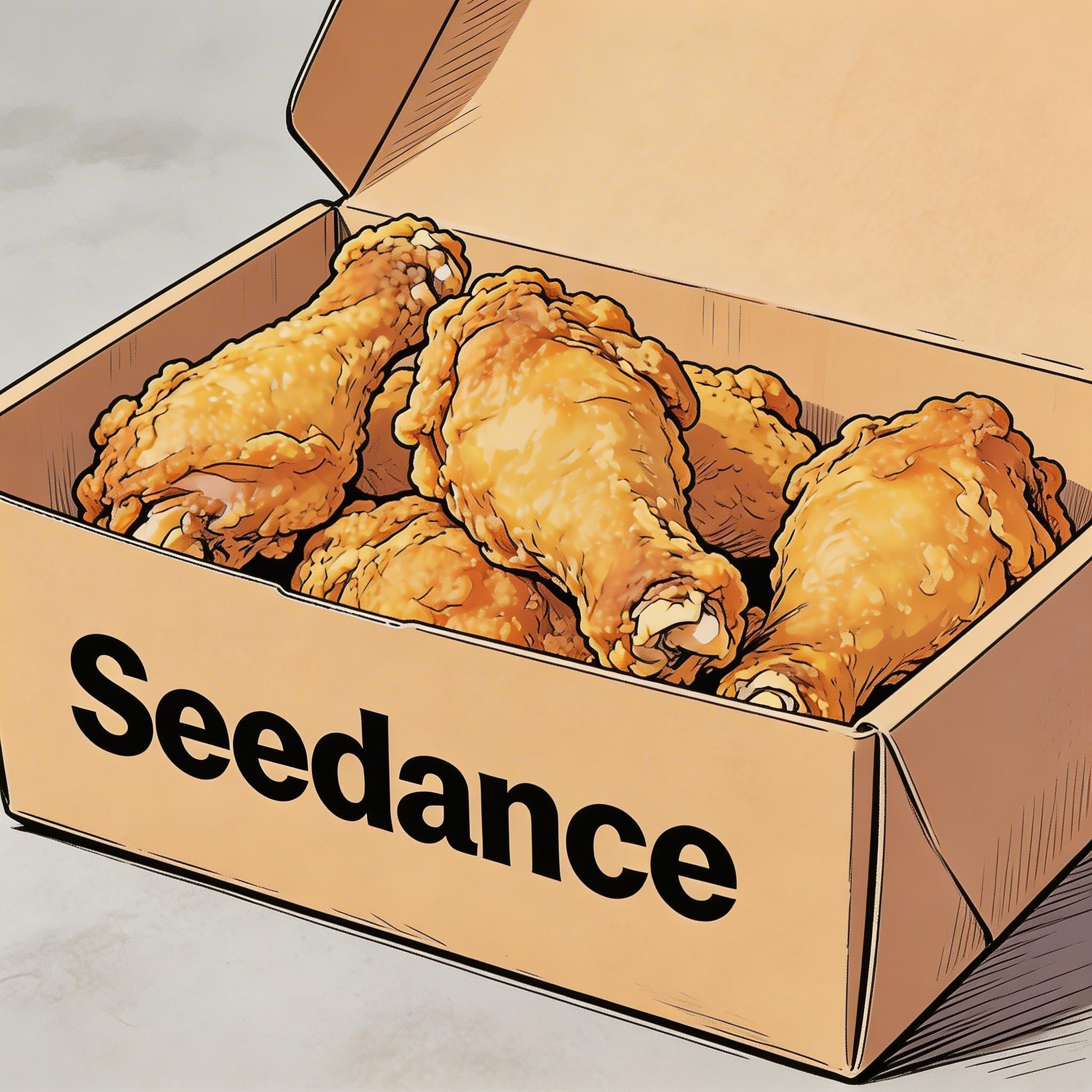
[Prompt] Hand-drawn comic style: Three people are sitting around a table enjoying the fried chicken shown in Image 1, with a friendly and joyful atmosphere. The frame then gradually blurs, and the text "Bite“”Laugh“” Seedance“ in order appears in the center of the screen.
[Reference material]
▲ Image 1
2.2 Subtitles
Prompt template:
Display subtitles at the bottom-center with the text. The subtitles must be perfectly synchronized with the audio rhythm and pacing.Examples:
Voiceover
[Output]
[Reference material]
▲ Image 1
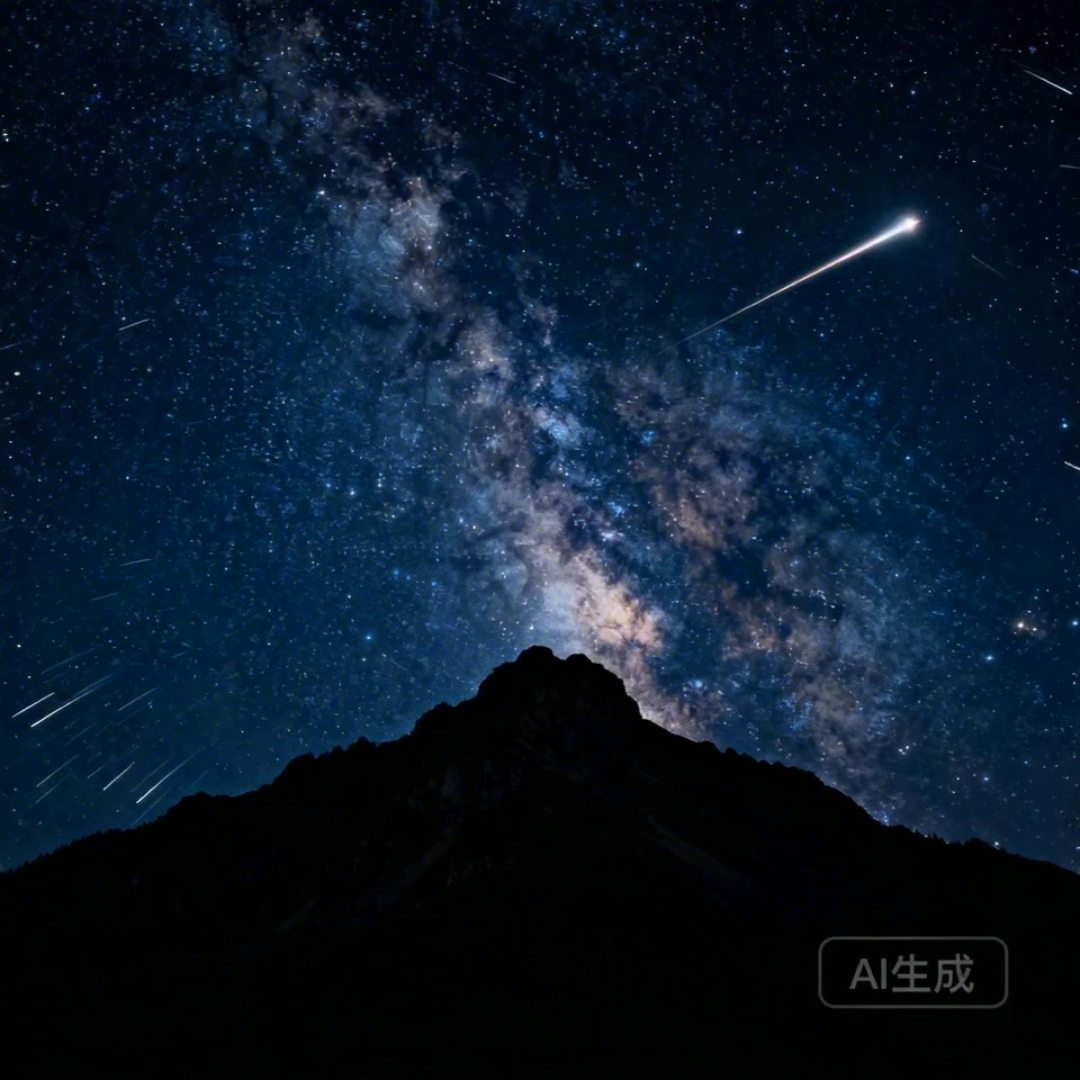
[Prompt] I2V: A time-lapse of a mountain landscape transitioning from a vast, starry night to a vibrant dawn. Voiceover: A deep, serene male voice says: 'In the vast silence of the cosmos, our world is but a fleeting moment. Yet, within it, life defiantly thrives.' > Text Integration: Render the narration as subtitles at the bottom-center. Subtitles must be perfectly synchronized with audio timing.
Dubbing
[Output]
[Reference material]

▲ Image 1
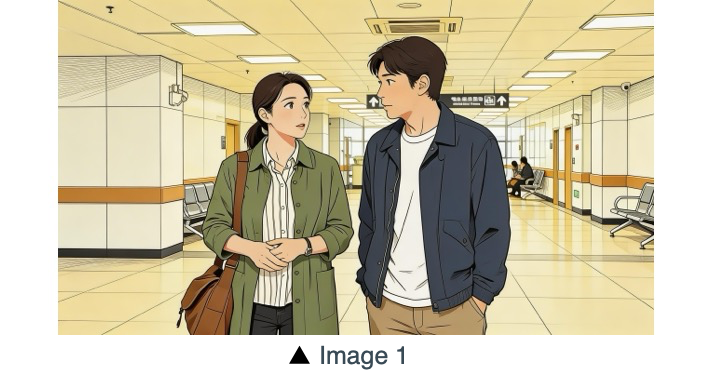
[Prompt] R2V: A shot of these two people in Image 1 chatting in a modern office. The woman speaks first with a playful tone: "You always arrive right on time, don't you just love that perfect timing?" followed by the man’s smiling reply: "I have my own rhythm." > Text Integration: Render the dialogue as subtitles at the bottom-center of the screen. Subtitles should appear sequentially as each character speaks.
2.3 Speech bubbles
Prompt template:
[Character] says, "[Dialogue]." Speech bubbles appear around the character containing the spoken text.Examples:
[Output]
[Reference material]
[Prompt] The two characters from Image 1, both dressed in sportswear, are running on the school playground. The girl looks at the boy, smiling confidently as she says: "We can definitely do it!". Cut to a close-up of the boy. He hesitates and replies: "Are you sure?". Cut back to a medium close-up of the girl. She speaks in a light, upbeat tone: "Yes!" Her demeanor is bright and resolute. Speech bubbles containing the corresponding lines appear around the speaking character.
[Output]
[Reference material]
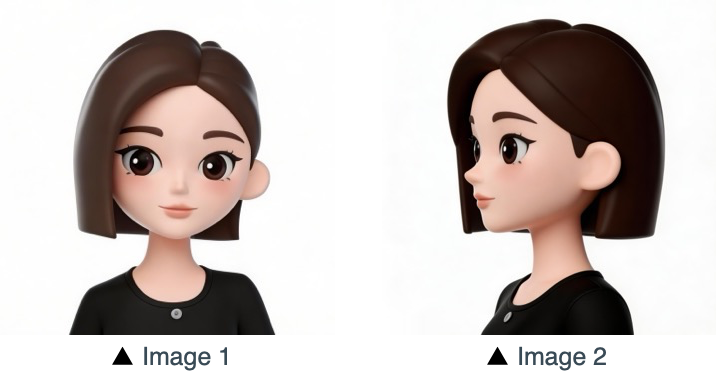
[Prompt] Refer to the character design of the girl in Image 1 and Image 2. The scene is set in an apple field: the girl picks one apple, takes a bite, smiles and says "This is the real deal!". A speech bubble pops up beside the girl, with this line written inside.
03 Image reference
Seedance 2.0 series supports multi-perspective references for subjects, as well as multi-image referencing for scene layouts, sequences, and more. If your creative process requires a specific order (for example for sequential motion), please upload your images in the desired sequence. You can then use specific identifiers in your prompt for precise control: Refer to Image 1, Image 2, ...Image N to accurately map each reference to your instructions.
3.1 Multi-perspective subject reference
Prompt template:
Refer to/Extract/Combine/Use the [Subject] from [Image N] to generate [Scene Description], maintaining consistent [Subject] features.Make sure that you identify the reference objects clearly. The model can process instructions including, but not limited to, the following examples. Products:
Consumer electronics
[Output]
[Reference material]
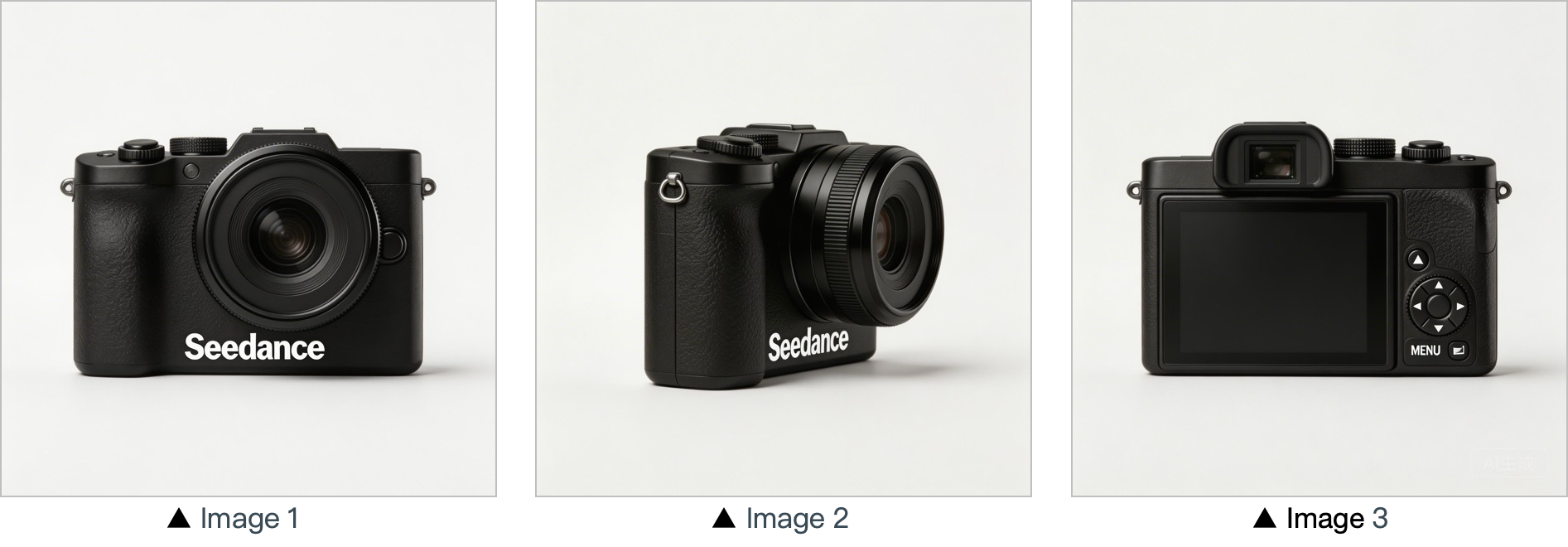
[Prompt] Use the cameras featured in Image 1, Image 2 and Image 3. Replace the original background with a white one, and place the cameras on a white table. The shooting lens first focuses on the cameras in close-up, then slowly rotates 360° with the cameras as the main subject, clearly displaying the front, sides and back of each camera.
Home & lifestyle
[Output]
[Reference material]
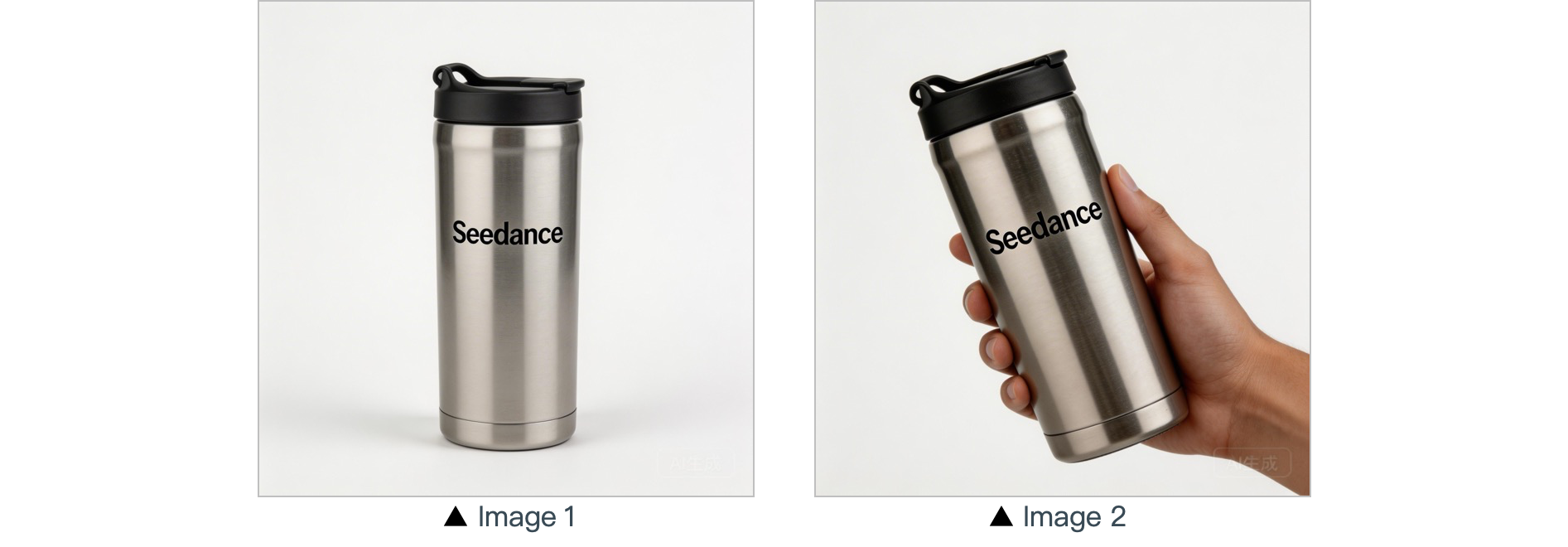
[Prompt] In a warm-toned home setting, present the thermos shown in the reference image in a medium shot. Then smoothly push the camera into a close-up of the thermos. Next, a hand naturally enters the frame off-screen, gently grips the thermos body and picks it up. The camera follows the slight rotating motion of the hand to showcase the thermos.
Characters:
[Output]
[Reference material]
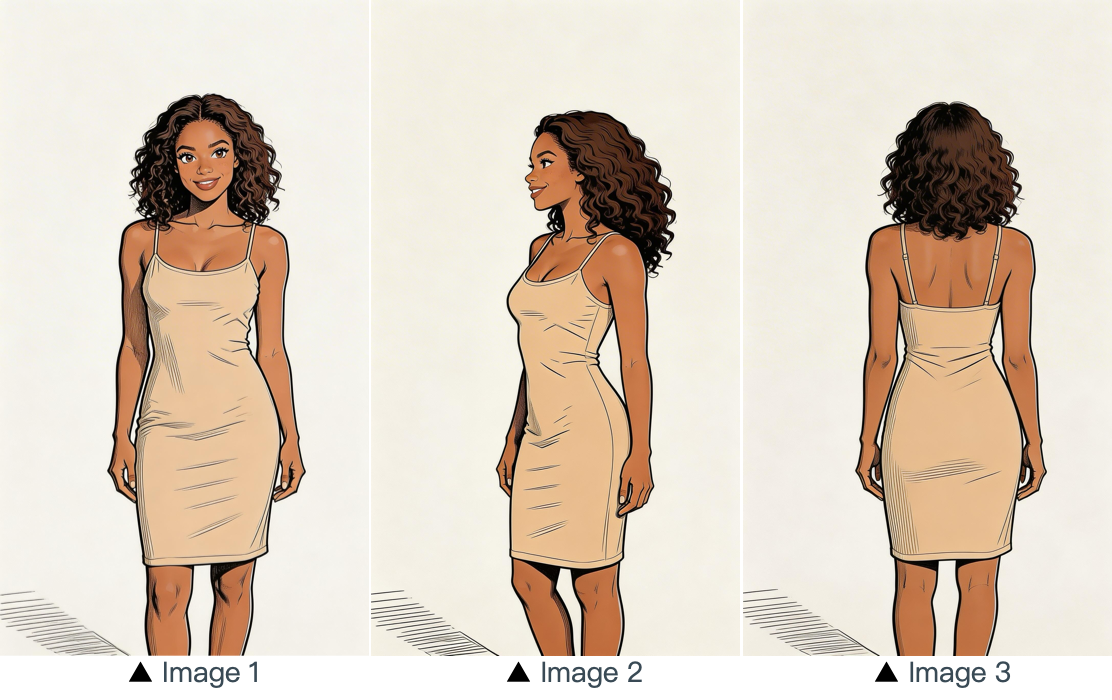
[Prompt] Refer to the image of the woman in Image 1, Image 2 and Image 3, and generate a scene of her eating a cake in a coffee shop.
3.2 Multi-image reference
Prompt template:
Refer to / Extract / Combine / Follow the [Description of referenced elements] from [Image N] to generate [Scene Description], while maintaining the consistency of [Referenced Elements].Examples:
Logo reference
[Output]
[Reference material]
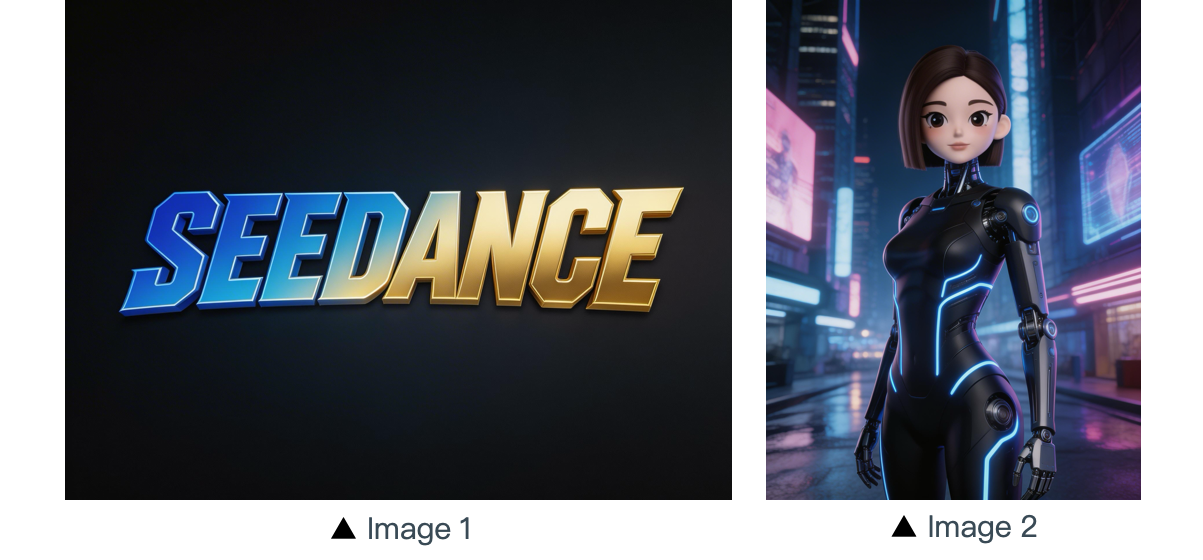
[Prompt] The scene is set on an aerial corridor in a neon-drenched futuristic metropolis, where flying vehicles and holographic ads intertwine. Featuring the girl from Reference Image 2, the sequence opens with a medium shot of her releasing a silver floating lantern embedded with a holographic projection. The camera then pulls back to reveal floating lanterns flooding the sky, which gradually converge at the center of the frame to form the logo from Reference Image 1. The entire piece adopts a 3D cyberpunk sci-fi animation style.
Multi-subject reference
[Output]
[Reference material]
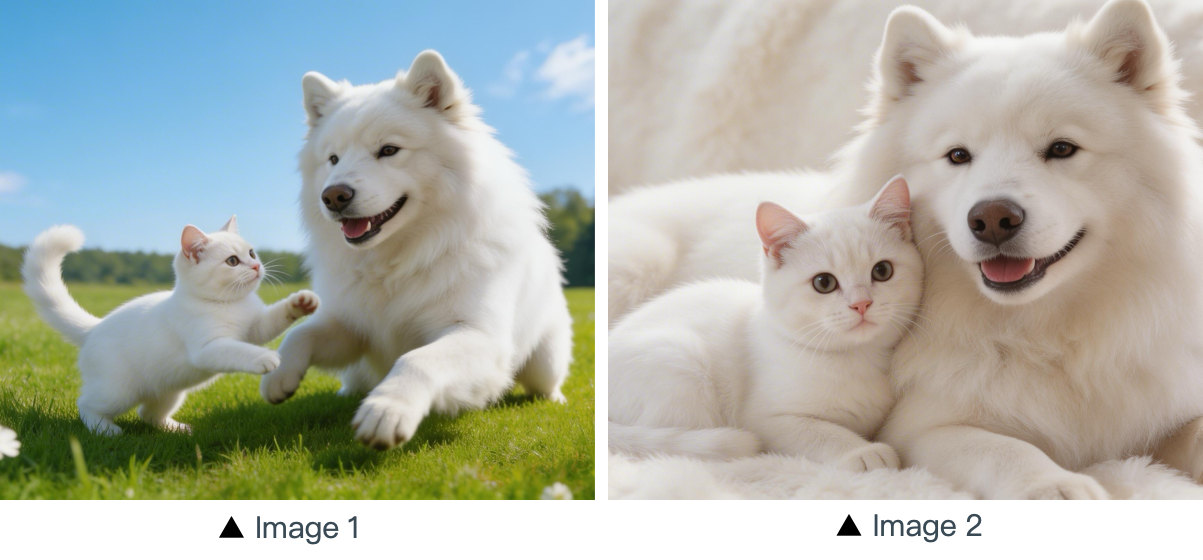
[Prompt] Using the cat and dog from the reference Image 1 and Image 2 as prototypes, the scene unfolds in a cozy apartment. The dog is lying on the ground eating dog food when the cat approaches, extending a paw to nudge the dog. The dog pauses its meal upon noticing the cat, and the cat snuggles up next to the dog. The entire scene features a warm colored tone.
Multi-element reference
[Output]
[Reference materials]
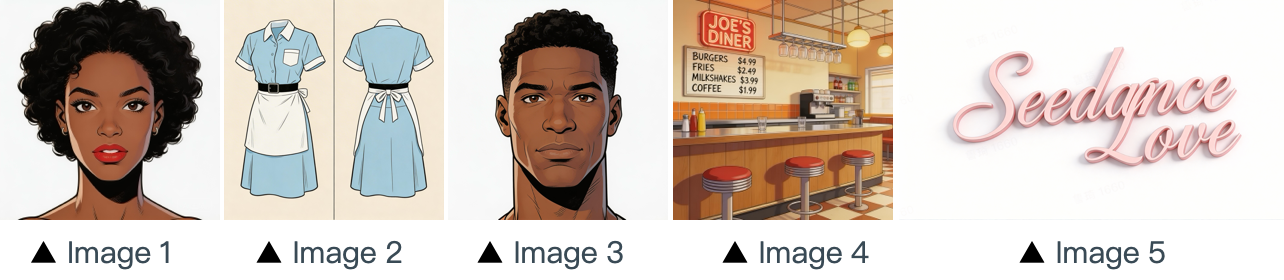
[Prompt] The scene is set in the restaurant from image 4 with people coming and going. The girl from image 1 , wearing the clothes from image 2 , is organizing the items on the counter. The boy, a customer, from image 3 approaches her to ask for her contact information. The logo from image 5 remains in the bottom right corner throughout.
Multi-panel sequence reference
[Output]
[Reference materials]
▲ Image 1
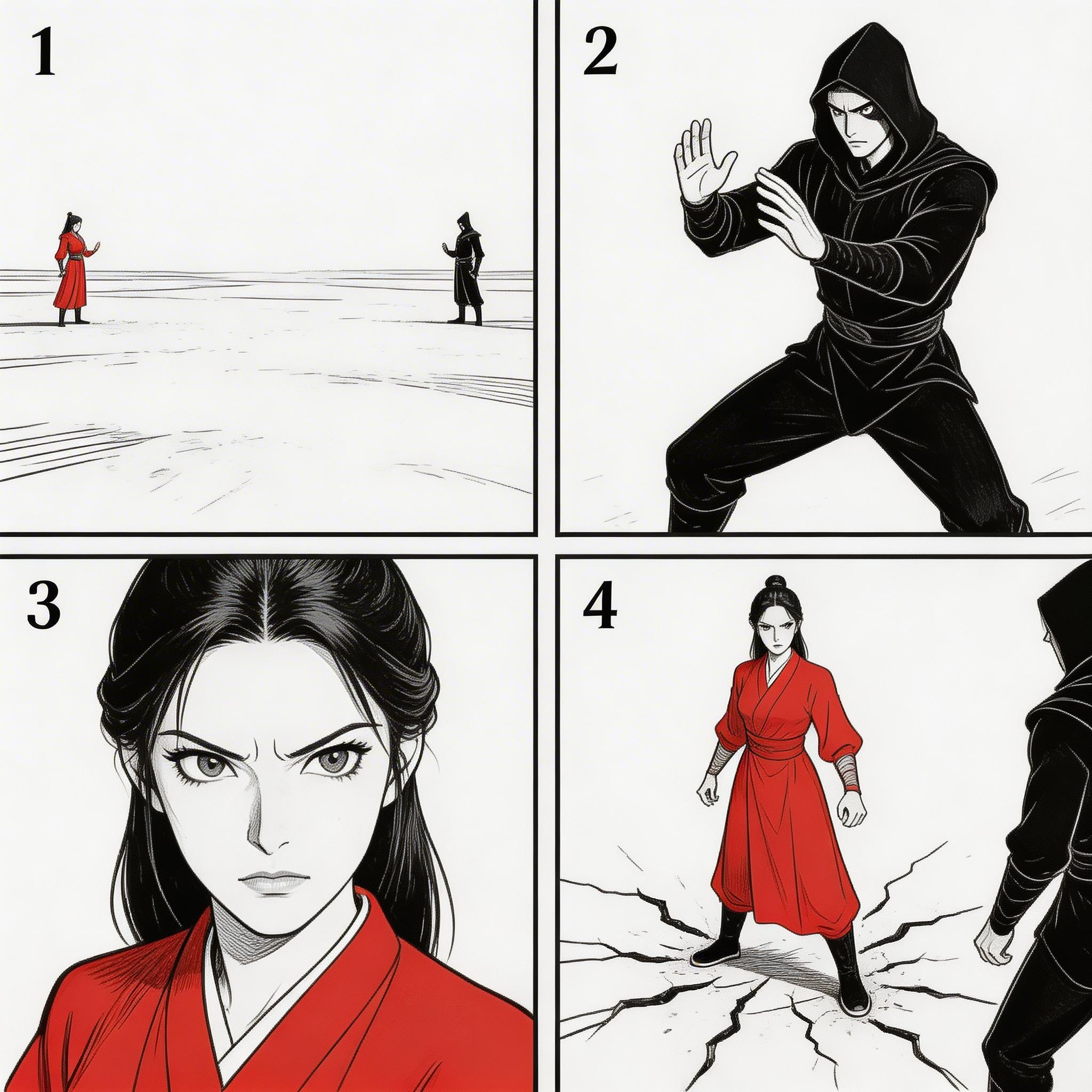
[Prompt] Refer to the sequence in Image 1 to create an intense high-energy fight sequence. All frame compositions from Image 1 shall be presented in strict predefined order, after which the two characters engage in fierce, fast-paced combat.
Sequence reference
[Output]
[Reference material]
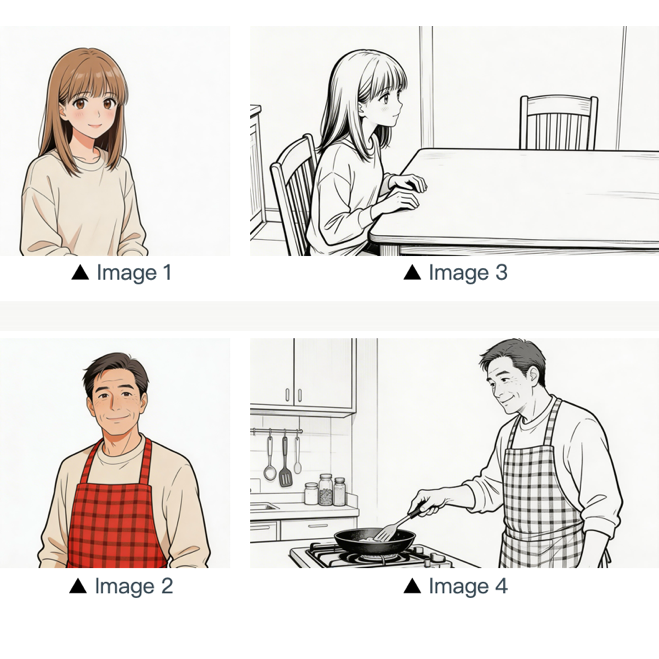
[Prompt] Refer to the composition in Image 3. A girl (her character design refers to Image 1) is waiting for her father to finish cooking, and she says: “아빠, 배고파요! 밥 다 됐어요?”Then the camera pans right and cuts to the frame and composition shown in Image 4. The father (his character design refers to Image 2) replies to her: “거의 다 됐어, 조금만 기다려!“Next, the camera cuts back to a close-up shot of the daughter's slightly disappointed facial expression, and she says: “아직 멀었어요? 맛있는 냄새 나는데...”Then the shot switches to a close-up of the father's face, and he says: “이제 진짜 금방이야. "빨리빨리" 하지 말고 손부터 씻고 와!”
04 Video reference
Seedance 2.0 series supports video-based referencing.
- If your workflow requires a specific sequence, please upload the files in order. You can use
Video 1,Video 2, ...Video nin your prompts for precise mapping. - Simply ensure that the relationship between the generated content and the reference source is clearly defined.
4.1 Motion reference
Prompt template:
Refer to the [Motion Description] from [Video N] to generate [Scene Description], keeping the motion details consistent.Examples:
Artistic
[Output]
[Reference materials]
▲ Video 1
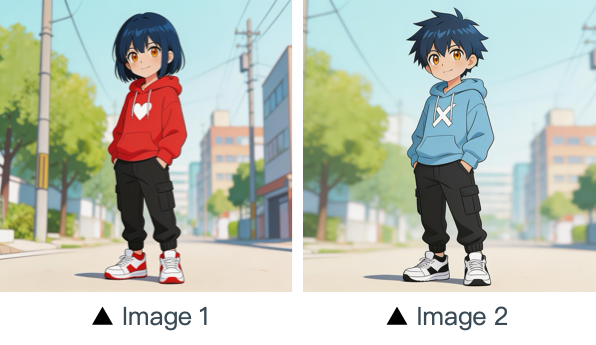
[Prompt] Refer to the character movements and shot language in Video 1 to create a fight scene with the character from Image 2 on the left and the character from Image 1 on the right. Include intense background music.
Marketing
[Output]
[Reference materials]
▲ Video 1
[Prompt] Referencing the running shape of the horse in the video, generate a scene: a golden steed runs on the grassland, then freezes its magnificent running posture and turns into a horse-shaped gold pendant.
4.2 Camera motion reference
Prompt template:
Refer to the [Camera Movement Description] from [Video N] to generate [Scene Description], keeping the scene consistent.Examples:
[Output]
[Prompt] Referring to the camera movement in video 1, create a concept video for a science and technology park, with the tall building in the image as the visual center, also using a first-person diving perspective, to reflect the sense of technology in the park from image 1.
[Reference material]
▲ Video 1
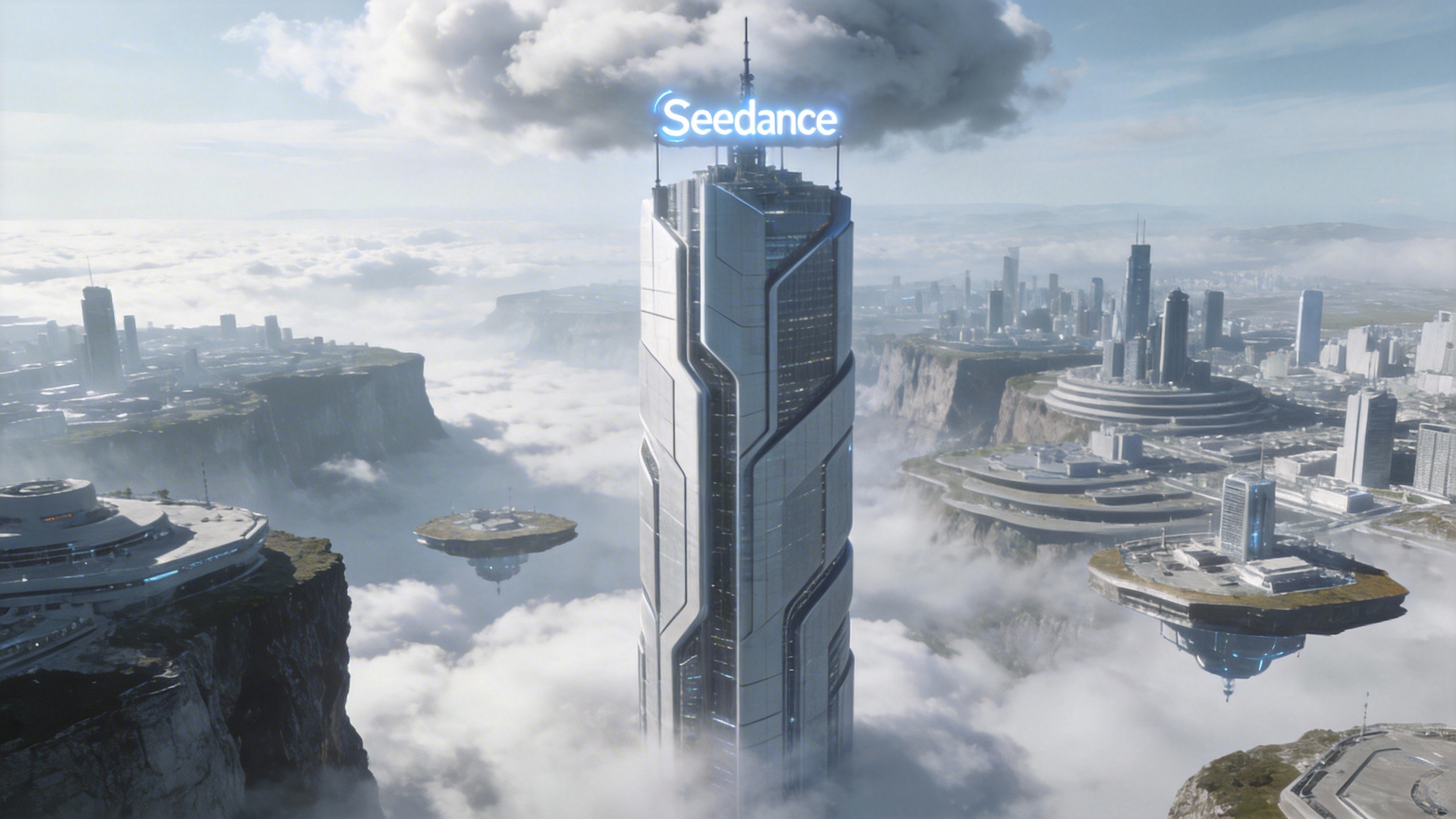
▲ Image 1
4.3 Visual effects (VFX) reference
Prompt template:
Refer to the [VFX Effects Description] from [Video N] to generate [Scene Description], keeping the special effects consistent.Examples:
Video production
[Output]
[Reference material]
▲ Video 1
▲ Image 1
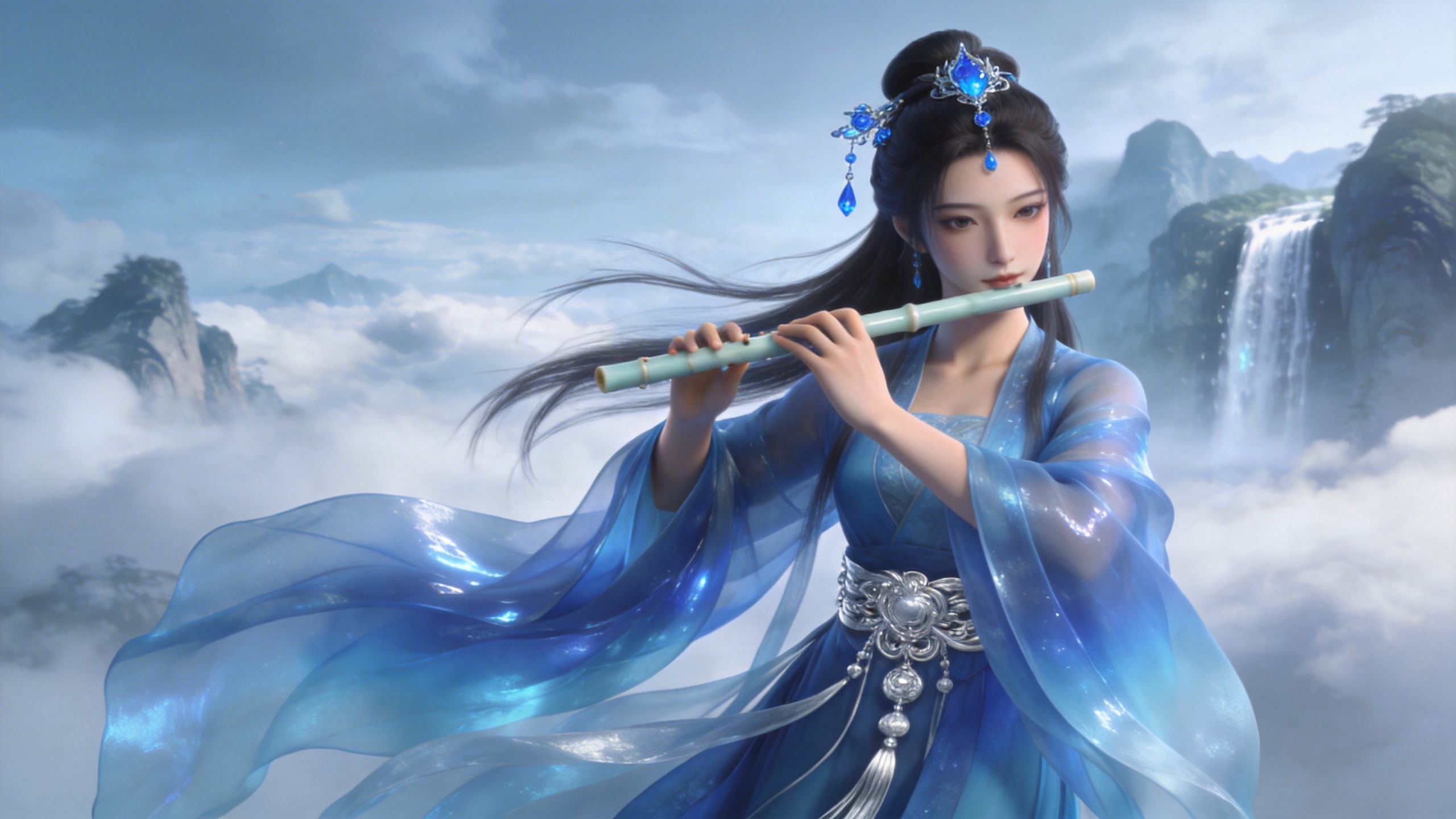
[Prompt] Refer to the golden particle effects in Video 1, so that when the character in Image 1 plays the flute, the same particle effects surround their body.
Creative FX
[Output]
[Reference material]
▲ Video 1
▲ Image 1
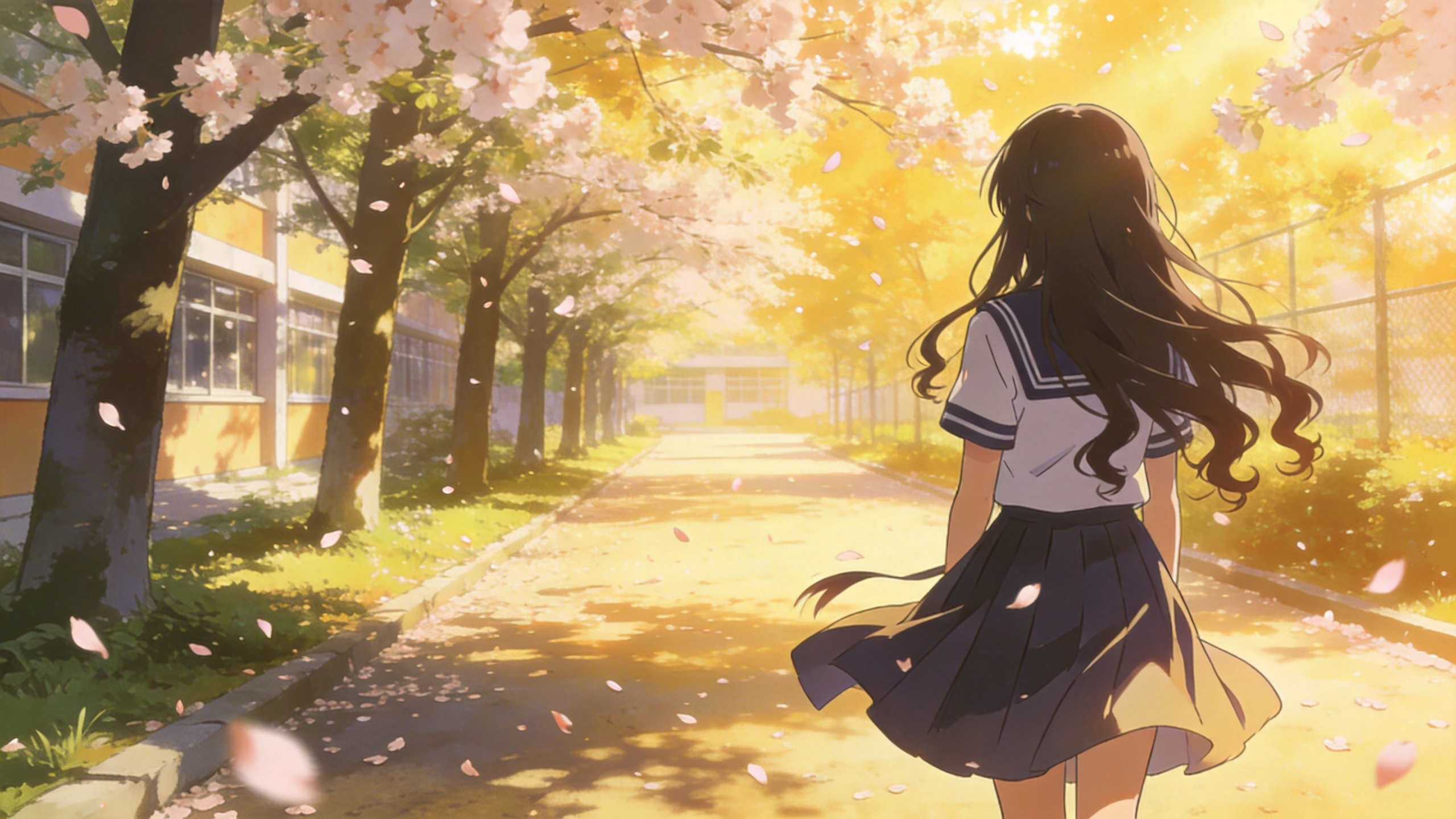
[Prompt] Refer to the special effects shown in Video 1 to generate identical wings for the girl in Image 1, ensuring the wing formation trajectory follows the exact same motion path and sequence depicted in the video.
05 Video editing
Seedance 2.0 series supports video editing, including adding, removing, or modifying elements, extending the video duration (forward and backward), and track alignment. If your project requires a specific sequence, please upload the files in order. You can use "video 1", "video 2", ... "video n" in your prompts for precise mapping.
5.1 Adding, removing, or modifying elements
Prompt template:
Adding: At [Timestamp/Timing] and [Spatial Location] of [Video N], add [Description of intended element].
Removing: Remove [Element to be deleted] from [Video N], keeping the rest of the video content unchanged.
Modifying: Replace [Description of element to be changed] in [Video N] with [Description of intended element].
Examples:
Add elements
[Output]
[Reference material]
▲ Video 1
[Prompt] Add snacks such as fried chicken and pizza to the countertop in Video 1.
Remove elements
[Output]
[Reference material]
▲ Video 1
[Prompt] Remove everything that isn't office stuff from the table in Video 1, keeping the rest of the video content unchanged.
Modify elements
[Output]
[Reference material]
▲ Video 1

▲ Image 1
[Prompt] Replace the perfume featured in Video 1 with the face cream from Image 1, with all original motions and camera work preserved.
5.2 Extending videos
Prompt template:
- Extend [Video N] forward/backward + [Description of extended content]
- Generate content before/after [Video N] + [Description of extended content]
:::warning Warning The model will automatically extract the transition frames for seamless blending. The original segments of the input video will not be re-generated, ensuring perfect continuity. ::: Examples:
Extend forward
[Output]
[Reference material]
▲ Video 1
[Prompt] Generate the content after Video 1: the two men who are late run towards them, the five people finally meet and have a friendly chat.
Extend backward
[Output]
[Reference material]
▲ Video 1
[Prompt] Extend the opening segment of Video 1: Set up an over-the-shoulder shot of the man in a hoodie, and the man says: “It’s not that bad. You're just stressed. Everyone goes through this, you just need to keep going.”
5.3 Completing tracks
Prompt template:
[Video 1] + [Transition Description] + followed by [Video 2] + [Transition Description] + followed by [Video 3]:::tip Note Input Limit: Seedance 2.0 series supports a maximum of 3 video clips as input. And the total combined duration must not exceed 15 seconds. Smart Trimming: During generation, the model will automatically trim the connecting segments of the start and end clips, retaining only the necessary frames to ensure a seamless and logical synthesis. ::: Examples:
[Output]
[Prompt] Video 1. The moment a leaf falls to the ground, it sets off a special effect of golden particles. A gust of wind blows by, leading into Video 2.
▲ Video 1
▲ Video 2