Seedance 2.5 Prompt-Guide
Seedance 2.5 ist das Flaggschiff-Videomodell von Bytedance und wurde von Grund auf dafür gebaut, Bild und Ton in einem einzigen Durchgang zu erzeugen, statt sie nachträglich zusammenzusetzen. Es liest Skripte in natürlicher Sprache mit filmischer Präzision, hält Figuren und Szenen über mehrere Einstellungen hinweg konsistent und nimmt neben deinem Text auch Bilder, Audio und Video als kreative Anker an.
Dieser Guide führt durch die Prompt-Muster, die dem Modell zuverlässig das Beste entlocken: wie du eine Einstellung formulierst, wann sich Referenzmaterial lohnt und wie du Text, Bewegung, Kamerafahrten und Schnitte steuerst. Alle Beispiele unten wurden mit Seedance 2.5 erzeugt – kopiere eine Vorlage, passe sie an deine Szene an und iteriere.
Das ist neu in Seedance 2.5: Alle Prompt-Muster aus diesem Guide gelten weiterhin, aber 2.5 gibt dir eine längere Leinwand, reichhaltigeres Referenzmaterial und deutlich präzisere Kontrolle über Bearbeitungen.
Bis zu 30 Sekunden pro Generierung
Die Länge einer einzelnen Generierung verdoppelt sich von 15 auf 30 Sekunden – mit weicheren Schnittübergängen und stabilerer Figurenkonsistenz über den gesamten Clip.
Reichhaltigere multimodale Referenzen
Verankere eine Einstellung gleichzeitig mit Bildern, Video (mit oder ohne Tonspur) und Audio: Identität, Stil und Bildaufbau kommen aus den Bildern, Kamerabewegung und Action aus dem Video, Stimmfarbe und Melodie aus dem Audio.
Bearbeitung auf Zeitstempel-Ebene
Richte eine Änderung auf einen bestimmten Moment im Quellvideo: Hauptmotiv ersetzen, Objekte hinzufügen, entfernen oder verändern und ausgewählte Frames neu zeichnen – alles aus einem einzigen Prompt.
Clips verlängern und verbinden
Verlängere ein bestehendes Video nach vorn oder hinten oder füge bis zu drei Clips zu einer zusammenhängenden Szene mit durchgehender Bewegung, Lichtstimmung und Motivkontinuität zusammen.
01 Grundprinzipien
1.1 Grundformel für Textanweisungen
Die Seedance 2.5 Serie folgt hervorragend der Logik natürlicher Sprache. Du kannst die folgenden Elemente je nach kreativem Bedarf flexibel kombinieren:

Die logische Grundlage deiner Generierung. Definiere klar, „wer“ „welche Handlung“ ausführt.

Lege die Gesamtstimmung fest, indem du den räumlichen Hintergrund, Lichtdetails oder konkrete visuelle Stile beschreibst.

Fortgeschrittene Anweisungen können Szenen- oder Umgebungsgeräusche enthalten, um ein immersives, synchrones audiovisuelles Ergebnis zu erzielen.
1.2 Referenzsteuerung für multimodale Eingaben
Neben Textbeschreibungen kannst du auch Material bereitstellen, um den idealen Sollzustand des Bildes festzulegen. Die Seedance 2.5 Serie unterstützt tiefgehende Referenzen auf Bilder, Audio und Video.

Benenne das Referenzobjekt im Prompt eindeutig, zum Beispiel „Verwende die Komposition von Image 1“ oder „Übernimm die Bewegung aus Video 2“.

Das Modell extrahiert automatisch die Kernmerkmale aus dem Referenzmaterial und verbindet sie mit deinem Text. So bleibt das Ergebnis originalgetreu und vorhersagbar und lässt trotzdem Raum für kreative Variation.
02 Textdarstellung
Die Seedance 2.5 Serie kann geläufige Texte in mehreren Szenarien darstellen, darunter T2V (Text-zu-Video), I2V (Bild-zu-Video), R2V (Referenz-zu-Video) und V2V (Video-zu-Video).
- Zentrale Fähigkeiten:
- Intelligente Anpassung: Das Modell passt Schriftstile und Farben automatisch an den Kontext deiner Szene an, damit sich der Text nahtlos ins Bild fügt.
- Feingranulare Kontrolle: Du kannst die folgenden Eigenschaften in deinen Prompts explizit festlegen:
- Stil: Farbe und Schriftstil.
- Dynamisches Verhalten: Wie der Text erscheint (Einblendung) und zu welchem Zeitpunkt er auftaucht.
- Layout: Präzise Positionierung im Bild.
- Best Practices:
- Gebräuchlichen Wortschatz nutzen: Verwende breit bekannte Wörter und geläufige Wendungen. Das Modell arbeitet am besten mit standardsprachlichem englischem Vokabular.
- Seltene oder ungebräuchliche Wörter vermeiden: Sehr komplexe oder ausgefallene Wörter können zu Inkonsistenzen führen. Einfachere, häufige Wörter sorgen für eine genauere Darstellung.
- Sonderzeichen sparsam einsetzen: Begrenze komplexe Symbole und ungewöhnliche Satzzeichen, um visuelle Klarheit und Schrifttreue zu erhalten.
2.1 Slogans
Prompt-Vorlage:
[Text Content] + [Timing] + [Positioning] + [Entrance/Appearance Style], [Visual Attributes (Color, Font Style)]Visueller Stil & Konsistenz:
- Kontextuelle Anpassung: Die Seedance 2.5 Serie erkennt den Kontext der Szene automatisch und wählt die passende Schriftästhetik.
- Präzisionsanforderungen: Wenn dein Projekt strikte visuelle Vorgaben erfordert (zum Beispiel Markenkonsistenz), findest du weiterführende Hinweise im Abschnitt [2.2.2 Referenz mit mehreren Bildern: Logo-Referenz].
Beispiele:
[Ergebnis]
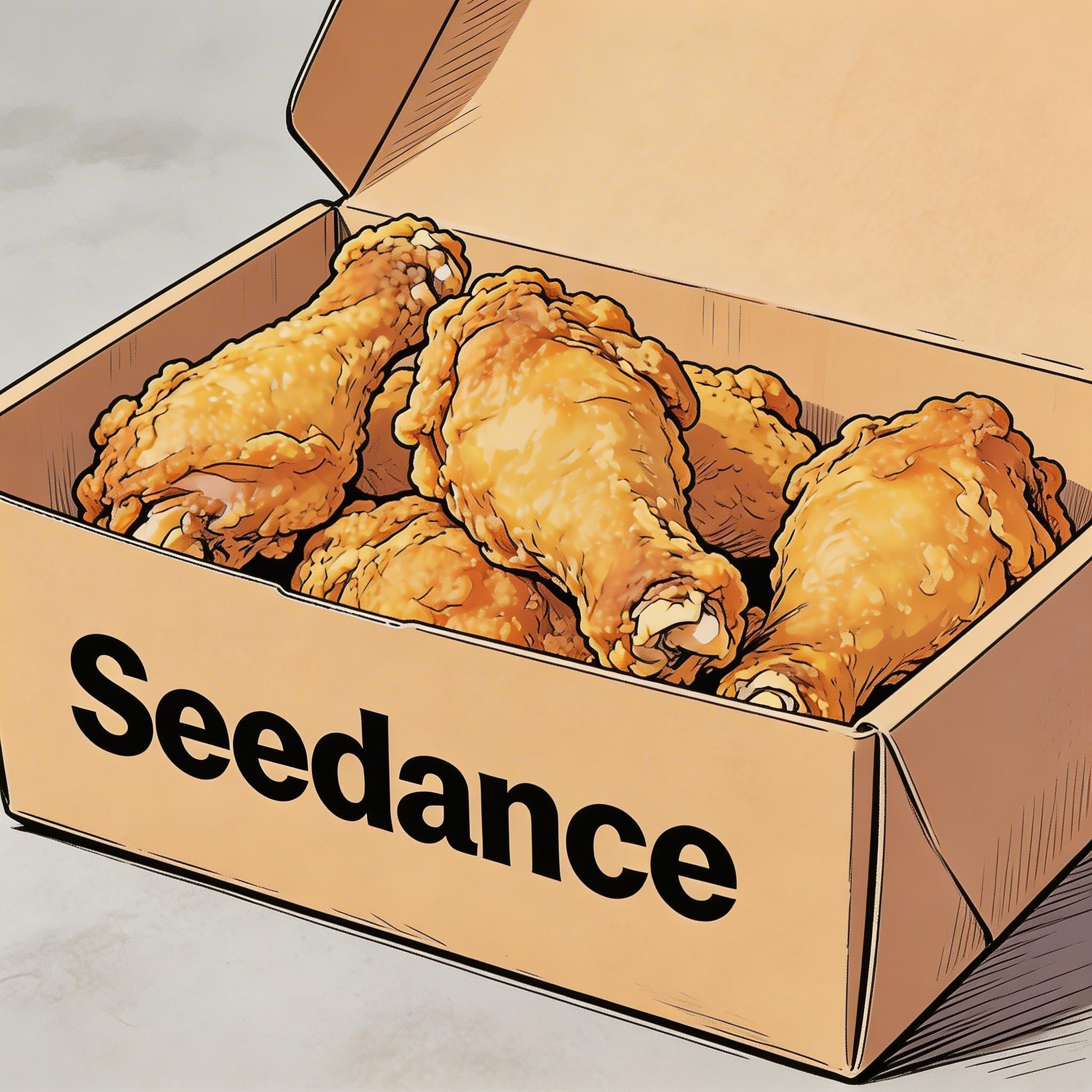
[Prompt] Hand-drawn comic style: Three people are sitting around a table enjoying the fried chicken shown in Image 1, with a friendly and joyful atmosphere. The frame then gradually blurs, and the text "Bite“”Laugh“” Seedance“ in order appears in the center of the screen.
[Referenzmaterial]
▲ Image 1
2.2 Untertitel
Prompt-Vorlage:
Display subtitles at the bottom-center with the text. The subtitles must be perfectly synchronized with the audio rhythm and pacing.Beispiele:
Voiceover
[Ergebnis]
[Referenzmaterial]
▲ Image 1
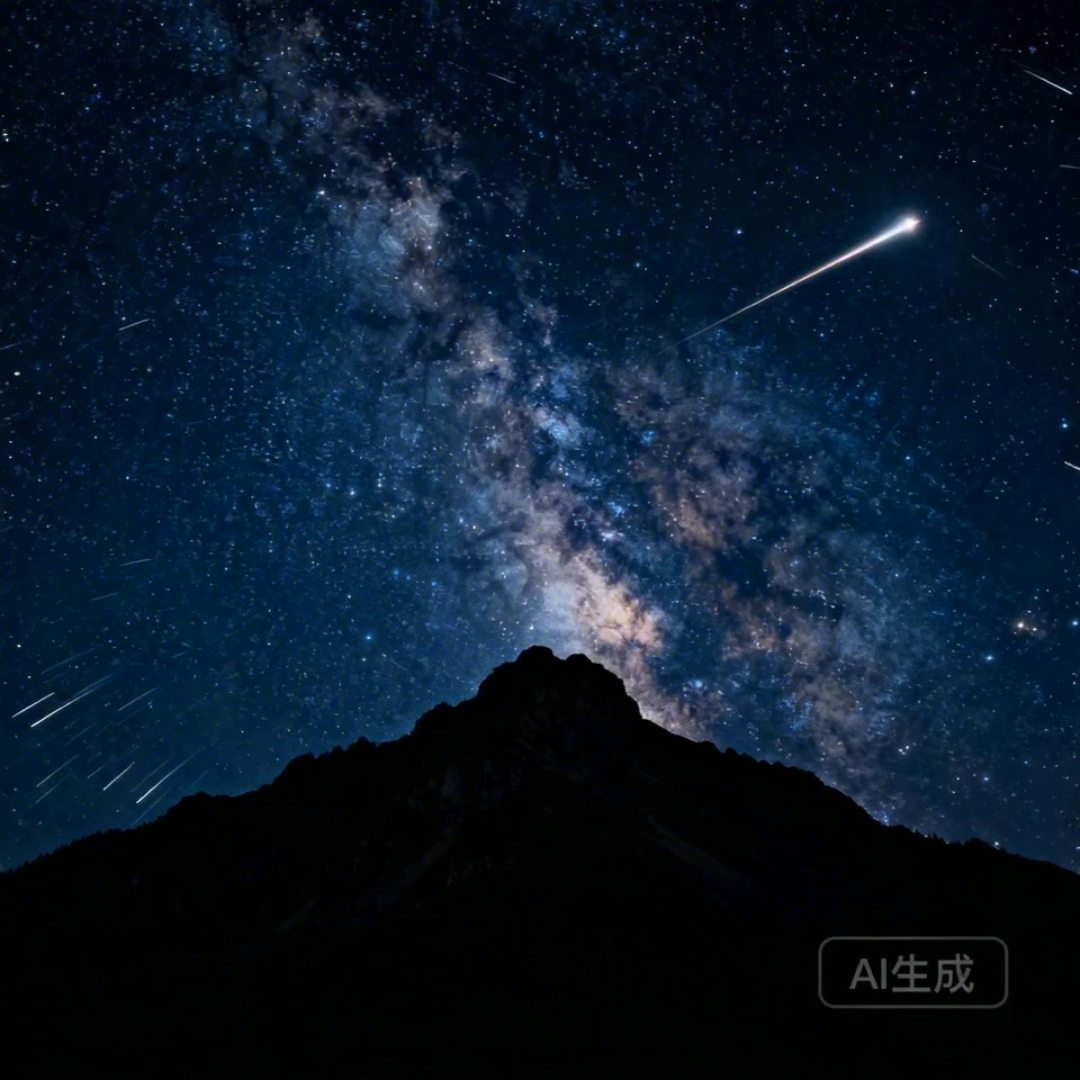
[Prompt] I2V: A time-lapse of a mountain landscape transitioning from a vast, starry night to a vibrant dawn. Voiceover: A deep, serene male voice says: 'In the vast silence of the cosmos, our world is but a fleeting moment. Yet, within it, life defiantly thrives.' > Text Integration: Render the narration as subtitles at the bottom-center. Subtitles must be perfectly synchronized with audio timing.
Synchronisation
[Ergebnis]
[Referenzmaterial]

▲ Image 1
[Prompt] R2V: A shot of these two people in Image 1 chatting in a modern office. The woman speaks first with a playful tone: "You always arrive right on time, don't you just love that perfect timing?" followed by the man’s smiling reply: "I have my own rhythm." > Text Integration: Render the dialogue as subtitles at the bottom-center of the screen. Subtitles should appear sequentially as each character speaks.
2.3 Sprechblasen
Prompt-Vorlage:
[Character] says, "[Dialogue]." Speech bubbles appear around the character containing the spoken text.Beispiele:
[Ergebnis]
[Referenzmaterial]
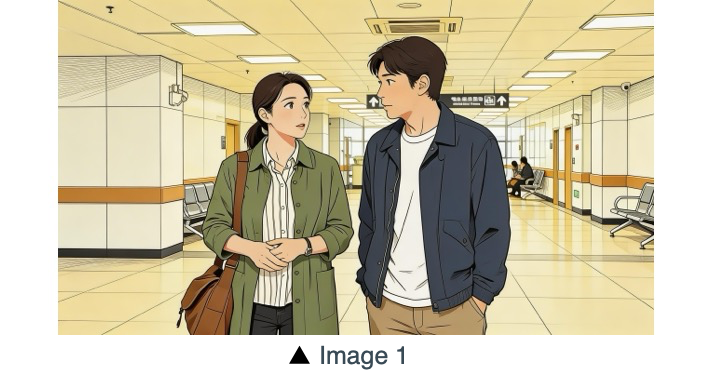
[Prompt] The two characters from Image 1, both dressed in sportswear, are running on the school playground. The girl looks at the boy, smiling confidently as she says: "We can definitely do it!". Cut to a close-up of the boy. He hesitates and replies: "Are you sure?". Cut back to a medium close-up of the girl. She speaks in a light, upbeat tone: "Yes!" Her demeanor is bright and resolute. Speech bubbles containing the corresponding lines appear around the speaking character.
[Ergebnis]
[Referenzmaterial]
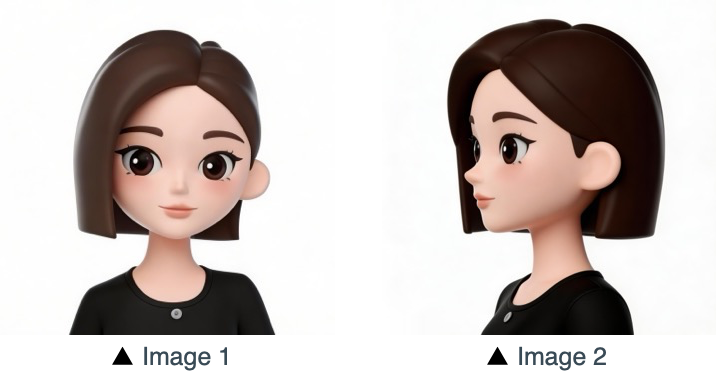
[Prompt] Refer to the character design of the girl in Image 1 and Image 2. The scene is set in an apple field: the girl picks one apple, takes a bite, smiles and says "This is the real deal!". A speech bubble pops up beside the girl, with this line written inside.
03 Bildreferenz
Die Seedance 2.5 Serie unterstützt Referenzen aus mehreren Perspektiven für Motive sowie Referenzen mit mehreren Bildern für Szenenaufbau, Sequenzen und mehr. Wenn dein Prozess eine bestimmte Reihenfolge braucht (etwa für aufeinanderfolgende Bewegungen), lade deine Bilder in der gewünschten Reihenfolge hoch. Anschließend kannst du im Prompt gezielt darauf verweisen: Nutze Image 1, Image 2, ...Image N, um jede Referenz exakt deinen Anweisungen zuzuordnen.
3.1 Motivreferenz aus mehreren Perspektiven
Prompt-Vorlage:
Refer to/Extract/Combine/Use the [Subject] from [Image N] to generate [Scene Description], maintaining consistent [Subject] features.Achte darauf, die Referenzobjekte eindeutig zu benennen. Das Modell versteht unter anderem die folgenden Beispiele. Produkte:
Unterhaltungselektronik
[Ergebnis]
[Referenzmaterial]
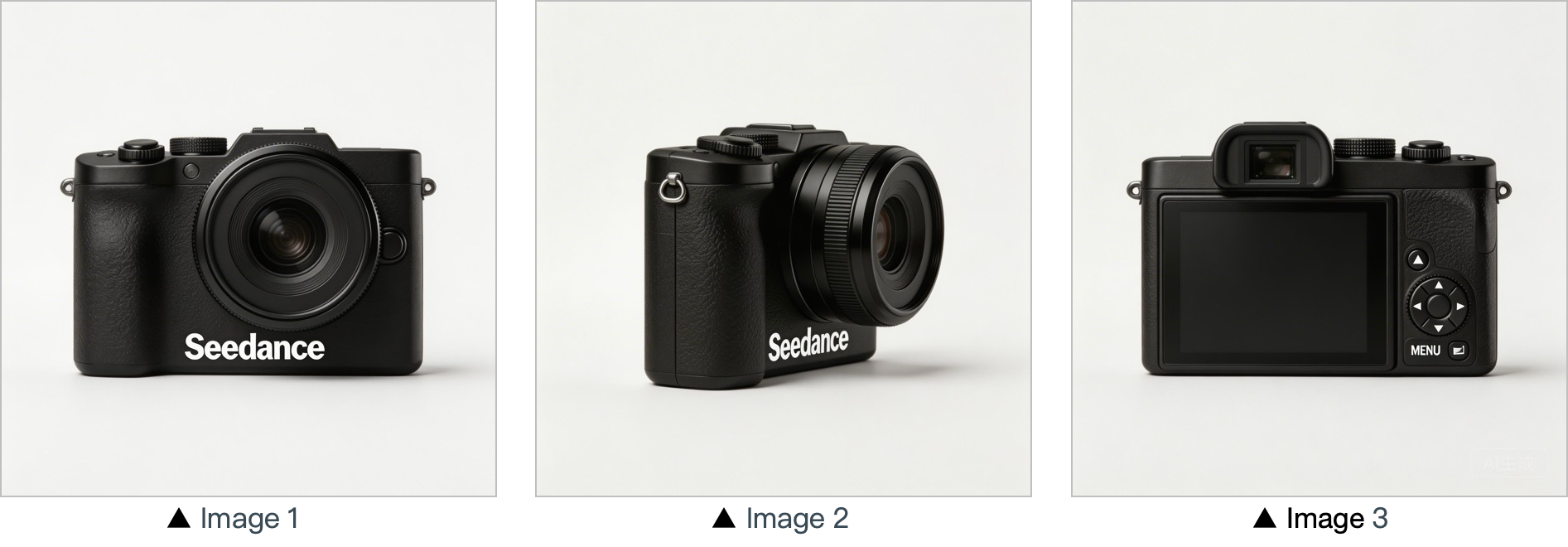
[Prompt] Use the cameras featured in Image 1, Image 2 and Image 3. Replace the original background with a white one, and place the cameras on a white table. The shooting lens first focuses on the cameras in close-up, then slowly rotates 360° with the cameras as the main subject, clearly displaying the front, sides and back of each camera.
Wohnen & Lifestyle
[Ergebnis]
[Referenzmaterial]
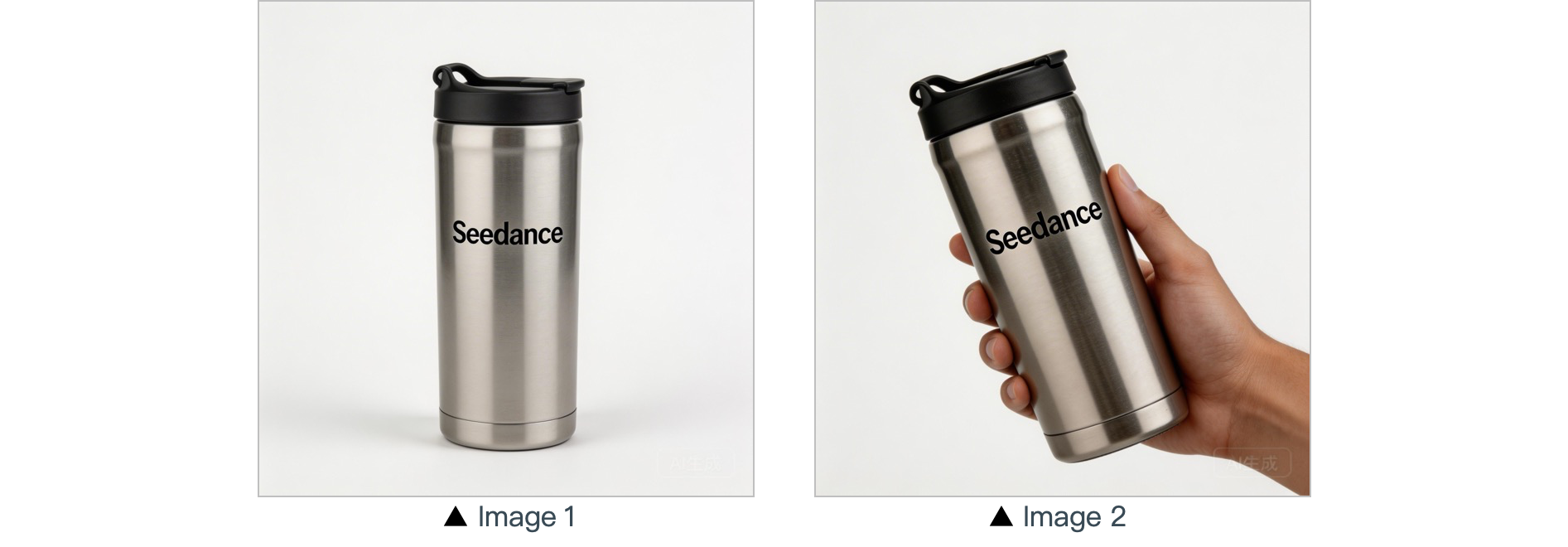
[Prompt] In a warm-toned home setting, present the thermos shown in the reference image in a medium shot. Then smoothly push the camera into a close-up of the thermos. Next, a hand naturally enters the frame off-screen, gently grips the thermos body and picks it up. The camera follows the slight rotating motion of the hand to showcase the thermos.
Figuren:
[Ergebnis]
[Referenzmaterial]
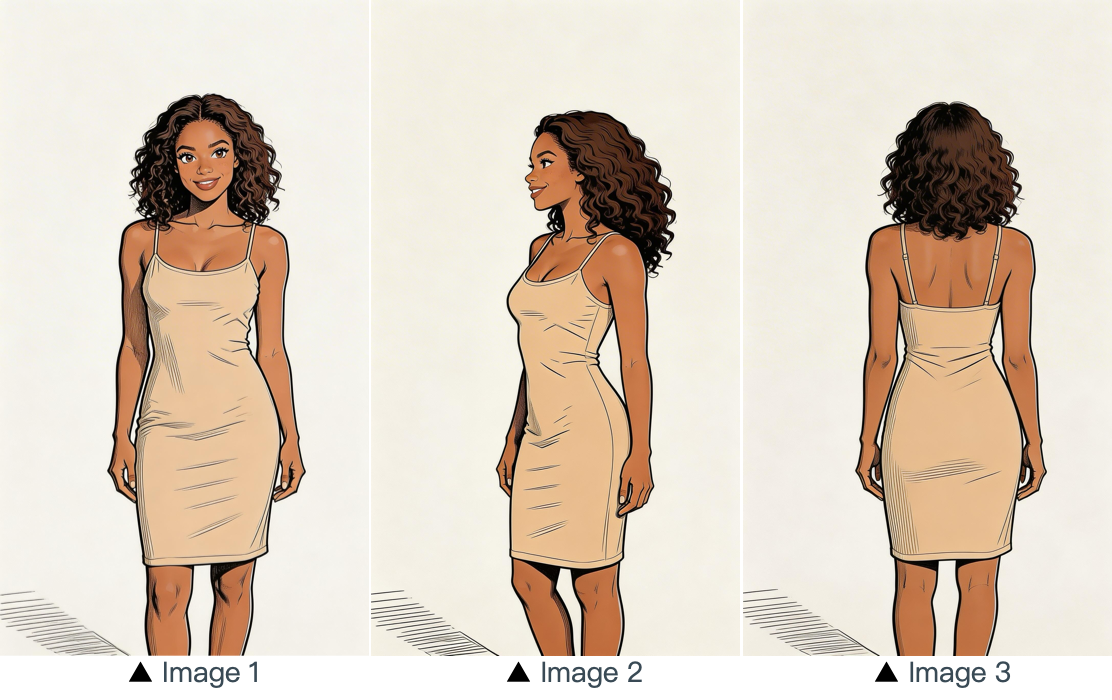
[Prompt] Refer to the image of the woman in Image 1, Image 2 and Image 3, and generate a scene of her eating a cake in a coffee shop.
3.2 Referenz mit mehreren Bildern
Prompt-Vorlage:
Refer to / Extract / Combine / Follow the [Description of referenced elements] from [Image N] to generate [Scene Description], while maintaining the consistency of [Referenced Elements].Beispiele:
Logo-Referenz
[Ergebnis]
[Referenzmaterial]
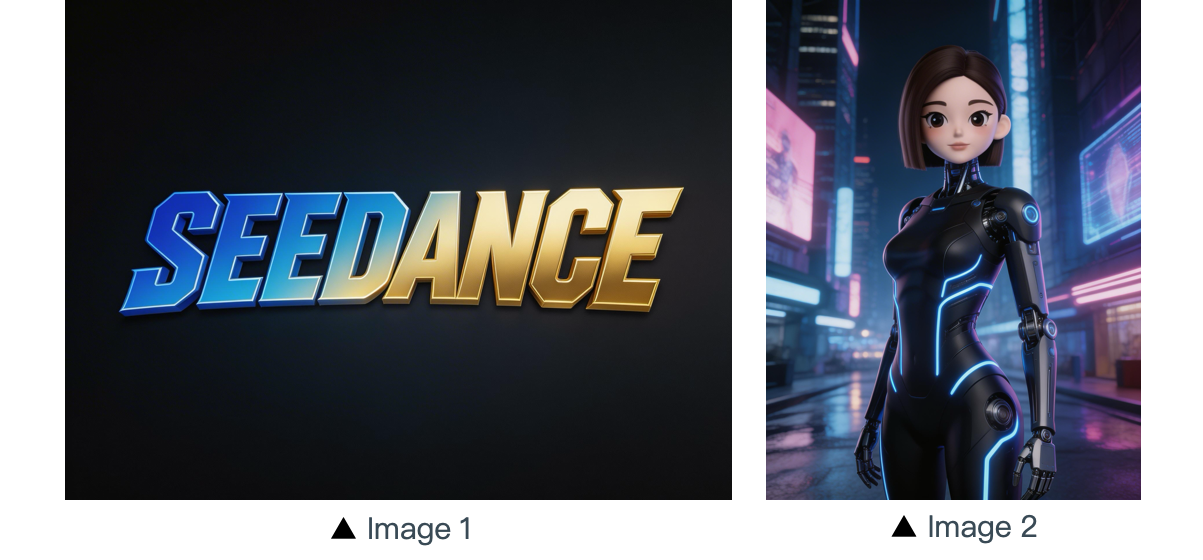
[Prompt] The scene is set on an aerial corridor in a neon-drenched futuristic metropolis, where flying vehicles and holographic ads intertwine. Featuring the girl from Reference Image 2, the sequence opens with a medium shot of her releasing a silver floating lantern embedded with a holographic projection. The camera then pulls back to reveal floating lanterns flooding the sky, which gradually converge at the center of the frame to form the logo from Reference Image 1. The entire piece adopts a 3D cyberpunk sci-fi animation style.
Referenz mit mehreren Motiven
[Ergebnis]
[Referenzmaterial]
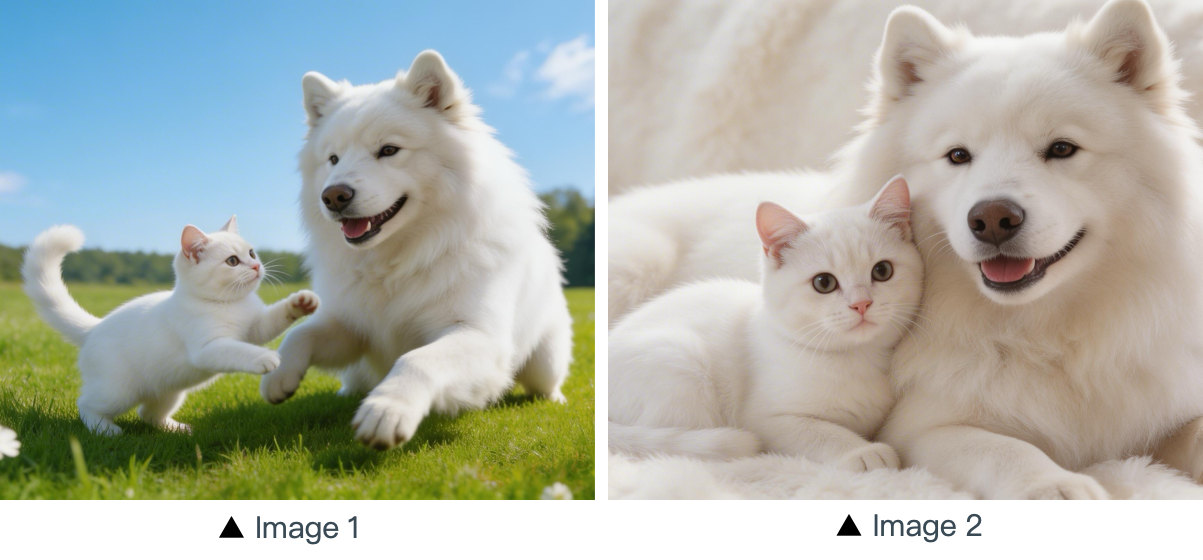
[Prompt] Using the cat and dog from the reference Image 1 and Image 2 as prototypes, the scene unfolds in a cozy apartment. The dog is lying on the ground eating dog food when the cat approaches, extending a paw to nudge the dog. The dog pauses its meal upon noticing the cat, and the cat snuggles up next to the dog. The entire scene features a warm colored tone.
Referenz mit mehreren Elementen
[Ergebnis]
[Referenzmaterial]
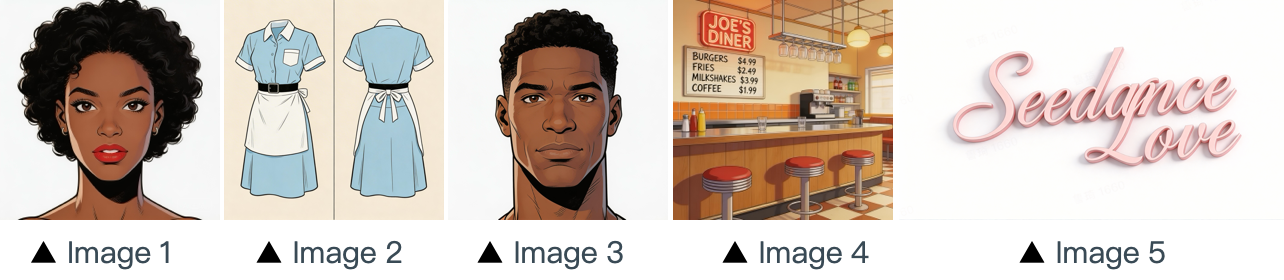
[Prompt] The scene is set in the restaurant from image 4 with people coming and going. The girl from image 1 , wearing the clothes from image 2 , is organizing the items on the counter. The boy, a customer, from image 3 approaches her to ask for her contact information. The logo from image 5 remains in the bottom right corner throughout.
Sequenzreferenz aus mehreren Panels
[Ergebnis]
[Referenzmaterial]
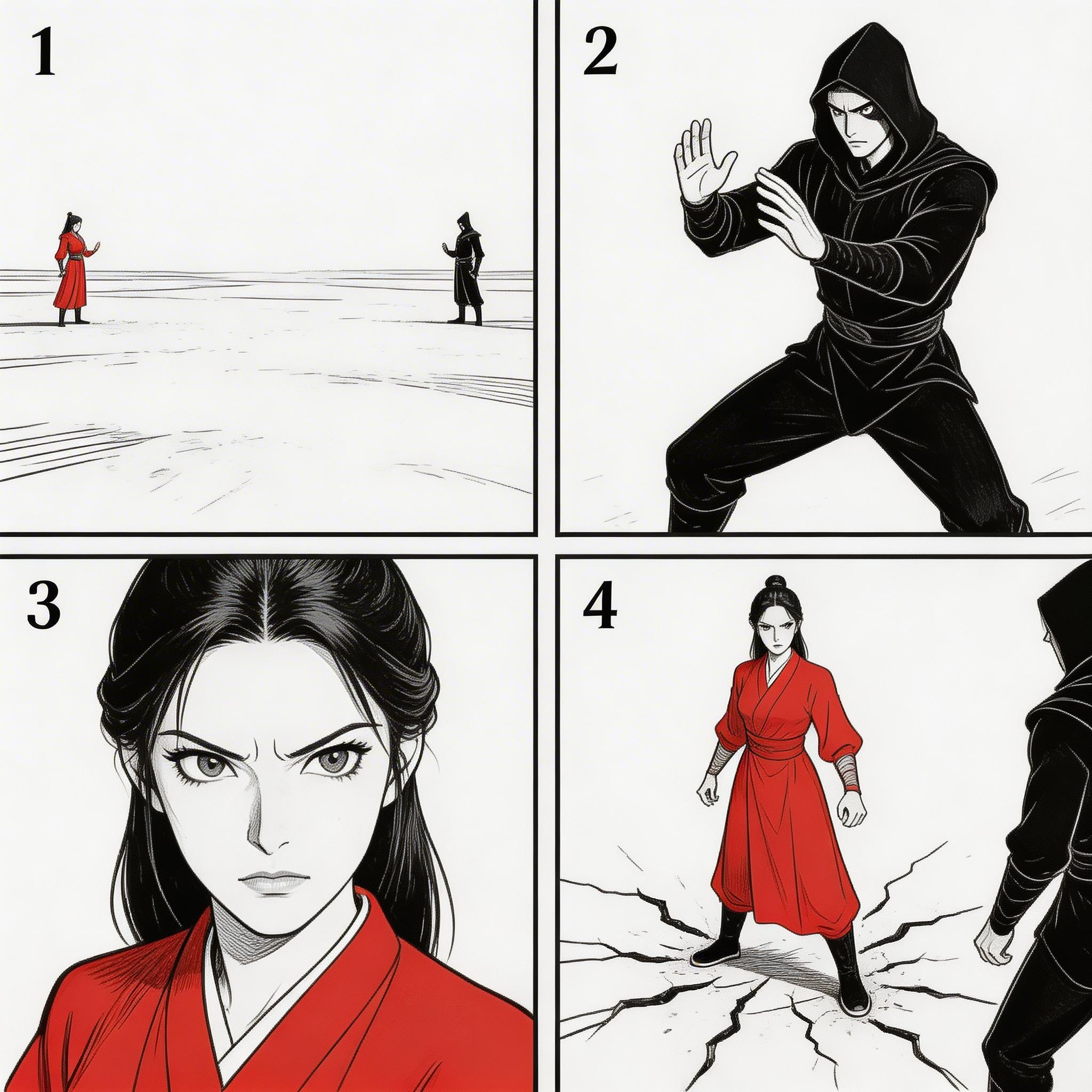
▲ Image 1
[Prompt] Refer to the sequence in Image 1 to create an intense high-energy fight sequence. All frame compositions from Image 1 shall be presented in strict predefined order, after which the two characters engage in fierce, fast-paced combat.
Sequenzreferenz
[Ergebnis]
[Referenzmaterial]
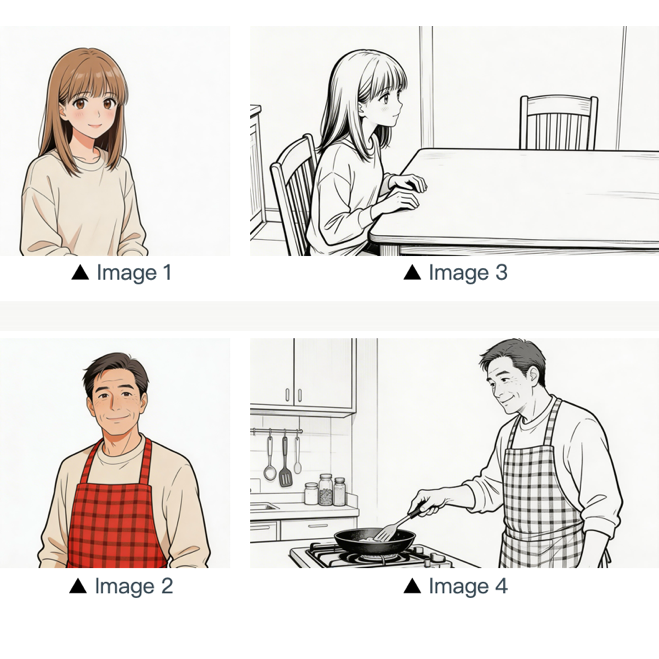
[Prompt] Refer to the composition in Image 3. A girl (her character design refers to Image 1) is waiting for her father to finish cooking, and she says: “아빠, 배고파요! 밥 다 됐어요?”Then the camera pans right and cuts to the frame and composition shown in Image 4. The father (his character design refers to Image 2) replies to her: “거의 다 됐어, 조금만 기다려!“Next, the camera cuts back to a close-up shot of the daughter's slightly disappointed facial expression, and she says: “아직 멀었어요? 맛있는 냄새 나는데...”Then the shot switches to a close-up of the father's face, and he says: “이제 진짜 금방이야. "빨리빨리" 하지 말고 손부터 씻고 와!”
04 Videoreferenz
Die Seedance 2.5 Serie unterstützt Referenzen auf Videobasis.
- Wenn dein Workflow eine bestimmte Reihenfolge erfordert, lade die Dateien der Reihe nach hoch. Im Prompt kannst du
Video 1,Video 2, ...Video nfür die exakte Zuordnung verwenden. - Achte lediglich darauf, dass die Beziehung zwischen dem generierten Inhalt und der Referenzquelle klar definiert ist.
4.1 Bewegungsreferenz
Prompt-Vorlage:
Refer to the [Motion Description] from [Video N] to generate [Scene Description], keeping the motion details consistent.Beispiele:
Künstlerisch
[Ergebnis]
[Referenzmaterial]
▲ Video 1
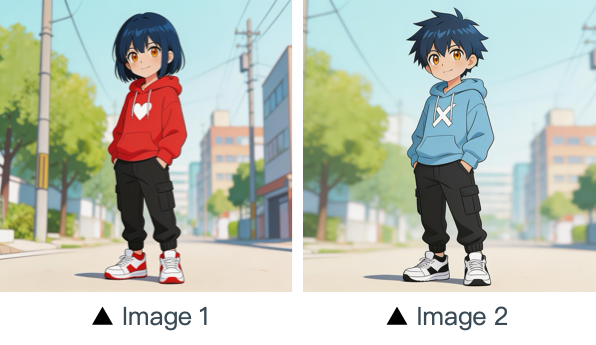
[Prompt] Refer to the character movements and shot language in Video 1 to create a fight scene with the character from Image 2 on the left and the character from Image 1 on the right. Include intense background music.
Marketing
[Ergebnis]
[Referenzmaterial]
▲ Video 1
[Prompt] Referencing the running shape of the horse in the video, generate a scene: a golden steed runs on the grassland, then freezes its magnificent running posture and turns into a horse-shaped gold pendant.
4.2 Kamerabewegungsreferenz
Prompt-Vorlage:
Refer to the [Camera Movement Description] from [Video N] to generate [Scene Description], keeping the scene consistent.Beispiele:
[Ergebnis]
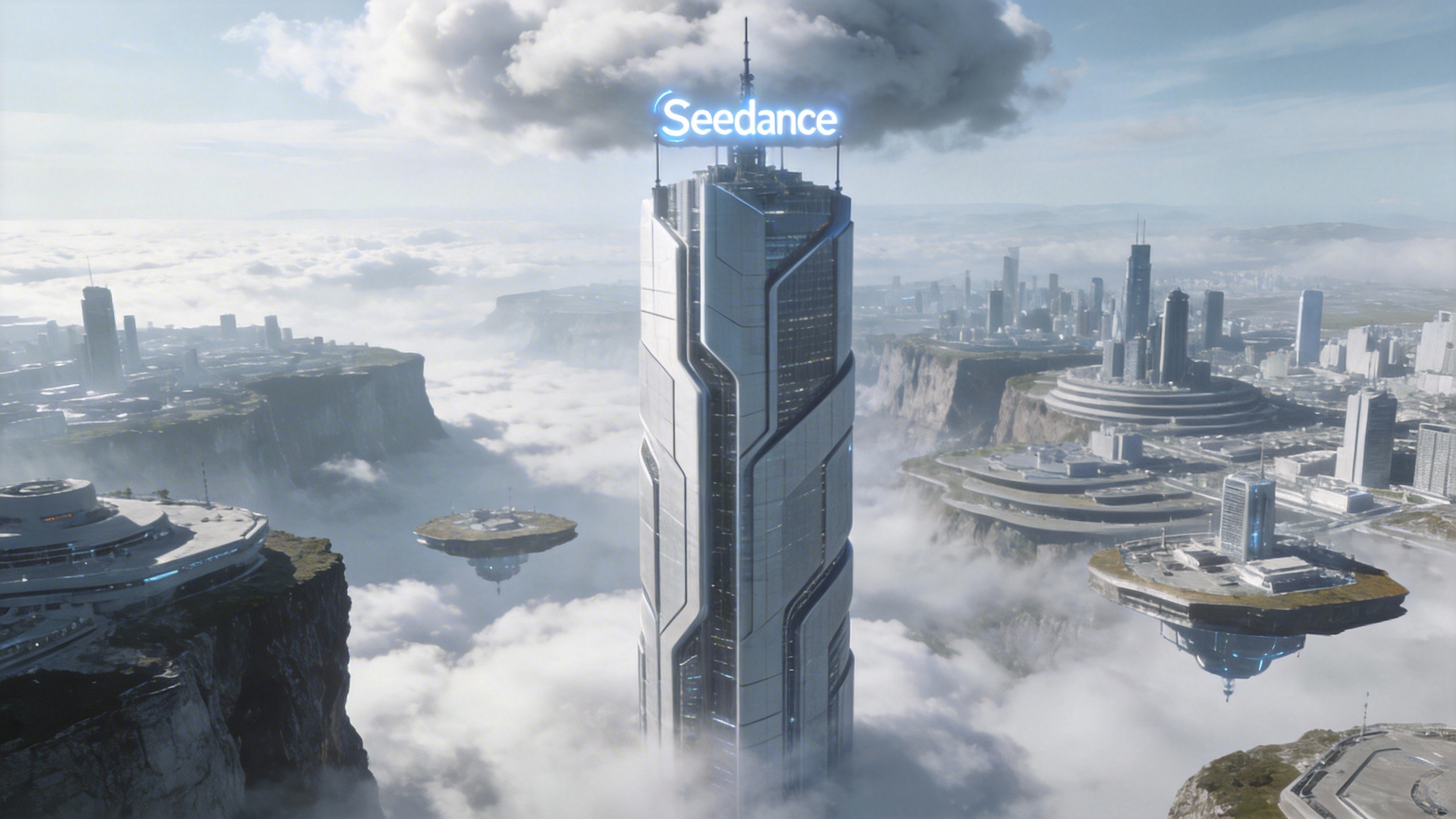
[Prompt] Referring to the camera movement in video 1, create a concept video for a science and technology park, with the tall building in the image as the visual center, also using a first-person diving perspective, to reflect the sense of technology in the park from image 1.
[Referenzmaterial]
▲ Video 1
▲ Image 1
4.3 Visual-Effects-Referenz (VFX)
Prompt-Vorlage:
Refer to the [VFX Effects Description] from [Video N] to generate [Scene Description], keeping the special effects consistent.Beispiele:
Videoproduktion
[Ergebnis]
[Referenzmaterial]
▲ Video 1
▲ Image 1
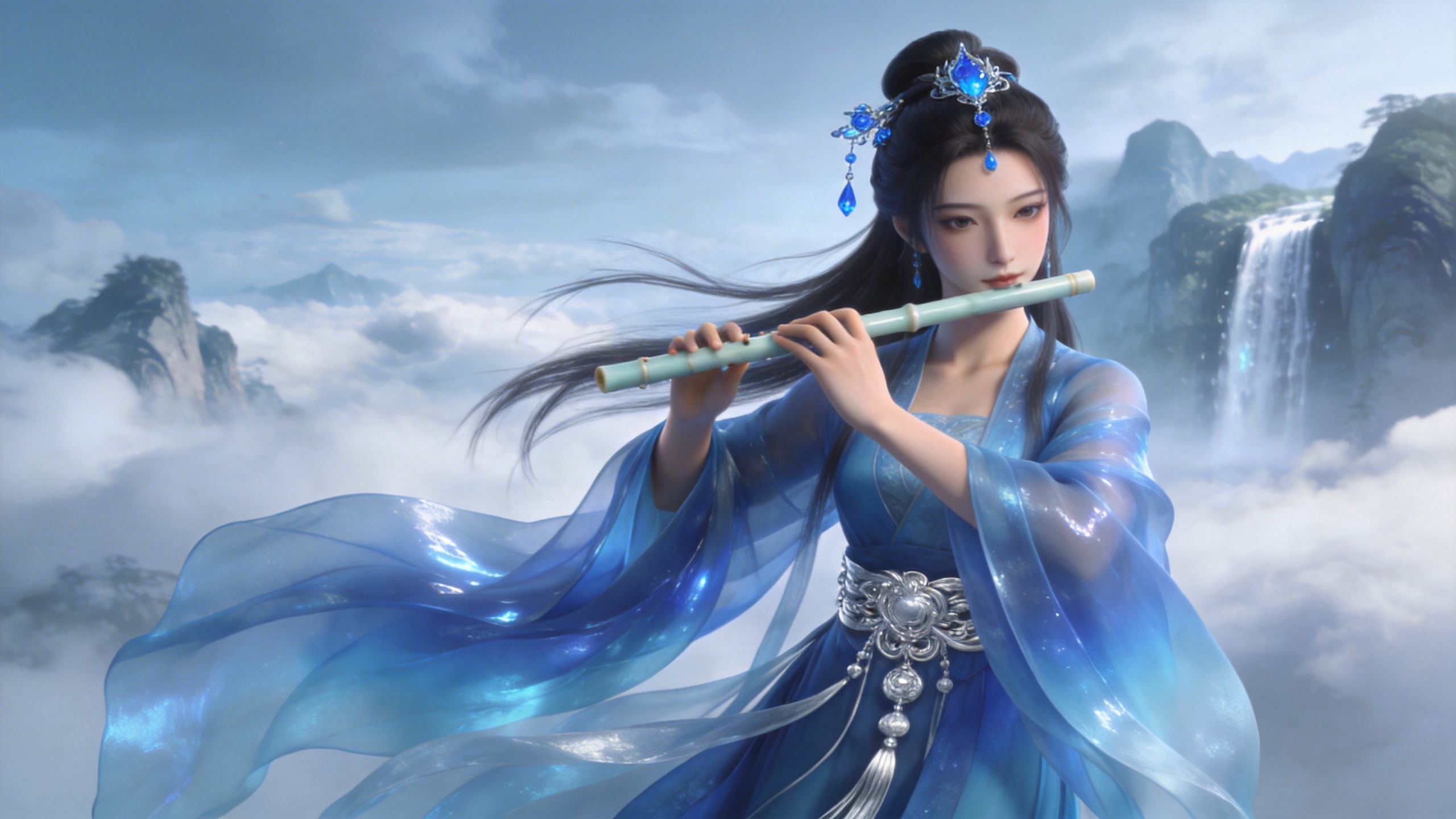
[Prompt] Refer to the golden particle effects in Video 1, so that when the character in Image 1 plays the flute, the same particle effects surround their body.
Kreative Effekte
[Ergebnis]
[Referenzmaterial]
▲ Video 1
▲ Image 1
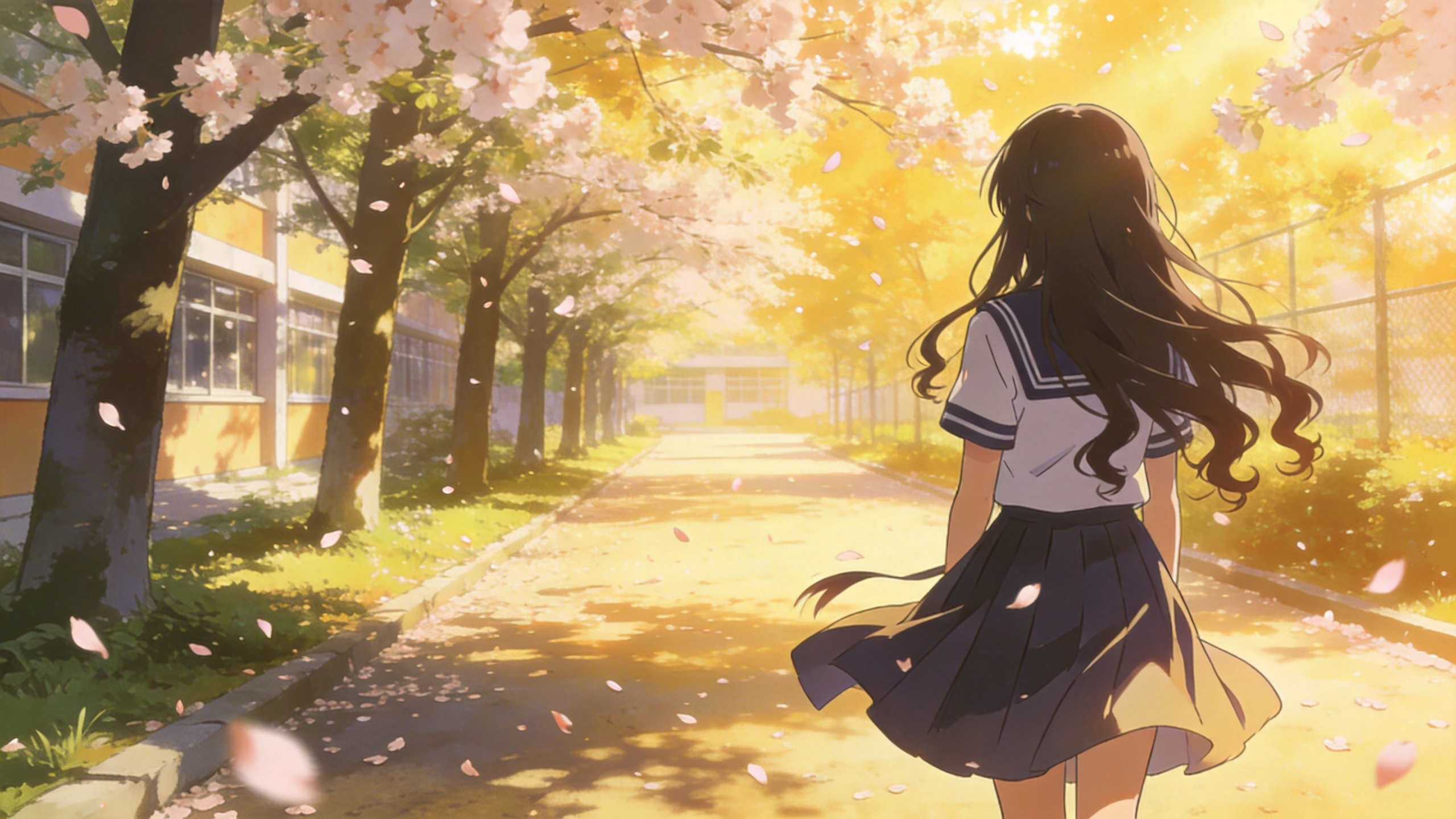
[Prompt] Refer to the special effects shown in Video 1 to generate identical wings for the girl in Image 1, ensuring the wing formation trajectory follows the exact same motion path and sequence depicted in the video.
05 Videobearbeitung
Die Seedance 2.5 Serie unterstützt Videobearbeitung – darunter Elemente hinzufügen, entfernen oder ändern, die Videodauer verlängern (nach vorn und nach hinten) und Übergänge angleichen. Wenn dein Projekt eine bestimmte Reihenfolge erfordert, lade die Dateien der Reihe nach hoch. Im Prompt kannst du „video 1“, „video 2“, ... „video n“ für die exakte Zuordnung verwenden.
5.1 Elemente hinzufügen, entfernen oder ändern
Prompt-Vorlage:
Adding: At [Timestamp/Timing] and [Spatial Location] of [Video N], add [Description of intended element].
Removing: Remove [Element to be deleted] from [Video N], keeping the rest of the video content unchanged.
Modifying: Replace [Description of element to be changed] in [Video N] with [Description of intended element].
Beispiele:
Elemente hinzufügen
[Ergebnis]
[Referenzmaterial]
▲ Video 1
[Prompt] Add snacks such as fried chicken and pizza to the countertop in Video 1.
Elemente entfernen
[Ergebnis]
[Referenzmaterial]
▲ Video 1
[Prompt] Remove everything that isn't office stuff from the table in Video 1, keeping the rest of the video content unchanged.
Elemente ändern
[Ergebnis]
[Referenzmaterial]
▲ Video 1
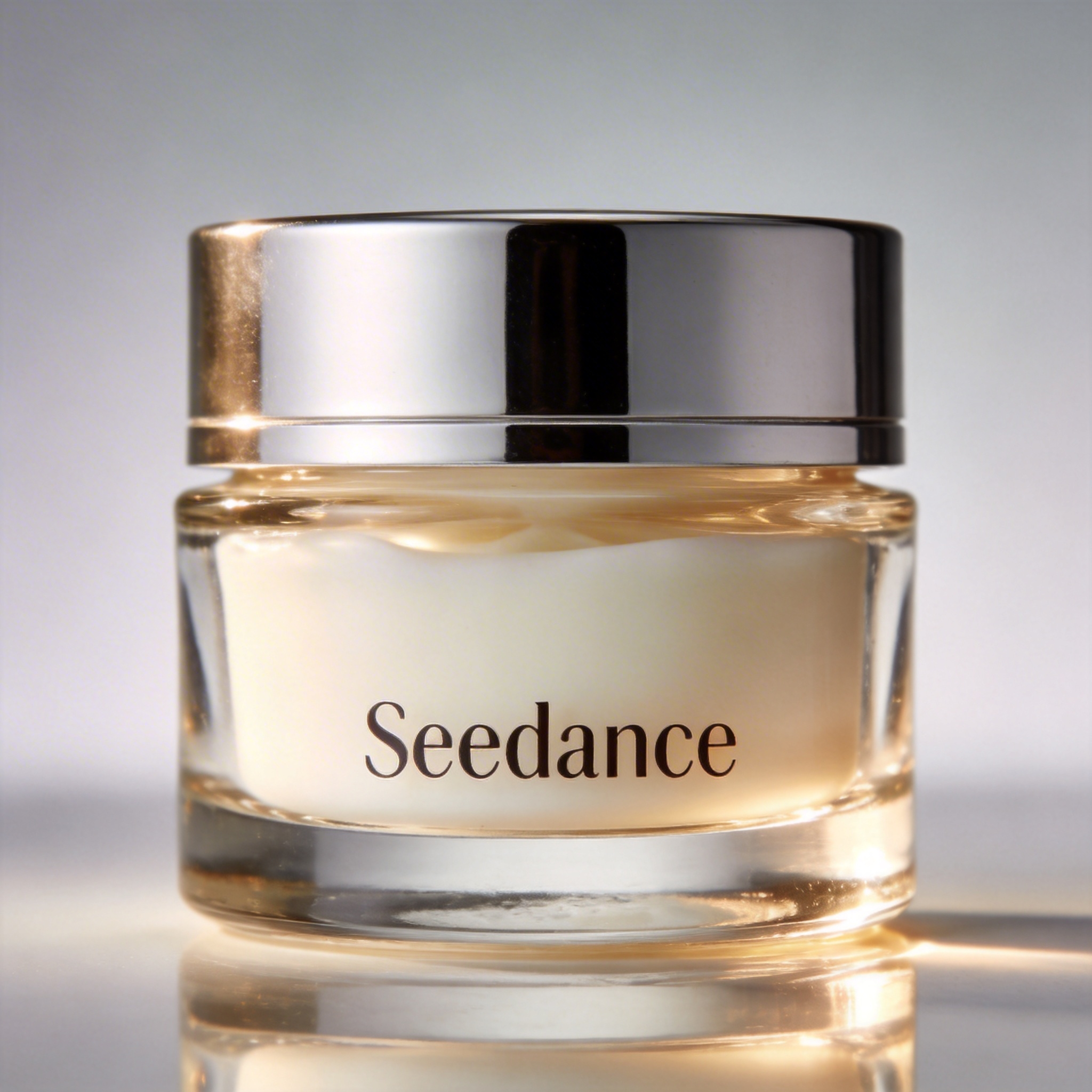
▲ Image 1
[Prompt] Replace the perfume featured in Video 1 with the face cream from Image 1, with all original motions and camera work preserved.
5.2 Videos verlängern
Prompt-Vorlage:
- Extend [Video N] forward/backward + [Description of extended content]
- Generate content before/after [Video N] + [Description of extended content]
:::warning Achtung Das Modell extrahiert die Übergangsframes automatisch, um nahtlos zu überblenden. Die ursprünglichen Segmente des Eingabevideos werden nicht neu generiert – so bleibt die Kontinuität perfekt erhalten. ::: Beispiele:
Nach hinten verlängern
[Ergebnis]
[Referenzmaterial]
▲ Video 1
[Prompt] Generate the content after Video 1: the two men who are late run towards them, the five people finally meet and have a friendly chat.
Nach vorn verlängern
[Ergebnis]
[Referenzmaterial]
▲ Video 1
[Prompt] Extend the opening segment of Video 1: Set up an over-the-shoulder shot of the man in a hoodie, and the man says: “It’s not that bad. You're just stressed. Everyone goes through this, you just need to keep going.”
5.3 Übergänge vervollständigen
Prompt-Vorlage:
[Video 1] + [Transition Description] + followed by [Video 2] + [Transition Description] + followed by [Video 3]:::tip Hinweis Eingabelimit: Die Seedance 2.5 Serie verarbeitet maximal 3 Videoclips als Eingabe, und die Gesamtdauer darf 15 Sekunden nicht überschreiten. Intelligentes Trimmen: Während der Generierung kürzt das Modell die Verbindungsabschnitte des ersten und letzten Clips automatisch und behält nur die nötigen Frames, damit die Synthese nahtlos und logisch bleibt. ::: Beispiele:
[Ergebnis]
[Prompt] Video 1. The moment a leaf falls to the ground, it sets off a special effect of golden particles. A gust of wind blows by, leading into Video 2.
▲ Video 1
▲ Video 2