Guide des prompts Seedance 2.5
Seedance 2.5 est le modèle vidéo phare de Bytedance, conçu dès l'origine pour synthétiser l'image et le son en une seule passe plutôt que de les assembler après coup. Il lit des scénarios en langage naturel avec une précision cinématographique, maintient la cohérence des personnages et des décors d'un plan à l'autre, et accepte images, audio et vidéo comme repères créatifs en complément de votre texte.
Ce guide parcourt les schémas de prompt qui tirent le meilleur du modèle de façon constante : comment formuler un plan, quand s'appuyer sur du matériel de référence, et comment contrôler le texte, le mouvement, les mouvements de caméra et le montage. Tous les exemples ci-dessous ont été produits avec Seedance 2.5 : copiez un modèle, adaptez-le à votre scène et itérez.
Ce qui est nouveau dans Seedance 2.5 : tous les schémas de prompt de ce guide restent valables, mais la 2.5 offre une toile plus longue, des références plus riches et un contrôle du montage nettement plus précis.
Jusqu'à 30 secondes par génération
La durée d'une génération unique double, passant de 15 à 30 secondes, avec des transitions entre plans plus fluides et une cohérence des personnages renforcée sur l'ensemble du clip.
Des références multimodales plus riches
Ancrez un plan avec des images, de la vidéo (avec ou sans piste audio) et de l'audio à la fois : identité, style et composition viennent des images, mouvement de caméra et action de la vidéo, timbre vocal et mélodie de l'audio.
Montage à l'échelle du timecode
Ciblez une modification sur un moment précis de la vidéo source : remplacer le sujet principal, ajouter, supprimer ou modifier des objets et repeindre certaines images, le tout depuis un seul prompt.
Prolonger et assembler des clips
Prolongez une vidéo existante vers l'avant ou vers l'arrière, ou assemblez jusqu'à trois clips en une scène cohérente, avec continuité du mouvement, de la lumière et du sujet.
01 Principes généraux
1.1 Formule de base des instructions textuelles
La série Seedance 2.5 excelle à suivre la logique du langage naturel. Vous pouvez combiner librement les éléments suivants selon vos besoins créatifs :

La base logique de votre génération. Définissez clairement « qui » accomplit « quelle action ».

Définissez la tonalité générale en décrivant le décor, les détails de lumière ou des styles visuels précis.

Les instructions avancées peuvent inclure des effets sonores de scène ou d'ambiance pour un résultat audiovisuel immersif et synchronisé.
1.2 Contrôle des références pour les entrées multimodales
Au-delà des descriptions textuelles, vous pouvez fournir du matériel pour figer l'état idéal de l'image. La série Seedance 2.5 prend en charge un référencement approfondi des images, de l'audio et de la vidéo.

Dans le prompt, désignez clairement l'objet de référence, par exemple « Utilise la composition de Image 1 » ou « Reprends le mouvement de Video 2 ».

Le modèle extrait automatiquement les caractéristiques clés du matériel de référence et les fusionne avec votre texte. Le résultat reste ainsi fidèle et prévisible tout en laissant place à la variation créative.
02 Rendu de texte
La série Seedance 2.5 sait générer du texte courant dans plusieurs scénarios, dont T2V (texte-vers-vidéo), I2V (image-vers-vidéo), R2V (référence-vers-vidéo) et V2V (vidéo-vers-vidéo).
- Capacités clés :
- Adaptation intelligente : Le modèle ajuste automatiquement les styles et couleurs de police au contexte de votre scène, pour une intégration visuelle naturelle.
- Contrôle fin : Vous pouvez définir explicitement les attributs suivants dans vos prompts :
- Style : Couleur et style de police.
- Comportement dynamique : La manière dont le texte apparaît (style d'entrée) et le moment précis de son apparition.
- Mise en page : Positionnement précis dans le cadre.
- Bonnes pratiques :
- Utilisez un vocabulaire courant : Privilégiez les mots largement reconnus et les tournures familières. Le modèle est le plus performant avec le lexique anglais standard.
- Évitez les mots rares ou obscurs : Les mots très complexes ou peu usités peuvent produire des incohérences. Des mots simples et fréquents garantissent un rendu plus fidèle.
- Limitez les symboles spéciaux : Réduisez l'usage de symboles complexes ou de ponctuation non standard afin de préserver la lisibilité et la fidélité typographique.
2.1 Slogans
Modèle de prompt :
[Text Content] + [Timing] + [Positioning] + [Entrance/Appearance Style], [Visual Attributes (Color, Font Style)]Style visuel et cohérence :
- Adaptation contextuelle : la série Seedance 2.5 identifie automatiquement le contexte de la scène pour choisir l'esthétique typographique la plus adaptée.
- Exigences de précision : si votre projet impose des standards visuels stricts (cohérence de marque, par exemple), reportez-vous à la section [2.2.2 Référence multi-images : référence de logo] pour des conseils avancés.
Exemples :
[Résultat]
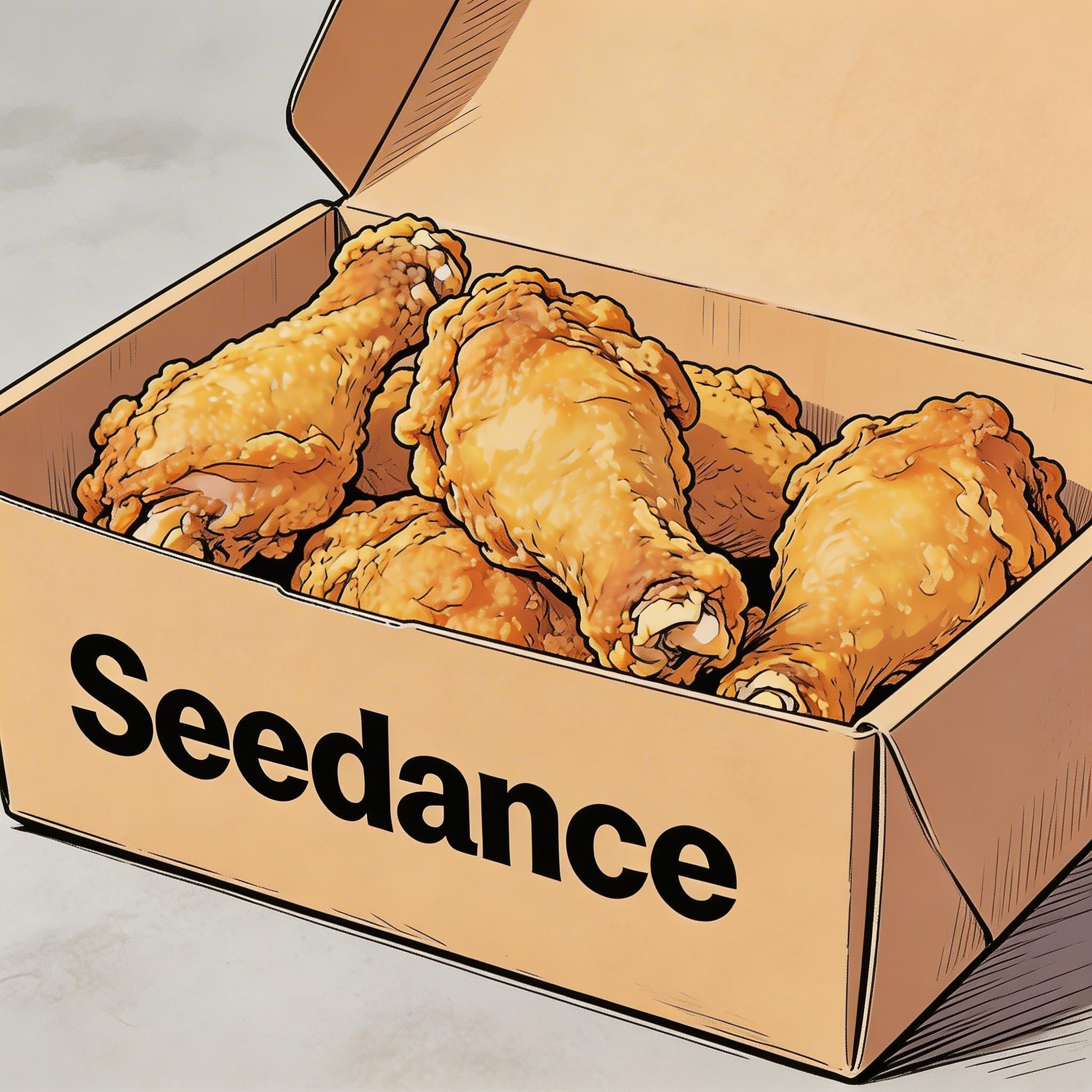
[Prompt] Hand-drawn comic style: Three people are sitting around a table enjoying the fried chicken shown in Image 1, with a friendly and joyful atmosphere. The frame then gradually blurs, and the text "Bite“”Laugh“” Seedance“ in order appears in the center of the screen.
[Matériel de référence]
▲ Image 1
2.2 Sous-titres
Modèle de prompt :
Display subtitles at the bottom-center with the text. The subtitles must be perfectly synchronized with the audio rhythm and pacing.Exemples :
Voix off
[Résultat]
[Matériel de référence]
▲ Image 1
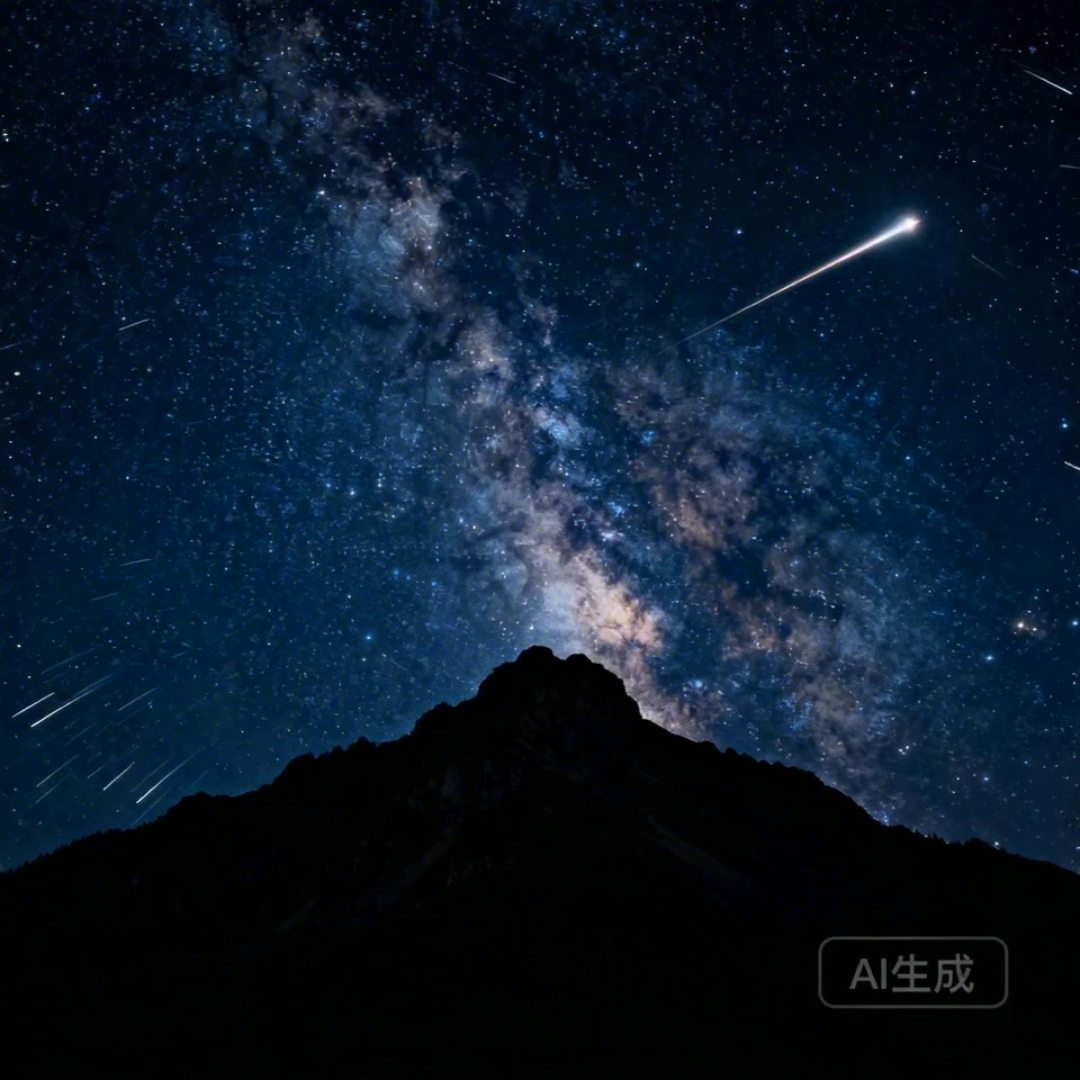
[Prompt] I2V: A time-lapse of a mountain landscape transitioning from a vast, starry night to a vibrant dawn. Voiceover: A deep, serene male voice says: 'In the vast silence of the cosmos, our world is but a fleeting moment. Yet, within it, life defiantly thrives.' > Text Integration: Render the narration as subtitles at the bottom-center. Subtitles must be perfectly synchronized with audio timing.
Doublage
[Résultat]
[Matériel de référence]

▲ Image 1
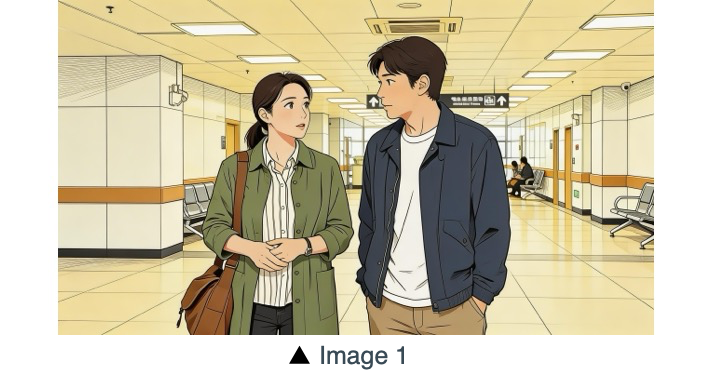
[Prompt] R2V: A shot of these two people in Image 1 chatting in a modern office. The woman speaks first with a playful tone: "You always arrive right on time, don't you just love that perfect timing?" followed by the man’s smiling reply: "I have my own rhythm." > Text Integration: Render the dialogue as subtitles at the bottom-center of the screen. Subtitles should appear sequentially as each character speaks.
2.3 Bulles de dialogue
Modèle de prompt :
[Character] says, "[Dialogue]." Speech bubbles appear around the character containing the spoken text.Exemples :
[Résultat]
[Matériel de référence]
[Prompt] The two characters from Image 1, both dressed in sportswear, are running on the school playground. The girl looks at the boy, smiling confidently as she says: "We can definitely do it!". Cut to a close-up of the boy. He hesitates and replies: "Are you sure?". Cut back to a medium close-up of the girl. She speaks in a light, upbeat tone: "Yes!" Her demeanor is bright and resolute. Speech bubbles containing the corresponding lines appear around the speaking character.
[Résultat]
[Matériel de référence]
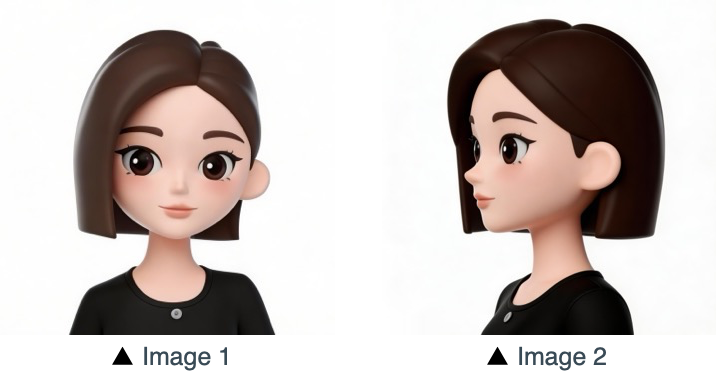
[Prompt] Refer to the character design of the girl in Image 1 and Image 2. The scene is set in an apple field: the girl picks one apple, takes a bite, smiles and says "This is the real deal!". A speech bubble pops up beside the girl, with this line written inside.
03 Référence image
La série Seedance 2.5 prend en charge les références multi-angles pour les sujets, ainsi que le référencement multi-images pour les compositions de scène, les séquences et plus encore. Si votre processus créatif exige un ordre précis (pour un mouvement séquentiel, par exemple), importez vos images dans l'ordre souhaité. Vous pourrez ensuite utiliser des identifiants précis dans votre prompt : Image 1, Image 2, ...Image N pour associer chaque référence à vos instructions.
3.1 Référence de sujet multi-angles
Modèle de prompt :
Refer to/Extract/Combine/Use the [Subject] from [Image N] to generate [Scene Description], maintaining consistent [Subject] features.Veillez à identifier clairement les objets de référence. Le modèle traite notamment les instructions suivantes. Produits :
Électronique grand public
[Résultat]
[Matériel de référence]
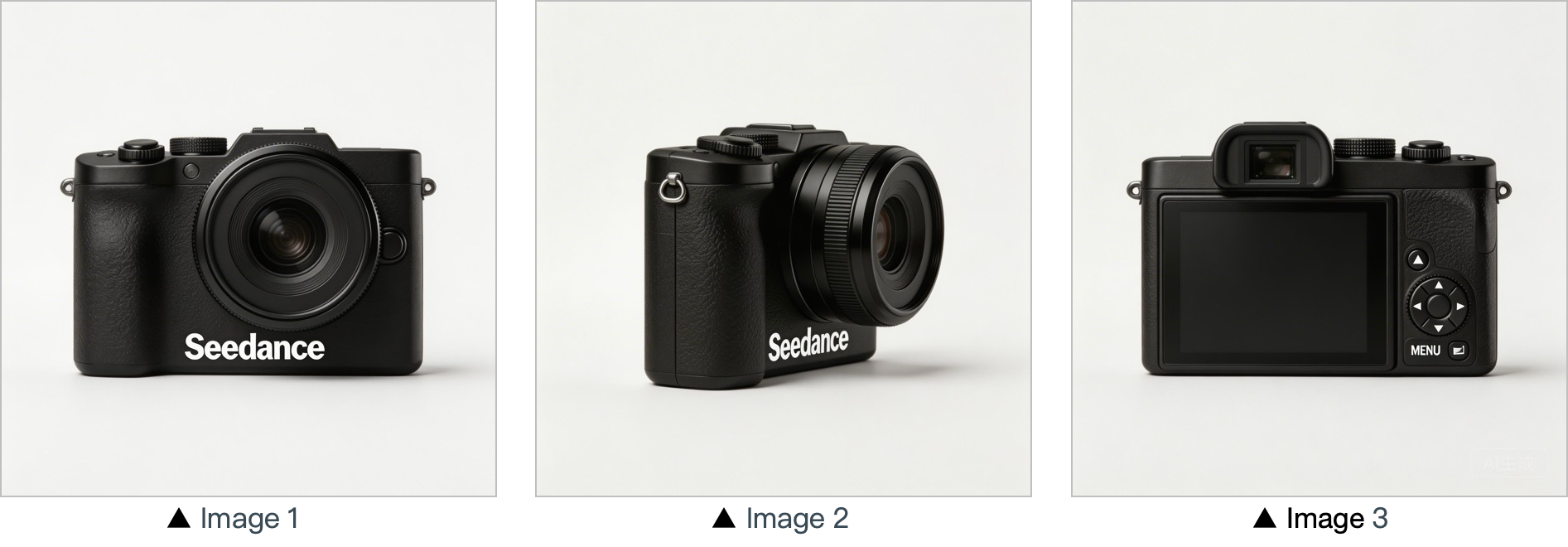
[Prompt] Use the cameras featured in Image 1, Image 2 and Image 3. Replace the original background with a white one, and place the cameras on a white table. The shooting lens first focuses on the cameras in close-up, then slowly rotates 360° with the cameras as the main subject, clearly displaying the front, sides and back of each camera.
Maison et lifestyle
[Résultat]
[Matériel de référence]
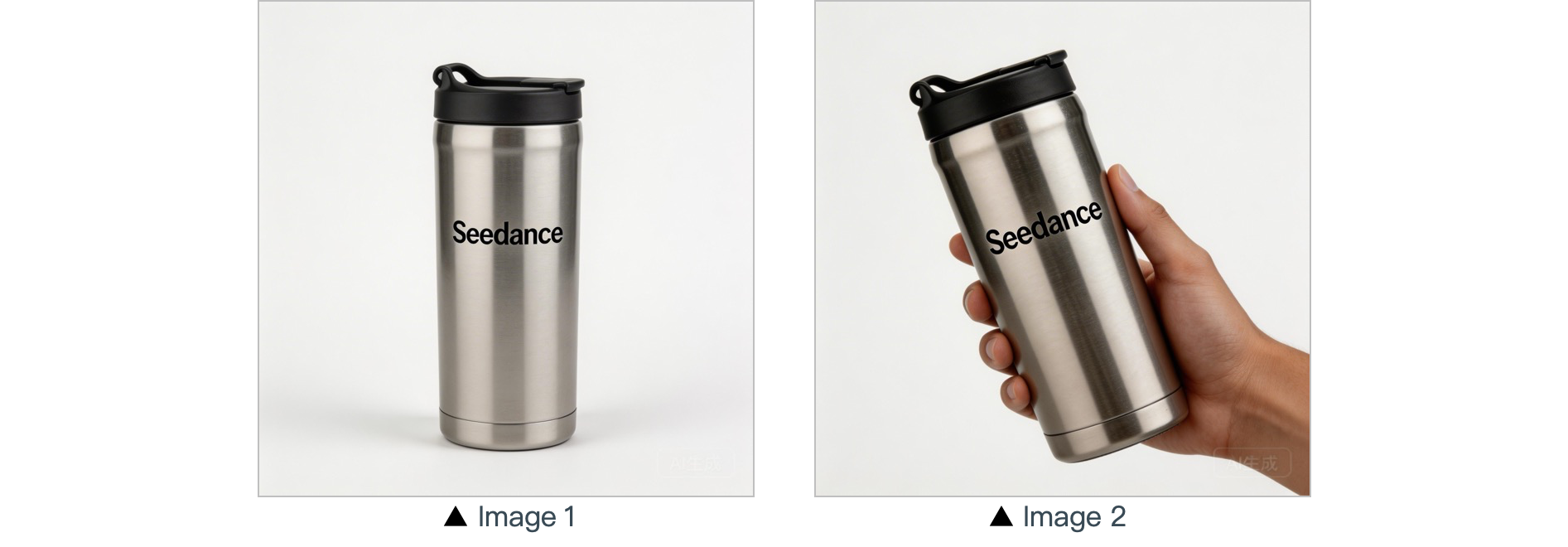
[Prompt] In a warm-toned home setting, present the thermos shown in the reference image in a medium shot. Then smoothly push the camera into a close-up of the thermos. Next, a hand naturally enters the frame off-screen, gently grips the thermos body and picks it up. The camera follows the slight rotating motion of the hand to showcase the thermos.
Personnages :
[Résultat]
[Matériel de référence]
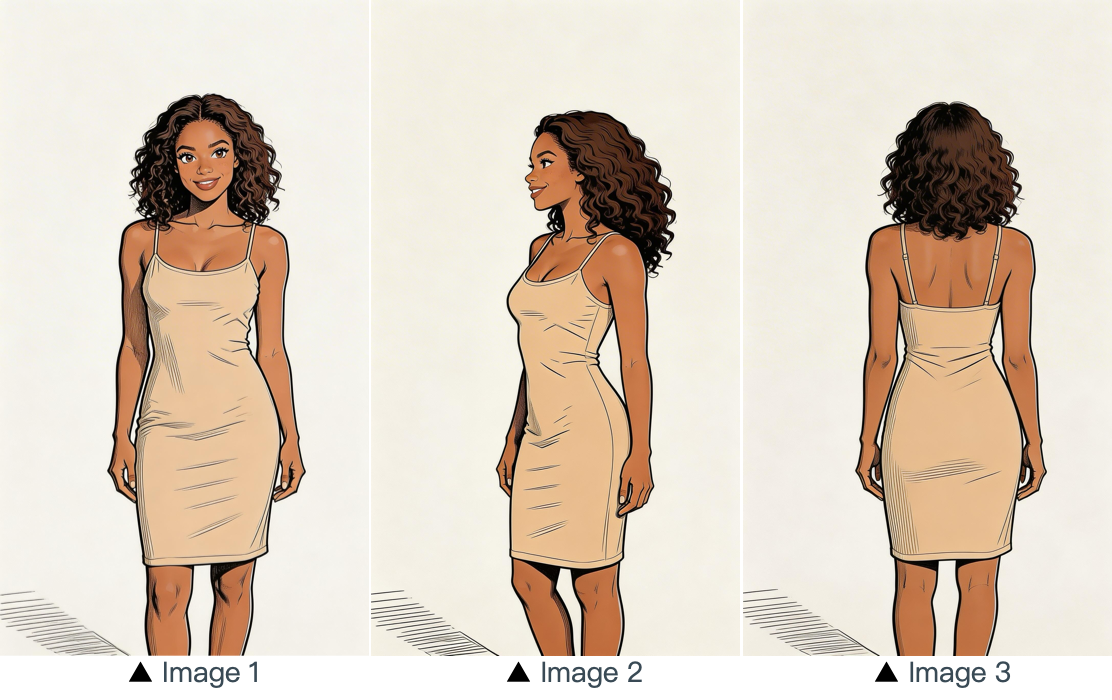
[Prompt] Refer to the image of the woman in Image 1, Image 2 and Image 3, and generate a scene of her eating a cake in a coffee shop.
3.2 Référence multi-images
Modèle de prompt :
Refer to / Extract / Combine / Follow the [Description of referenced elements] from [Image N] to generate [Scene Description], while maintaining the consistency of [Referenced Elements].Exemples :
Référence de logo
[Résultat]
[Matériel de référence]
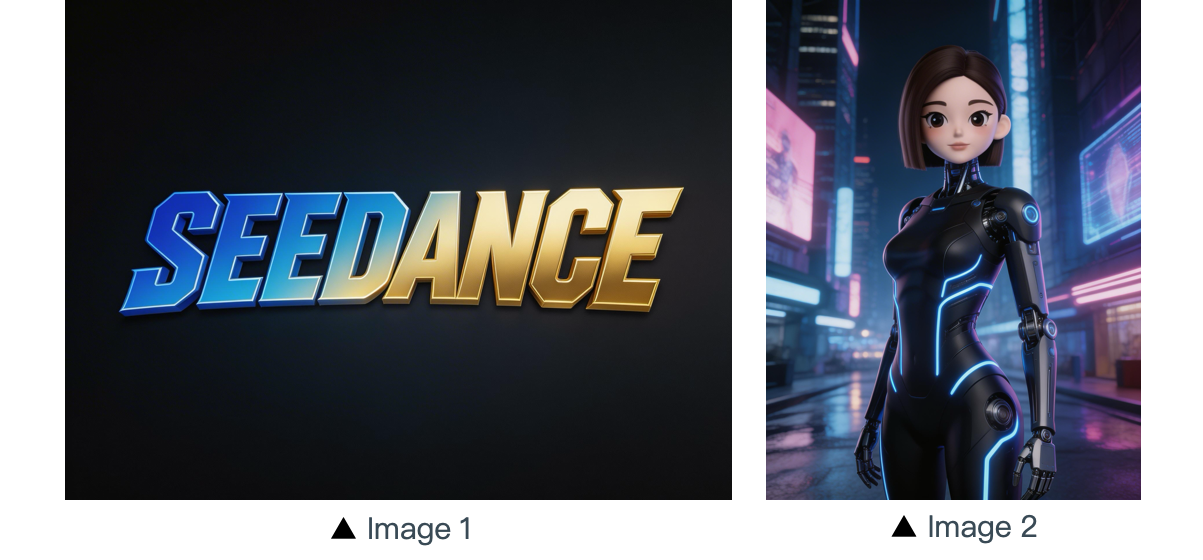
[Prompt] The scene is set on an aerial corridor in a neon-drenched futuristic metropolis, where flying vehicles and holographic ads intertwine. Featuring the girl from Reference Image 2, the sequence opens with a medium shot of her releasing a silver floating lantern embedded with a holographic projection. The camera then pulls back to reveal floating lanterns flooding the sky, which gradually converge at the center of the frame to form the logo from Reference Image 1. The entire piece adopts a 3D cyberpunk sci-fi animation style.
Référence multi-sujets
[Résultat]
[Matériel de référence]
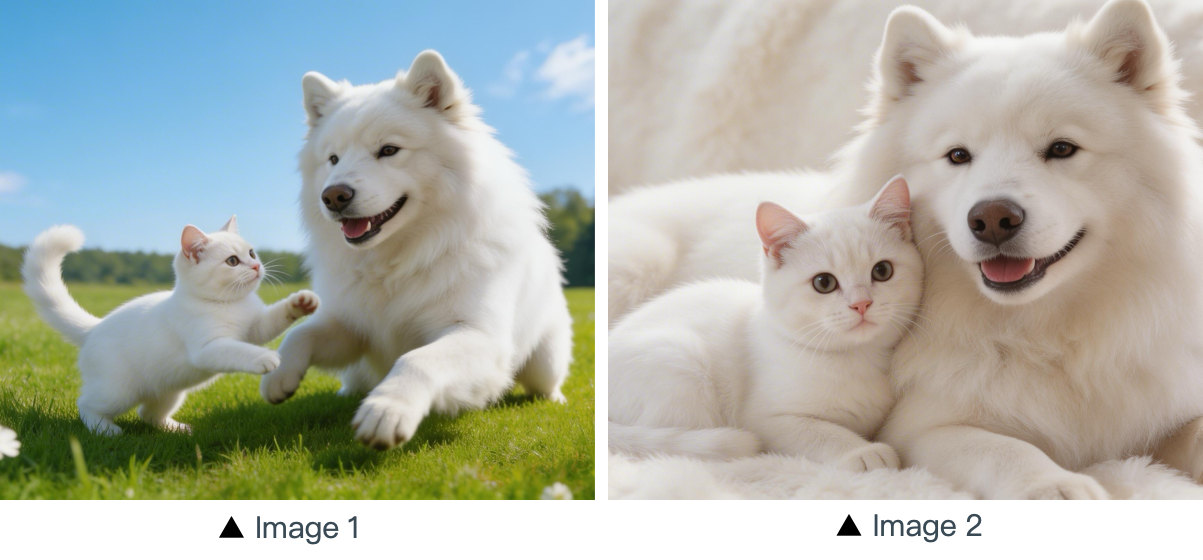
[Prompt] Using the cat and dog from the reference Image 1 and Image 2 as prototypes, the scene unfolds in a cozy apartment. The dog is lying on the ground eating dog food when the cat approaches, extending a paw to nudge the dog. The dog pauses its meal upon noticing the cat, and the cat snuggles up next to the dog. The entire scene features a warm colored tone.
Référence multi-éléments
[Résultat]
[Matériels de référence]
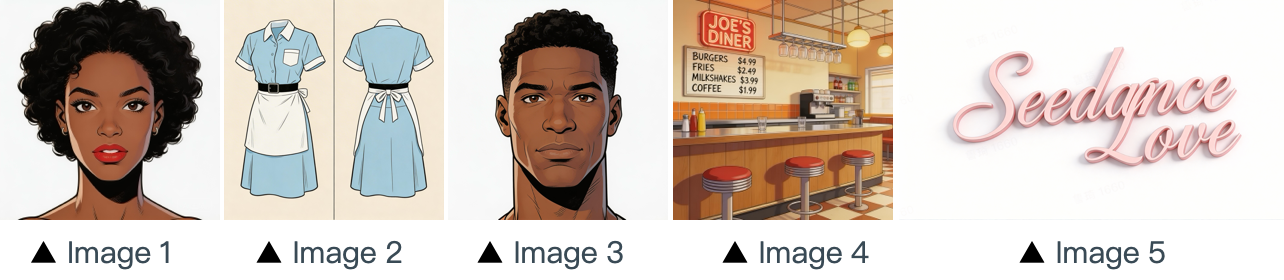
[Prompt] The scene is set in the restaurant from image 4 with people coming and going. The girl from image 1 , wearing the clothes from image 2 , is organizing the items on the counter. The boy, a customer, from image 3 approaches her to ask for her contact information. The logo from image 5 remains in the bottom right corner throughout.
Référence de séquence multi-cases
[Résultat]
[Matériels de référence]
▲ Image 1
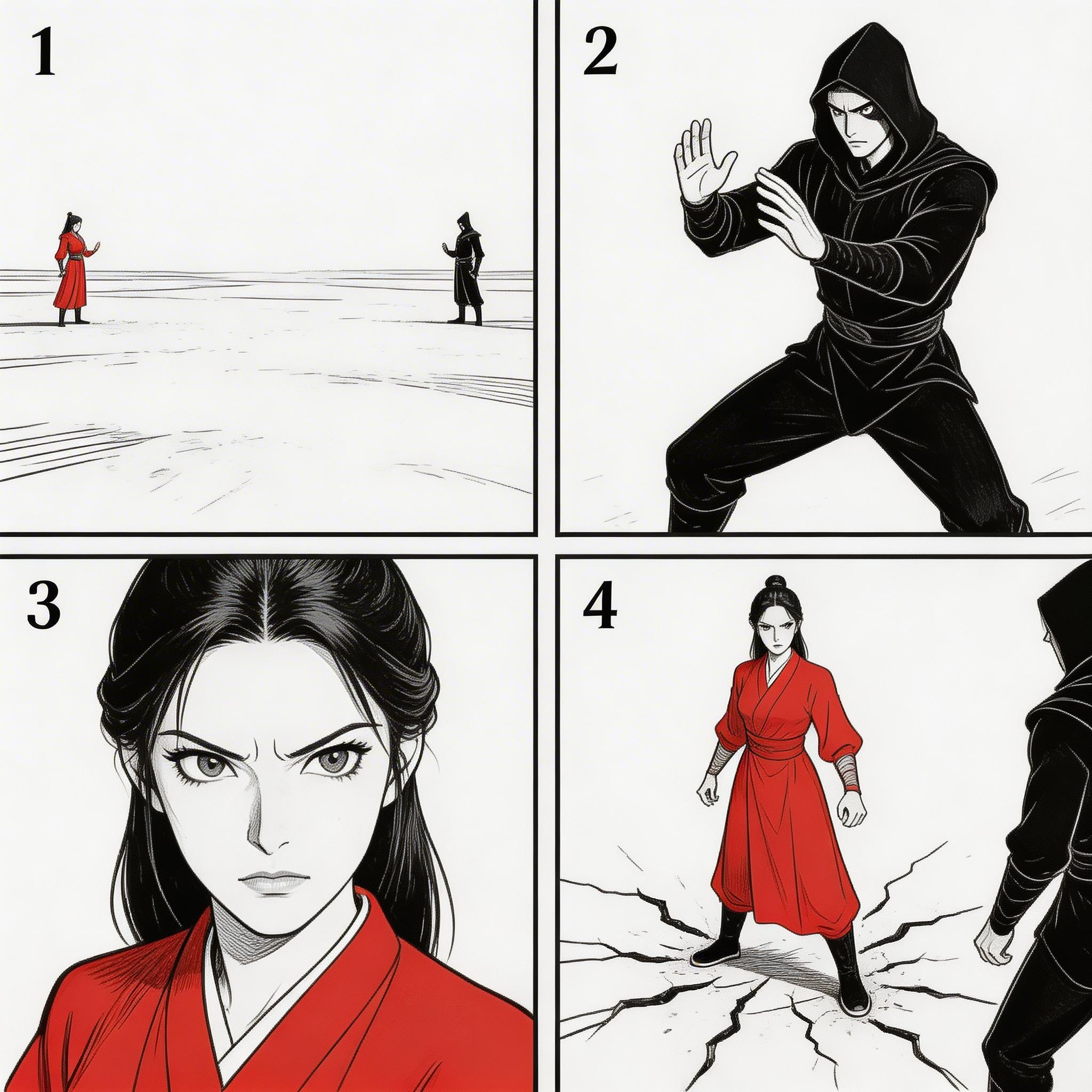
[Prompt] Refer to the sequence in Image 1 to create an intense high-energy fight sequence. All frame compositions from Image 1 shall be presented in strict predefined order, after which the two characters engage in fierce, fast-paced combat.
Référence de séquence
[Résultat]
[Matériel de référence]
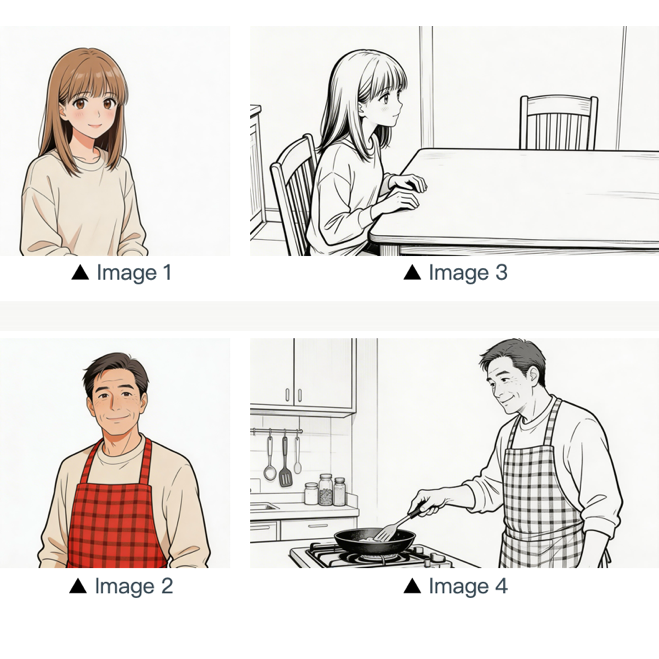
[Prompt] Refer to the composition in Image 3. A girl (her character design refers to Image 1) is waiting for her father to finish cooking, and she says: “아빠, 배고파요! 밥 다 됐어요?”Then the camera pans right and cuts to the frame and composition shown in Image 4. The father (his character design refers to Image 2) replies to her: “거의 다 됐어, 조금만 기다려!“Next, the camera cuts back to a close-up shot of the daughter's slightly disappointed facial expression, and she says: “아직 멀었어요? 맛있는 냄새 나는데...”Then the shot switches to a close-up of the father's face, and he says: “이제 진짜 금방이야. "빨리빨리" 하지 말고 손부터 씻고 와!”
04 Référence vidéo
La série Seedance 2.5 prend en charge le référencement à partir de vidéos.
- Si votre workflow exige un ordre précis, importez les fichiers dans l'ordre. Vous pouvez utiliser
Video 1,Video 2, ...Video ndans vos prompts pour une correspondance exacte. - Il suffit que la relation entre le contenu généré et la source de référence soit clairement définie.
4.1 Référence de mouvement
Modèle de prompt :
Refer to the [Motion Description] from [Video N] to generate [Scene Description], keeping the motion details consistent.Exemples :
Artistique
[Résultat]
[Matériels de référence]
▲ Video 1
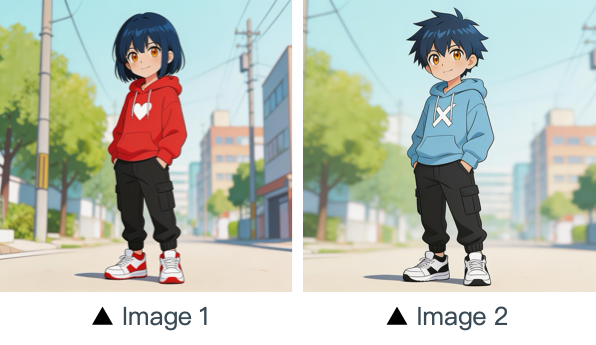
[Prompt] Refer to the character movements and shot language in Video 1 to create a fight scene with the character from Image 2 on the left and the character from Image 1 on the right. Include intense background music.
Marketing
[Résultat]
[Matériels de référence]
▲ Video 1
[Prompt] Referencing the running shape of the horse in the video, generate a scene: a golden steed runs on the grassland, then freezes its magnificent running posture and turns into a horse-shaped gold pendant.
4.2 Référence de mouvement de caméra
Modèle de prompt :
Refer to the [Camera Movement Description] from [Video N] to generate [Scene Description], keeping the scene consistent.Exemples :
[Résultat]
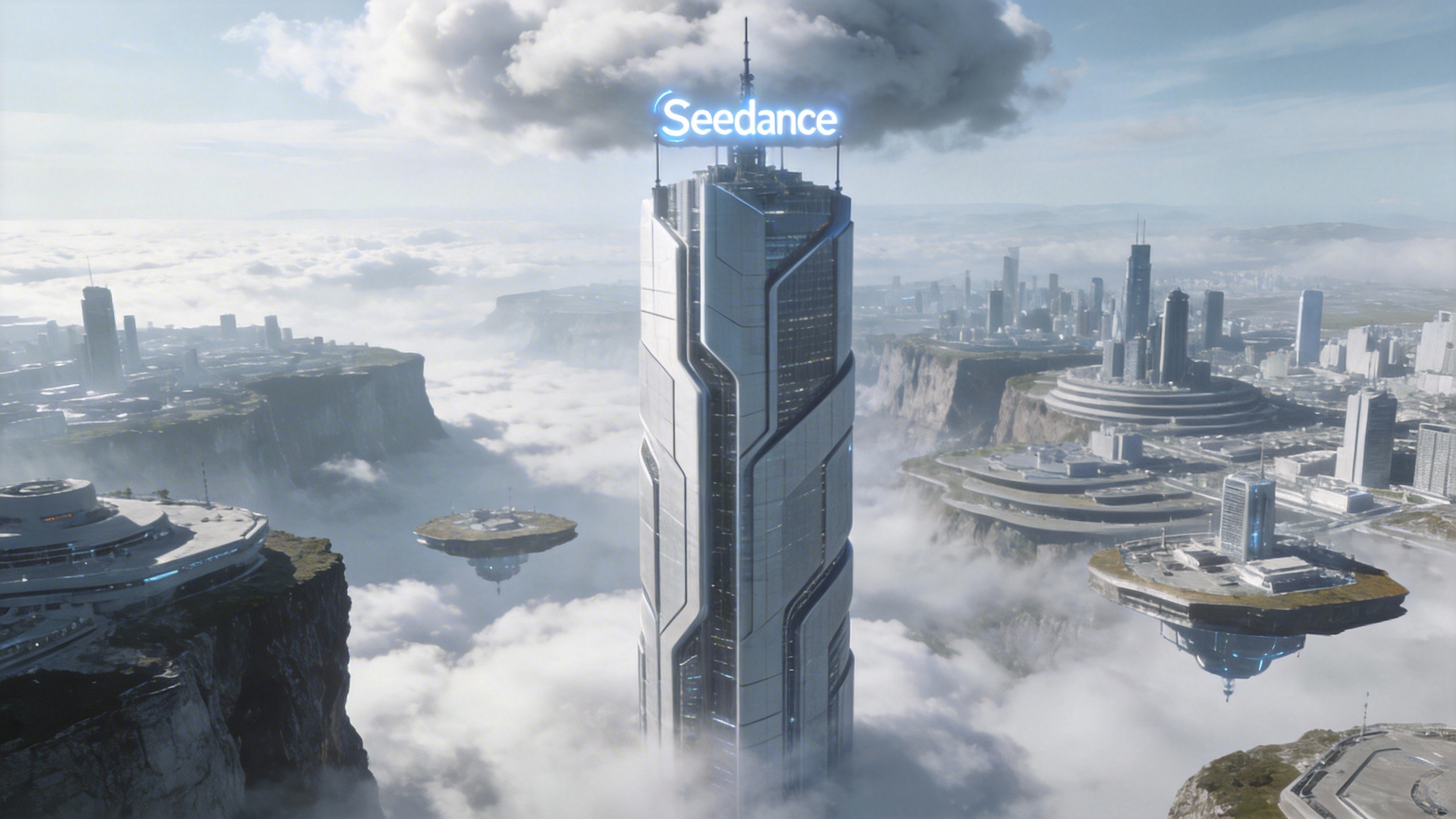
[Prompt] Referring to the camera movement in video 1, create a concept video for a science and technology park, with the tall building in the image as the visual center, also using a first-person diving perspective, to reflect the sense of technology in the park from image 1.
[Matériel de référence]
▲ Video 1
▲ Image 1
4.3 Référence d'effets visuels (VFX)
Modèle de prompt :
Refer to the [VFX Effects Description] from [Video N] to generate [Scene Description], keeping the special effects consistent.Exemples :
Production vidéo
[Résultat]
[Matériel de référence]
▲ Video 1
▲ Image 1
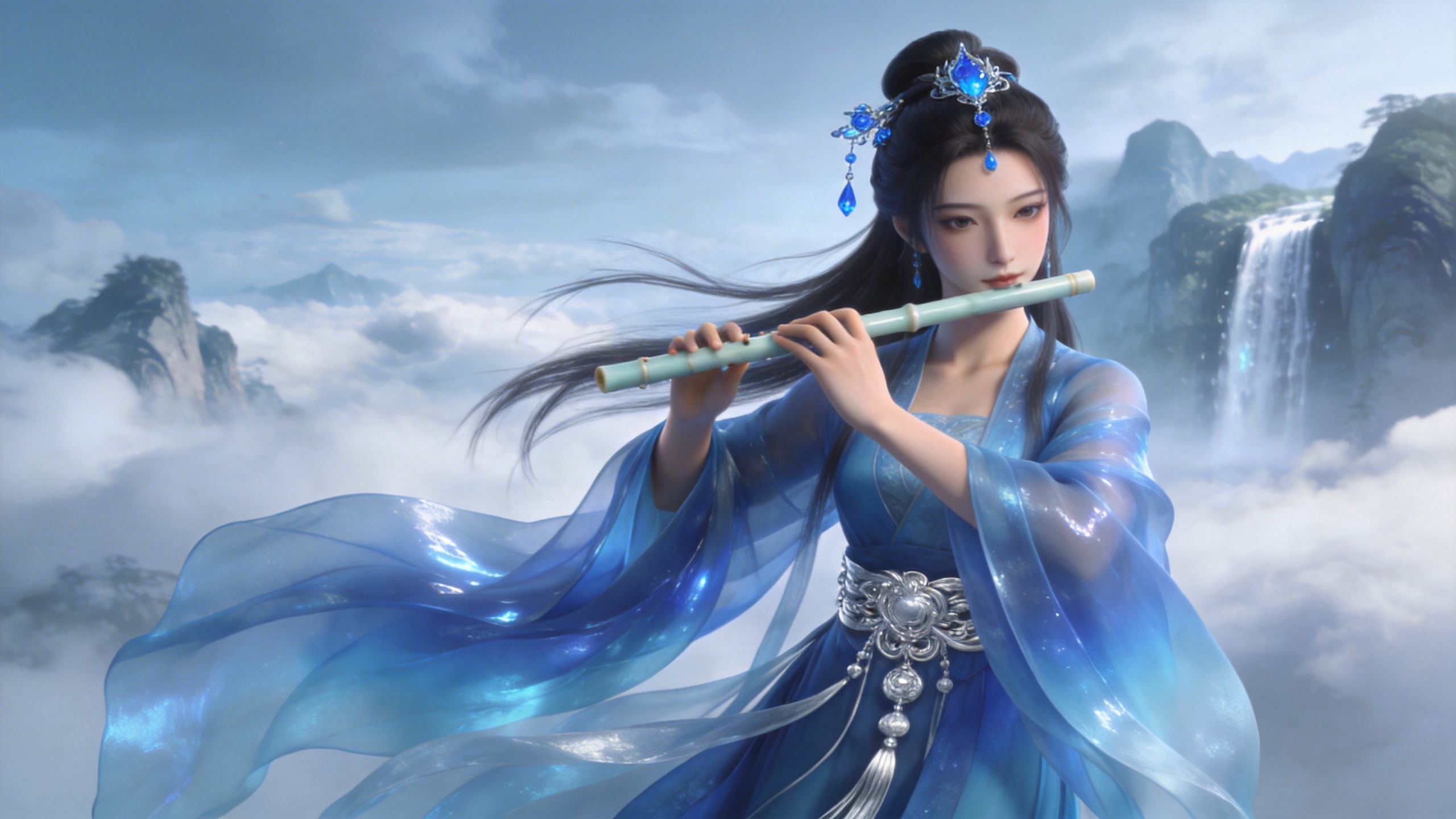
[Prompt] Refer to the golden particle effects in Video 1, so that when the character in Image 1 plays the flute, the same particle effects surround their body.
Effets créatifs
[Résultat]
[Matériel de référence]
▲ Video 1
▲ Image 1
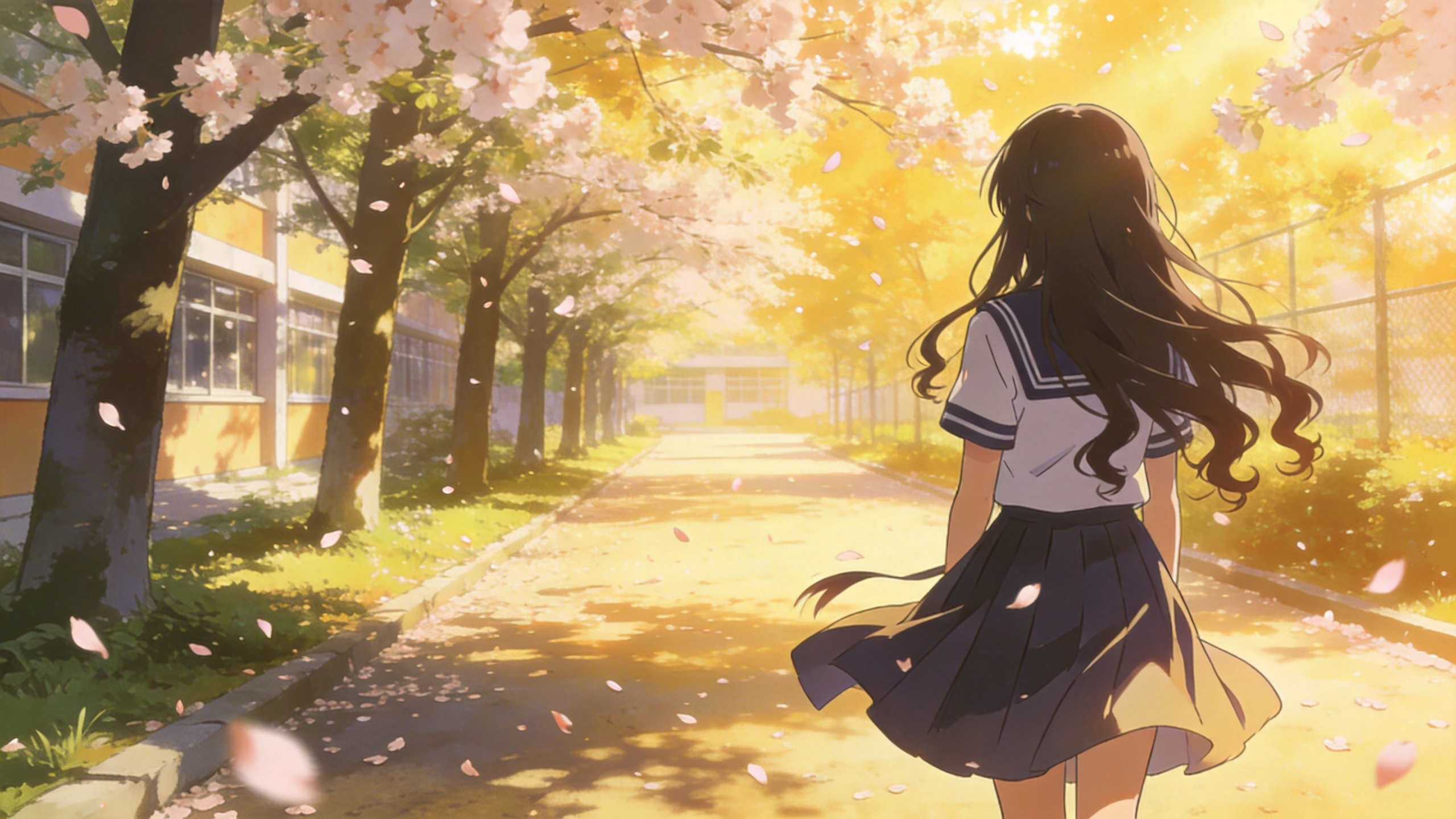
[Prompt] Refer to the special effects shown in Video 1 to generate identical wings for the girl in Image 1, ensuring the wing formation trajectory follows the exact same motion path and sequence depicted in the video.
05 Montage vidéo
La série Seedance 2.5 prend en charge le montage vidéo : ajouter, supprimer ou modifier des éléments, prolonger la durée (vers l'avant comme vers l'arrière) et aligner les raccords. Si votre projet exige un ordre précis, importez les fichiers dans l'ordre. Vous pouvez utiliser « video 1 », « video 2 », ... « video n » dans vos prompts pour une correspondance exacte.
5.1 Ajouter, supprimer ou modifier des éléments
Modèle de prompt :
Adding: At [Timestamp/Timing] and [Spatial Location] of [Video N], add [Description of intended element].
Removing: Remove [Element to be deleted] from [Video N], keeping the rest of the video content unchanged.
Modifying: Replace [Description of element to be changed] in [Video N] with [Description of intended element].
Exemples :
Ajouter des éléments
[Résultat]
[Matériel de référence]
▲ Video 1
[Prompt] Add snacks such as fried chicken and pizza to the countertop in Video 1.
Supprimer des éléments
[Résultat]
[Matériel de référence]
▲ Video 1
[Prompt] Remove everything that isn't office stuff from the table in Video 1, keeping the rest of the video content unchanged.
Modifier des éléments
[Résultat]
[Matériel de référence]
▲ Video 1
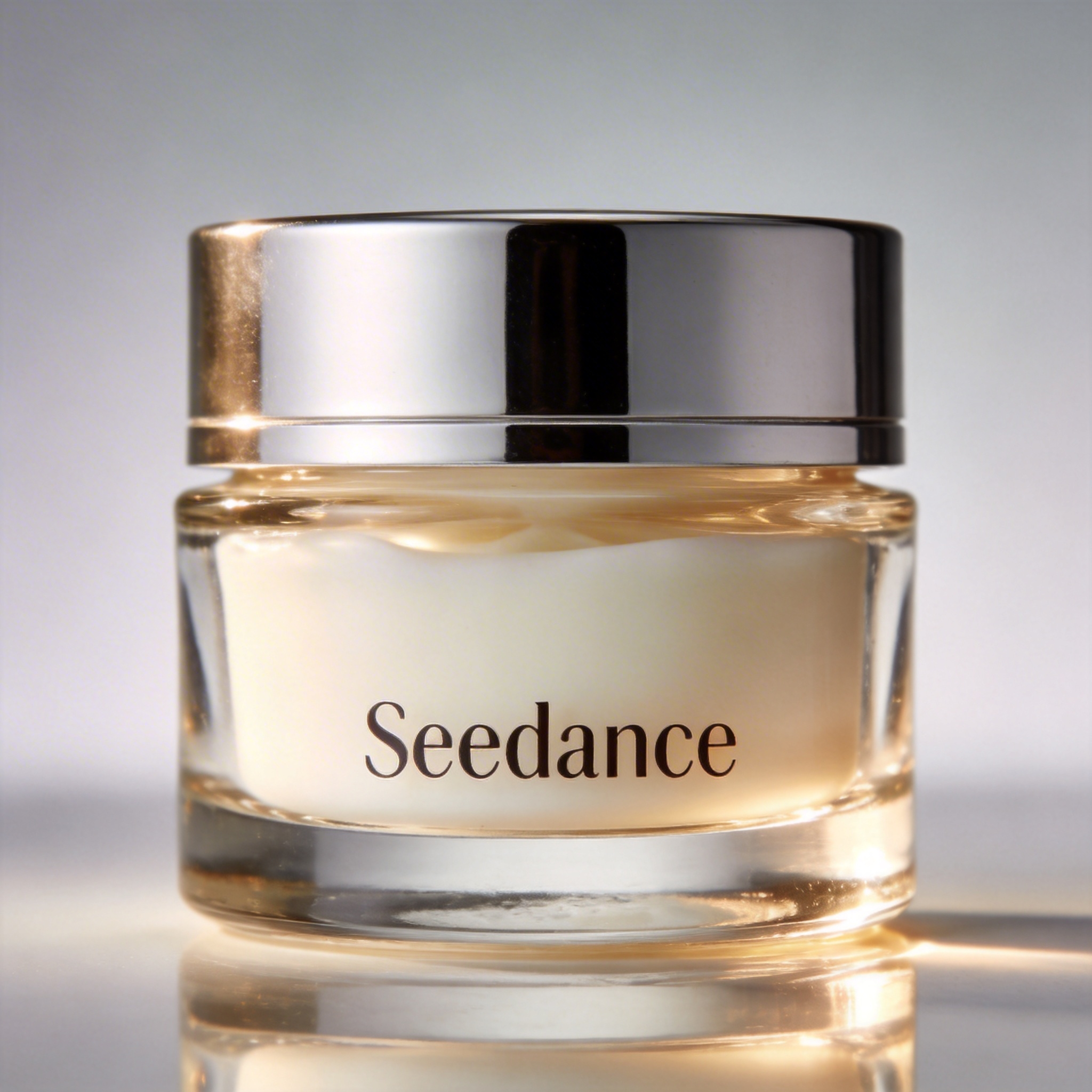
▲ Image 1
[Prompt] Replace the perfume featured in Video 1 with the face cream from Image 1, with all original motions and camera work preserved.
5.2 Prolonger des vidéos
Modèle de prompt :
- Extend [Video N] forward/backward + [Description of extended content]
- Generate content before/after [Video N] + [Description of extended content]
:::warning Attention Le modèle extrait automatiquement les images de transition pour un fondu sans couture. Les segments d'origine de la vidéo d'entrée ne sont pas régénérés, ce qui garantit une continuité parfaite. ::: Exemples :
Prolonger vers l'avant
[Résultat]
[Matériel de référence]
▲ Video 1
[Prompt] Generate the content after Video 1: the two men who are late run towards them, the five people finally meet and have a friendly chat.
Prolonger vers l'arrière
[Résultat]
[Matériel de référence]
▲ Video 1
[Prompt] Extend the opening segment of Video 1: Set up an over-the-shoulder shot of the man in a hoodie, and the man says: “It’s not that bad. You're just stressed. Everyone goes through this, you just need to keep going.”
5.3 Compléter les raccords
Modèle de prompt :
[Video 1] + [Transition Description] + followed by [Video 2] + [Transition Description] + followed by [Video 3]:::tip Remarque Limite d'entrée : la série Seedance 2.5 accepte au maximum 3 clips vidéo en entrée, et la durée totale cumulée ne doit pas dépasser 15 secondes. Rognage intelligent : lors de la génération, le modèle rogne automatiquement les segments de liaison des clips de début et de fin, ne conservant que les images nécessaires à une synthèse fluide et logique. ::: Exemples :
[Résultat]
[Prompt] Video 1. The moment a leaf falls to the ground, it sets off a special effect of golden particles. A gust of wind blows by, leading into Video 2.
▲ Video 1
▲ Video 2