Guida ai prompt di Seedance 2.5
Seedance 2.5 è il modello di generazione video di punta di Bytedance, progettato da zero per sintetizzare immagine e suono in un unico passaggio anziché unirli in un secondo momento. Legge copioni in linguaggio naturale con precisione cinematografica, mantiene la coerenza di personaggi e scene tra le inquadrature e accetta immagini, audio e video come ancore creative accanto al testo.
Questa guida illustra gli schemi di prompt che valorizzano al meglio il modello: come formulare un'inquadratura, quando affidarsi al materiale di riferimento e come controllare testo, movimento, movimenti di camera ed editing. Tutti gli esempi qui sotto sono stati prodotti con Seedance 2.5: copia un modello, adattalo alla tua scena e itera.
Novità di Seedance 2.5: tutti gli schemi di prompt di questa guida restano validi, ma la 2.5 offre una tela più lunga, materiali di riferimento più ricchi e un controllo dell'editing molto più preciso.
Fino a 30 secondi per generazione
La durata di una singola generazione raddoppia da 15 a 30 secondi, con transizioni tra le inquadrature più fluide e una coerenza dei personaggi più solida lungo tutta la clip.
Riferimenti multimodali più ricchi
Ancora un'inquadratura con immagini, video (con o senza traccia audio) e audio insieme: identità, stile e composizione dalle immagini, movimento di camera e azione dal video, timbro vocale e melodia dall'audio.
Editing a livello di timecode
Indirizza una modifica a un momento preciso del video sorgente: sostituire il soggetto principale, aggiungere, rimuovere o modificare oggetti e ridipingere i fotogrammi scelti, tutto da un solo prompt.
Estendere e unire clip
Estendi un video esistente in avanti o all'indietro, oppure unisci fino a tre clip in un'unica scena coerente, con continuità di movimento, luce e soggetto.
01 Principi generali
1.1 Formula base per le istruzioni testuali
La serie Seedance 2.5 eccelle nel seguire la logica del linguaggio naturale. Puoi combinare liberamente i seguenti elementi in base alle tue esigenze creative:

La base logica della generazione. Definisci con chiarezza «chi» compie «quale azione».

Definisci il tono complessivo descrivendo l'ambiente, i dettagli di illuminazione o stili visivi specifici.

Le istruzioni avanzate possono includere effetti sonori di scena o ambientali per un risultato audiovisivo immersivo e sincronizzato.
1.2 Controllo dei riferimenti per input multimodali
Oltre alle descrizioni testuali, puoi fornire materiali per fissare lo stato ideale dell'inquadratura. La serie Seedance 2.5 supporta il riferimento approfondito a immagini, audio e video.

Nel prompt, indica chiaramente l'oggetto di riferimento, per esempio «Usa la composizione di Image 1» oppure «Riprendi il movimento di Video 2».

Il modello estrae automaticamente le caratteristiche principali dal materiale di riferimento e le fonde con il tuo testo. Così il risultato resta fedele e prevedibile, lasciando comunque spazio alla variazione creativa.
02 Resa del testo
La serie Seedance 2.5 può generare testo di uso comune in più scenari, tra cui T2V (testo-video), I2V (immagine-video), R2V (riferimento-video) e V2V (video-video).
- Capacità principali:
- Adattamento intelligente: Il modello adatta automaticamente stili e colori dei caratteri al contesto della scena, per un'integrazione visiva naturale.
- Controllo granulare: Nei prompt puoi definire esplicitamente i seguenti attributi:
- Stile: Colore e stile del carattere.
- Comportamento dinamico: Come compare il testo (stile di entrata) e il momento esatto in cui appare.
- Impaginazione: Posizionamento preciso all'interno dell'inquadratura.
- Buone pratiche:
- Usa un lessico comune: Usa parole ampiamente riconosciute ed espressioni familiari. Il modello rende al meglio con il lessico inglese standard.
- Evita parole rare o ricercate: Parole molto complesse o inusuali possono causare incoerenze. Parole semplici e frequenti garantiscono una resa più accurata.
- Riduci i simboli speciali: Limita simboli complessi o punteggiatura non standard per mantenere chiarezza visiva e fedeltà tipografica.
2.1 Slogan
Modello di prompt:
[Text Content] + [Timing] + [Positioning] + [Entrance/Appearance Style], [Visual Attributes (Color, Font Style)]Stile visivo e coerenza:
- Adattamento contestuale: la serie Seedance 2.5 riconosce automaticamente il contesto della scena e sceglie l'estetica tipografica più adatta.
- Requisiti di precisione: se il progetto richiede il rispetto rigoroso di standard visivi (per esempio la coerenza di marca), consulta la sezione [2.2.2 Riferimento multi-immagine: riferimento logo] per indicazioni avanzate.
Esempi:
[Risultato]
[Prompt] Hand-drawn comic style: Three people are sitting around a table enjoying the fried chicken shown in Image 1, with a friendly and joyful atmosphere. The frame then gradually blurs, and the text "Bite“”Laugh“” Seedance“ in order appears in the center of the screen.
[Materiale di riferimento]
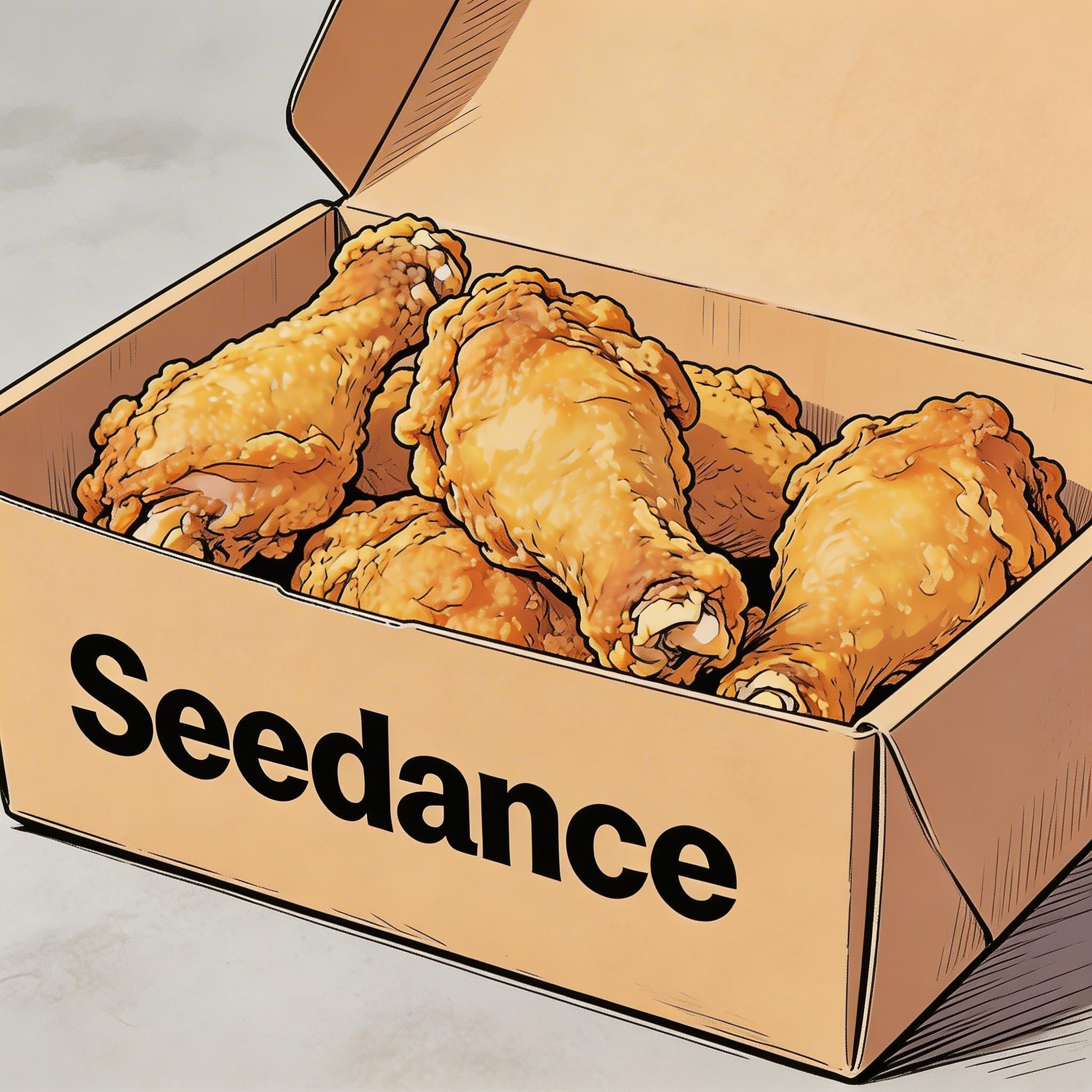
▲ Image 1
2.2 Sottotitoli
Modello di prompt:
Display subtitles at the bottom-center with the text. The subtitles must be perfectly synchronized with the audio rhythm and pacing.Esempi:
Voice over
[Risultato]
[Materiale di riferimento]
▲ Image 1
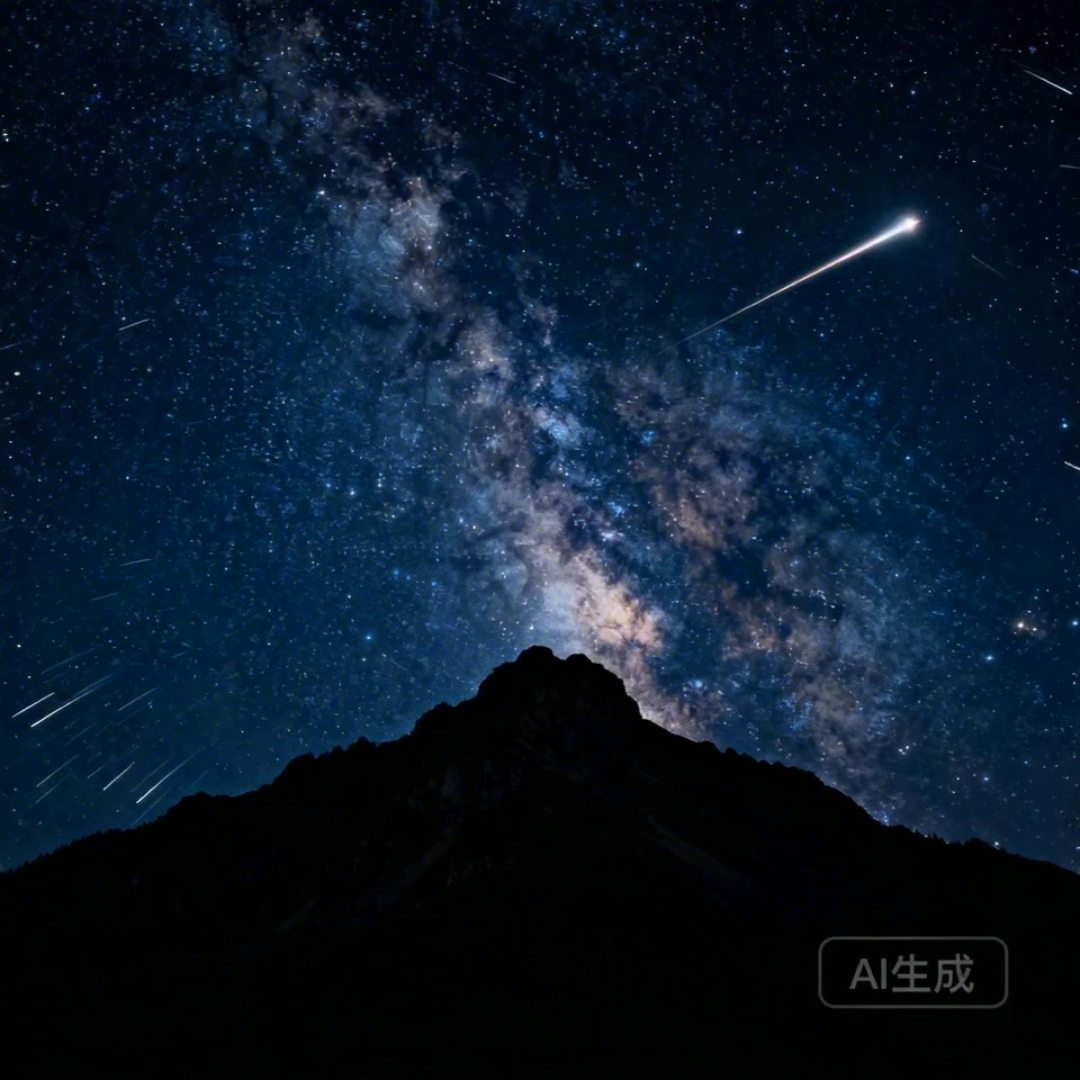
[Prompt] I2V: A time-lapse of a mountain landscape transitioning from a vast, starry night to a vibrant dawn. Voiceover: A deep, serene male voice says: 'In the vast silence of the cosmos, our world is but a fleeting moment. Yet, within it, life defiantly thrives.' > Text Integration: Render the narration as subtitles at the bottom-center. Subtitles must be perfectly synchronized with audio timing.
Doppiaggio
[Risultato]
[Materiale di riferimento]

▲ Image 1
[Prompt] R2V: A shot of these two people in Image 1 chatting in a modern office. The woman speaks first with a playful tone: "You always arrive right on time, don't you just love that perfect timing?" followed by the man’s smiling reply: "I have my own rhythm." > Text Integration: Render the dialogue as subtitles at the bottom-center of the screen. Subtitles should appear sequentially as each character speaks.
2.3 Fumetti
Modello di prompt:
[Character] says, "[Dialogue]." Speech bubbles appear around the character containing the spoken text.Esempi:
[Risultato]
[Materiale di riferimento]
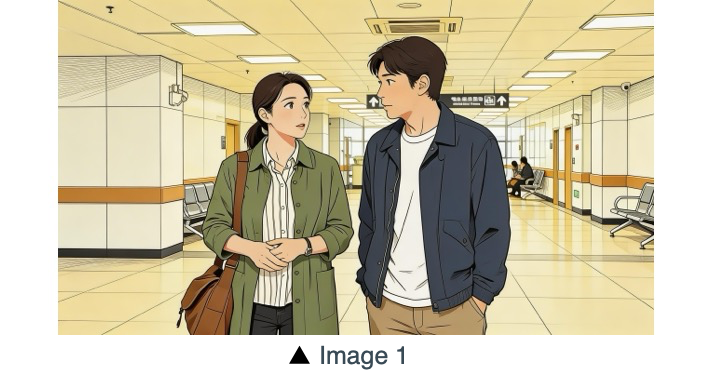
[Prompt] The two characters from Image 1, both dressed in sportswear, are running on the school playground. The girl looks at the boy, smiling confidently as she says: "We can definitely do it!". Cut to a close-up of the boy. He hesitates and replies: "Are you sure?". Cut back to a medium close-up of the girl. She speaks in a light, upbeat tone: "Yes!" Her demeanor is bright and resolute. Speech bubbles containing the corresponding lines appear around the speaking character.
[Risultato]
[Materiale di riferimento]
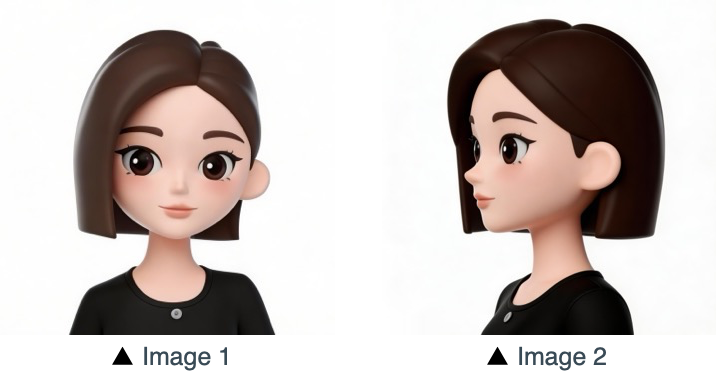
[Prompt] Refer to the character design of the girl in Image 1 and Image 2. The scene is set in an apple field: the girl picks one apple, takes a bite, smiles and says "This is the real deal!". A speech bubble pops up beside the girl, with this line written inside.
03 Riferimento immagine
La serie Seedance 2.5 supporta i riferimenti da più prospettive per i soggetti e il riferimento multi-immagine per layout di scena, sequenze e altro. Se il tuo processo creativo richiede un ordine specifico (per esempio per un movimento in sequenza), carica le immagini nell'ordine desiderato. Nel prompt puoi poi usare identificatori precisi: Image 1, Image 2, ...Image N per associare ogni riferimento alle tue istruzioni.
3.1 Riferimento del soggetto da più prospettive
Modello di prompt:
Refer to/Extract/Combine/Use the [Subject] from [Image N] to generate [Scene Description], maintaining consistent [Subject] features.Assicurati di identificare chiaramente gli oggetti di riferimento. Il modello può elaborare istruzioni come le seguenti, tra le altre. Prodotti:
Elettronica di consumo
[Risultato]
[Materiale di riferimento]
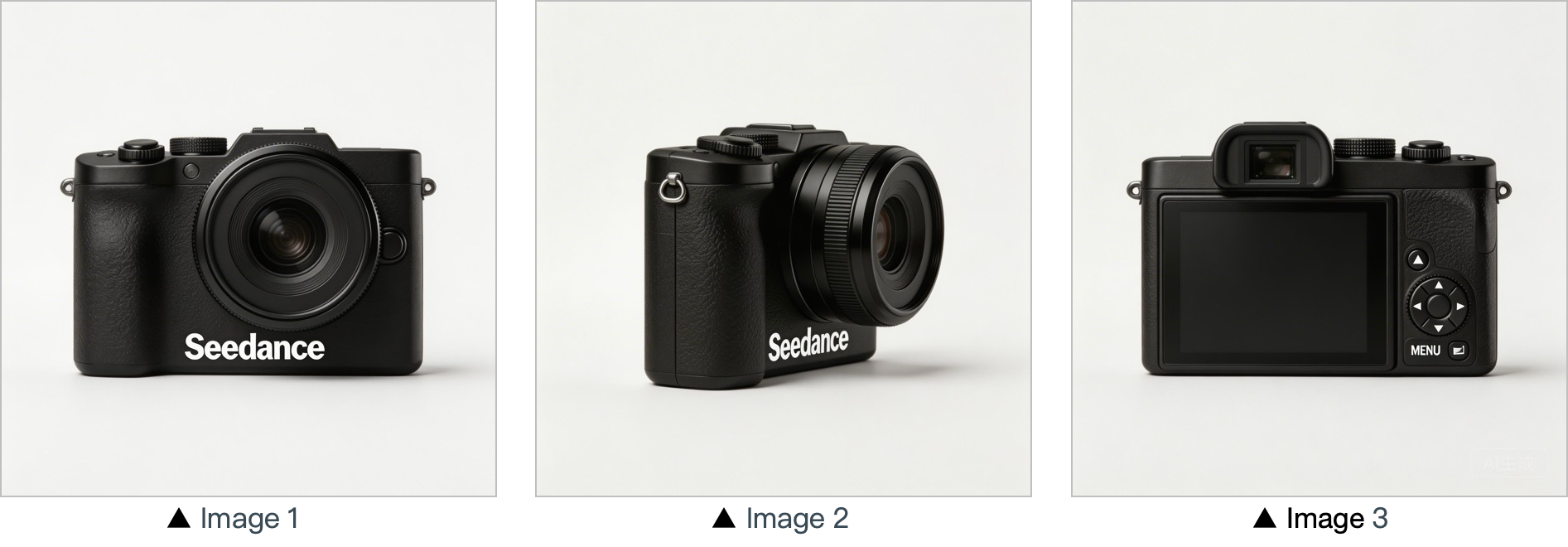
[Prompt] Use the cameras featured in Image 1, Image 2 and Image 3. Replace the original background with a white one, and place the cameras on a white table. The shooting lens first focuses on the cameras in close-up, then slowly rotates 360° with the cameras as the main subject, clearly displaying the front, sides and back of each camera.
Casa e lifestyle
[Risultato]
[Materiale di riferimento]
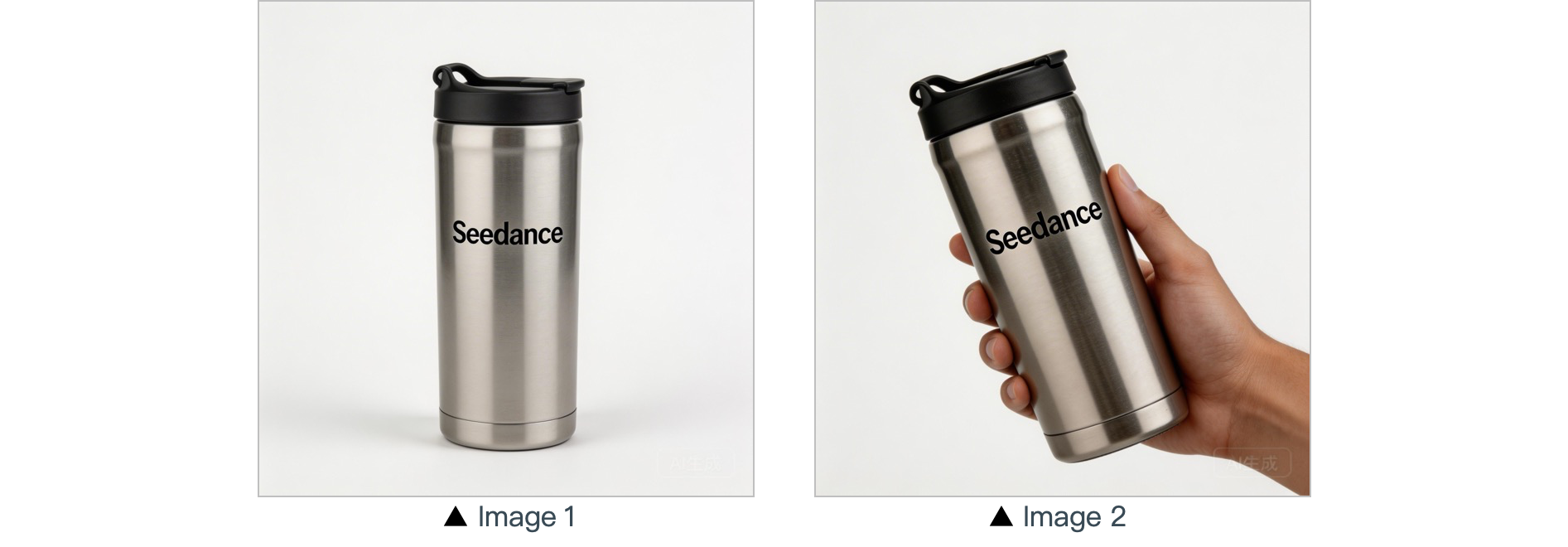
[Prompt] In a warm-toned home setting, present the thermos shown in the reference image in a medium shot. Then smoothly push the camera into a close-up of the thermos. Next, a hand naturally enters the frame off-screen, gently grips the thermos body and picks it up. The camera follows the slight rotating motion of the hand to showcase the thermos.
Personaggi:
[Risultato]
[Materiale di riferimento]
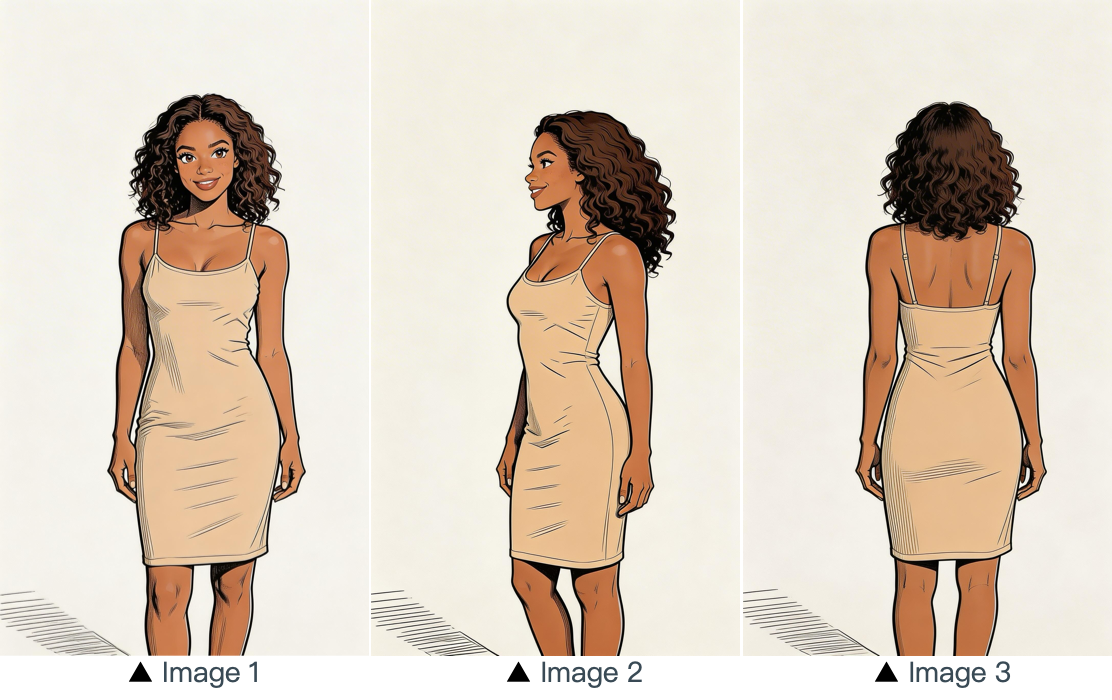
[Prompt] Refer to the image of the woman in Image 1, Image 2 and Image 3, and generate a scene of her eating a cake in a coffee shop.
3.2 Riferimento multi-immagine
Modello di prompt:
Refer to / Extract / Combine / Follow the [Description of referenced elements] from [Image N] to generate [Scene Description], while maintaining the consistency of [Referenced Elements].Esempi:
Riferimento logo
[Risultato]
[Materiale di riferimento]
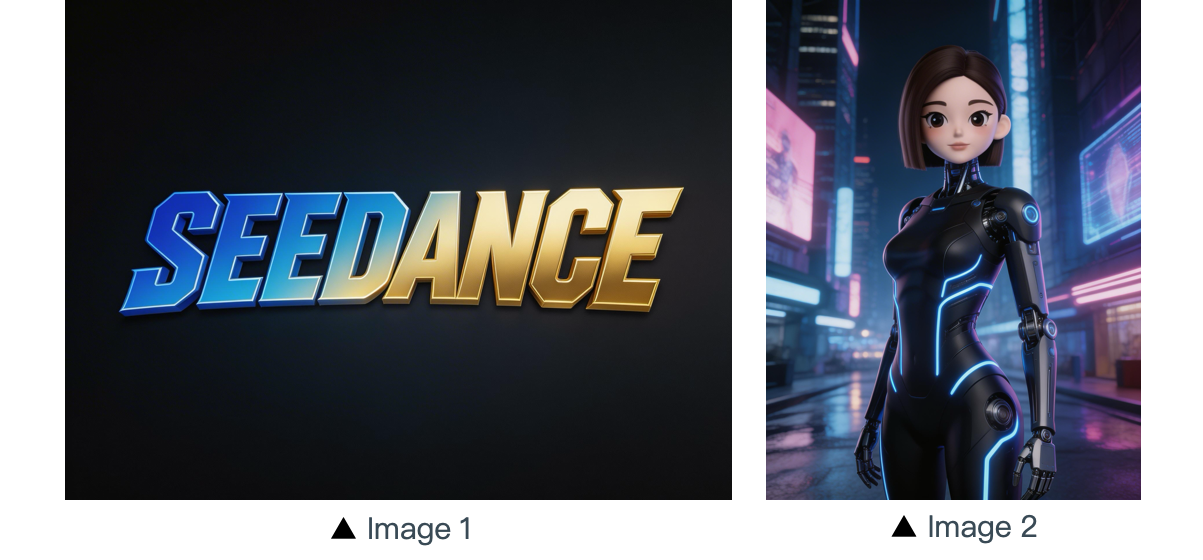
[Prompt] The scene is set on an aerial corridor in a neon-drenched futuristic metropolis, where flying vehicles and holographic ads intertwine. Featuring the girl from Reference Image 2, the sequence opens with a medium shot of her releasing a silver floating lantern embedded with a holographic projection. The camera then pulls back to reveal floating lanterns flooding the sky, which gradually converge at the center of the frame to form the logo from Reference Image 1. The entire piece adopts a 3D cyberpunk sci-fi animation style.
Riferimento multi-soggetto
[Risultato]
[Materiale di riferimento]
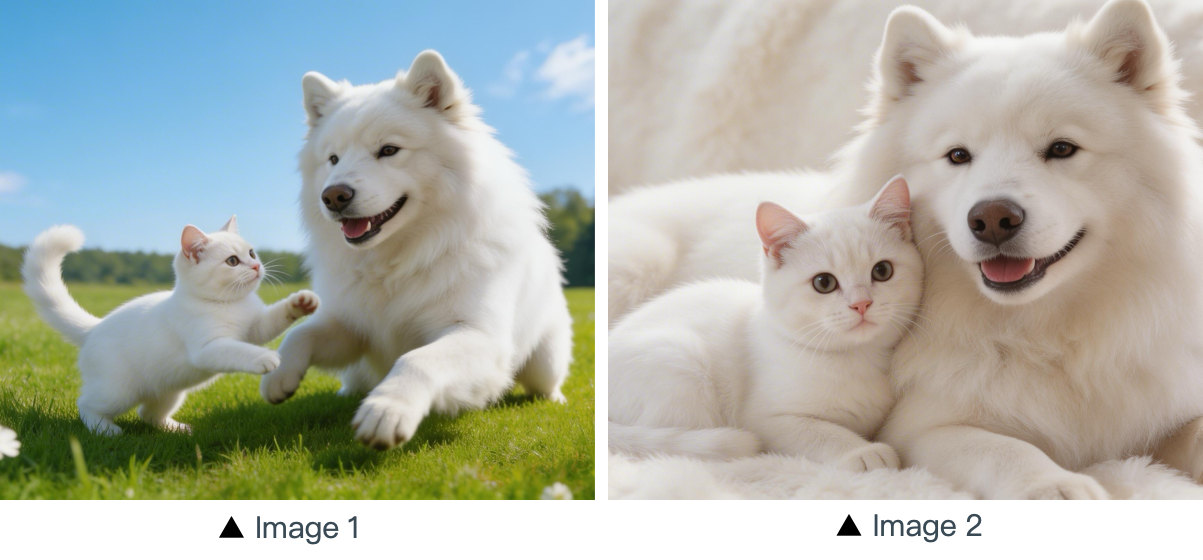
[Prompt] Using the cat and dog from the reference Image 1 and Image 2 as prototypes, the scene unfolds in a cozy apartment. The dog is lying on the ground eating dog food when the cat approaches, extending a paw to nudge the dog. The dog pauses its meal upon noticing the cat, and the cat snuggles up next to the dog. The entire scene features a warm colored tone.
Riferimento multi-elemento
[Risultato]
[Materiali di riferimento]
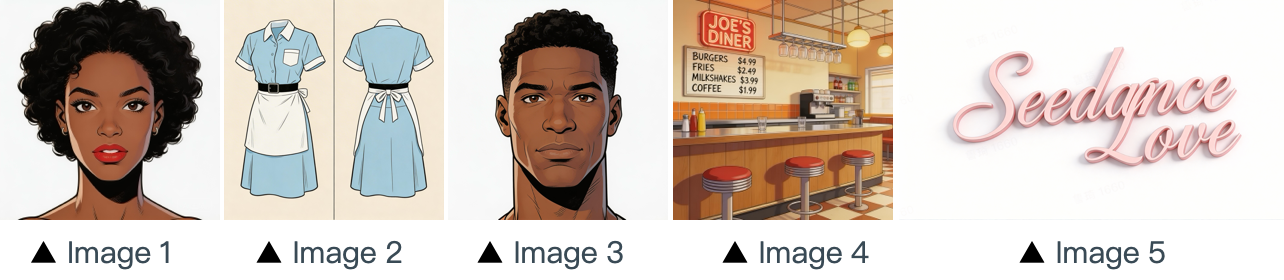
[Prompt] The scene is set in the restaurant from image 4 with people coming and going. The girl from image 1 , wearing the clothes from image 2 , is organizing the items on the counter. The boy, a customer, from image 3 approaches her to ask for her contact information. The logo from image 5 remains in the bottom right corner throughout.
Riferimento sequenza multi-vignetta
[Risultato]
[Materiali di riferimento]
▲ Image 1
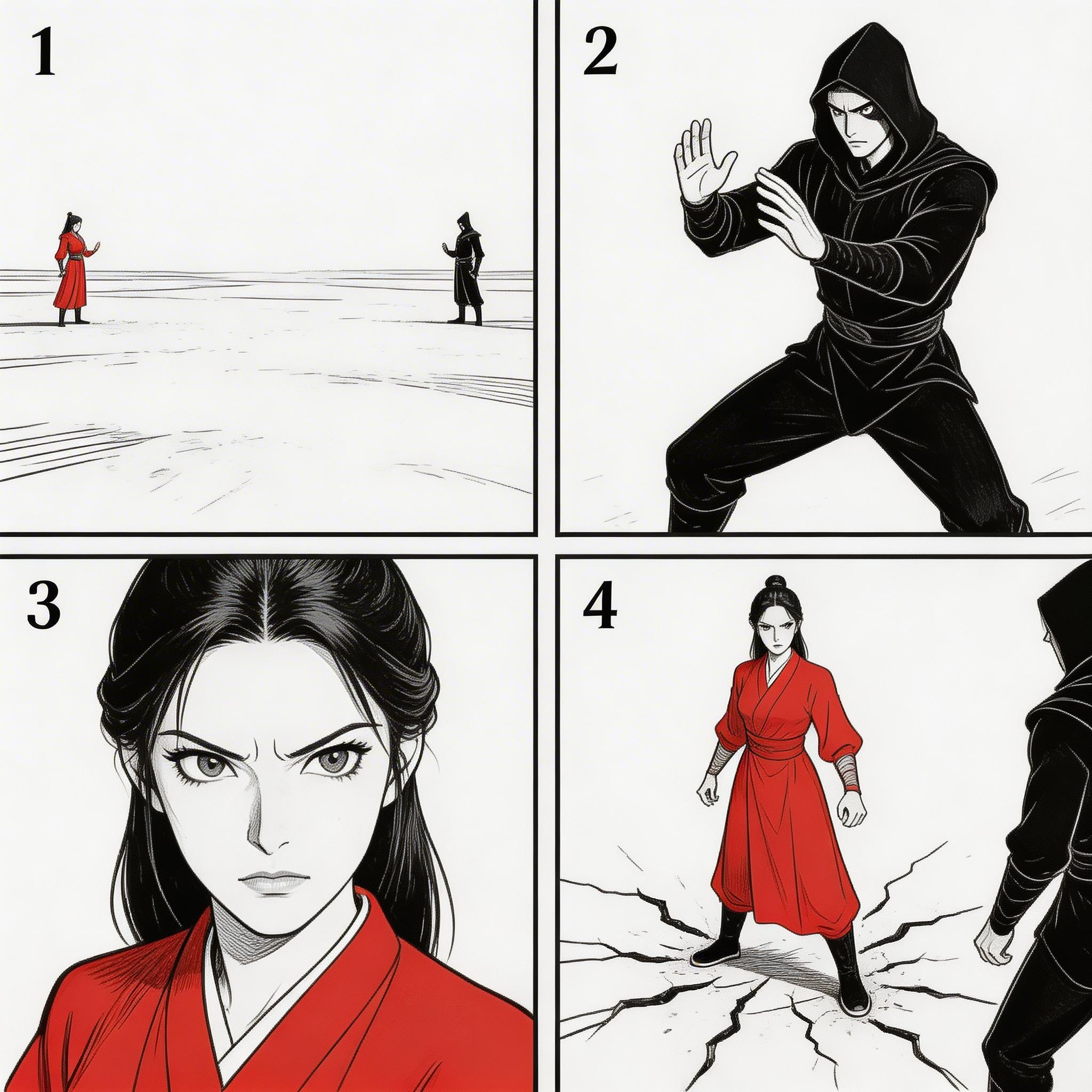
[Prompt] Refer to the sequence in Image 1 to create an intense high-energy fight sequence. All frame compositions from Image 1 shall be presented in strict predefined order, after which the two characters engage in fierce, fast-paced combat.
Riferimento di sequenza
[Risultato]
[Materiale di riferimento]
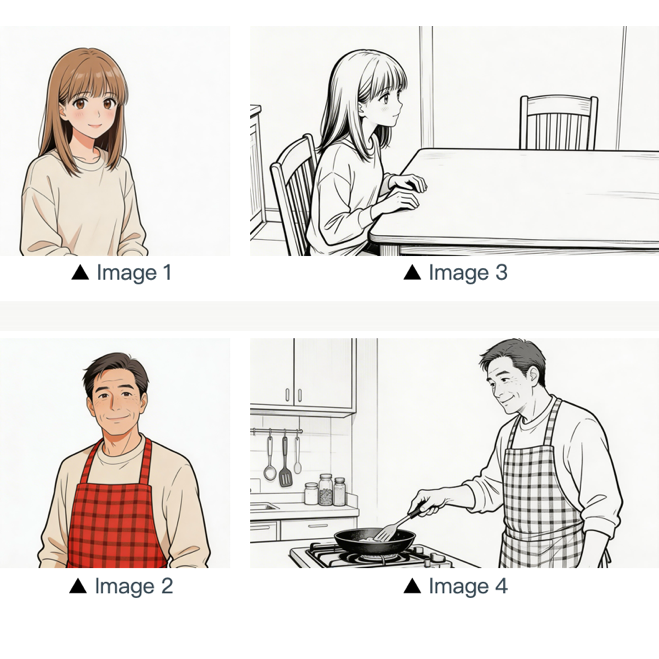
[Prompt] Refer to the composition in Image 3. A girl (her character design refers to Image 1) is waiting for her father to finish cooking, and she says: “아빠, 배고파요! 밥 다 됐어요?”Then the camera pans right and cuts to the frame and composition shown in Image 4. The father (his character design refers to Image 2) replies to her: “거의 다 됐어, 조금만 기다려!“Next, the camera cuts back to a close-up shot of the daughter's slightly disappointed facial expression, and she says: “아직 멀었어요? 맛있는 냄새 나는데...”Then the shot switches to a close-up of the father's face, and he says: “이제 진짜 금방이야. "빨리빨리" 하지 말고 손부터 씻고 와!”
04 Riferimento video
La serie Seedance 2.5 supporta il riferimento basato su video.
- Se il tuo flusso di lavoro richiede una sequenza precisa, carica i file in ordine. Nei prompt puoi usare
Video 1,Video 2, ...Video nper una corrispondenza esatta. - È sufficiente che la relazione tra il contenuto generato e la fonte di riferimento sia definita con chiarezza.
4.1 Riferimento di movimento
Modello di prompt:
Refer to the [Motion Description] from [Video N] to generate [Scene Description], keeping the motion details consistent.Esempi:
Artistico
[Risultato]
[Materiali di riferimento]
▲ Video 1
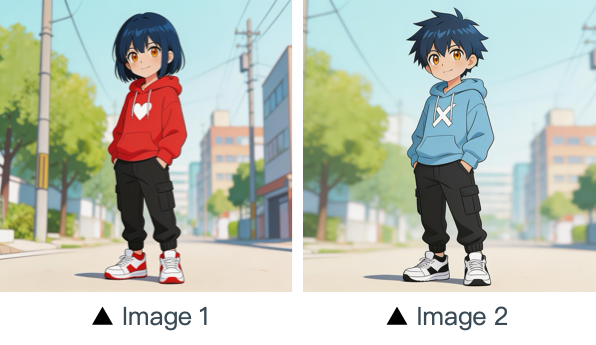
[Prompt] Refer to the character movements and shot language in Video 1 to create a fight scene with the character from Image 2 on the left and the character from Image 1 on the right. Include intense background music.
Marketing
[Risultato]
[Materiali di riferimento]
▲ Video 1
[Prompt] Referencing the running shape of the horse in the video, generate a scene: a golden steed runs on the grassland, then freezes its magnificent running posture and turns into a horse-shaped gold pendant.
4.2 Riferimento del movimento di camera
Modello di prompt:
Refer to the [Camera Movement Description] from [Video N] to generate [Scene Description], keeping the scene consistent.Esempi:
[Risultato]
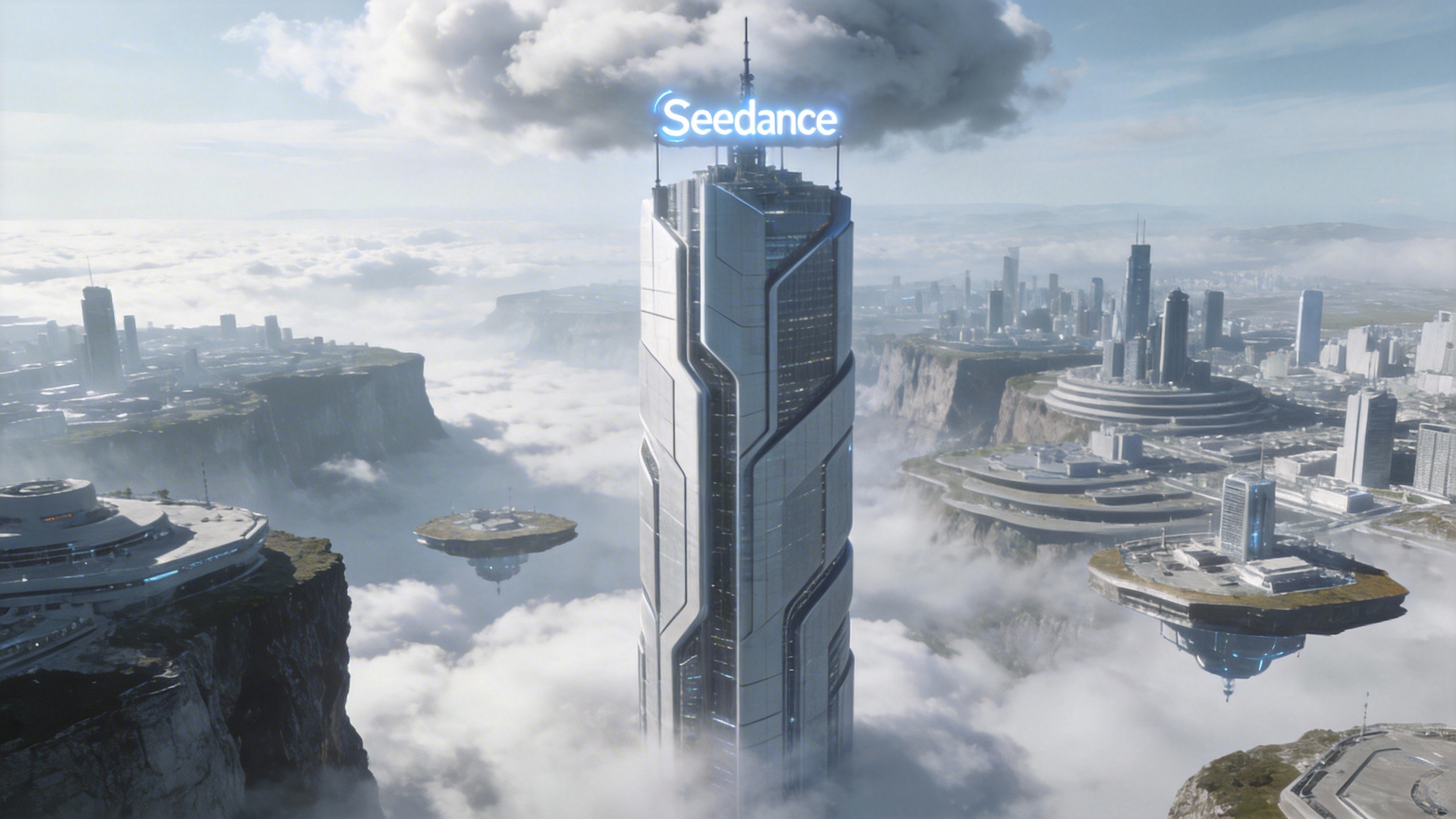
[Prompt] Referring to the camera movement in video 1, create a concept video for a science and technology park, with the tall building in the image as the visual center, also using a first-person diving perspective, to reflect the sense of technology in the park from image 1.
[Materiale di riferimento]
▲ Video 1
▲ Image 1
4.3 Riferimento di effetti visivi (VFX)
Modello di prompt:
Refer to the [VFX Effects Description] from [Video N] to generate [Scene Description], keeping the special effects consistent.Esempi:
Produzione video
[Risultato]
[Materiale di riferimento]
▲ Video 1
▲ Image 1
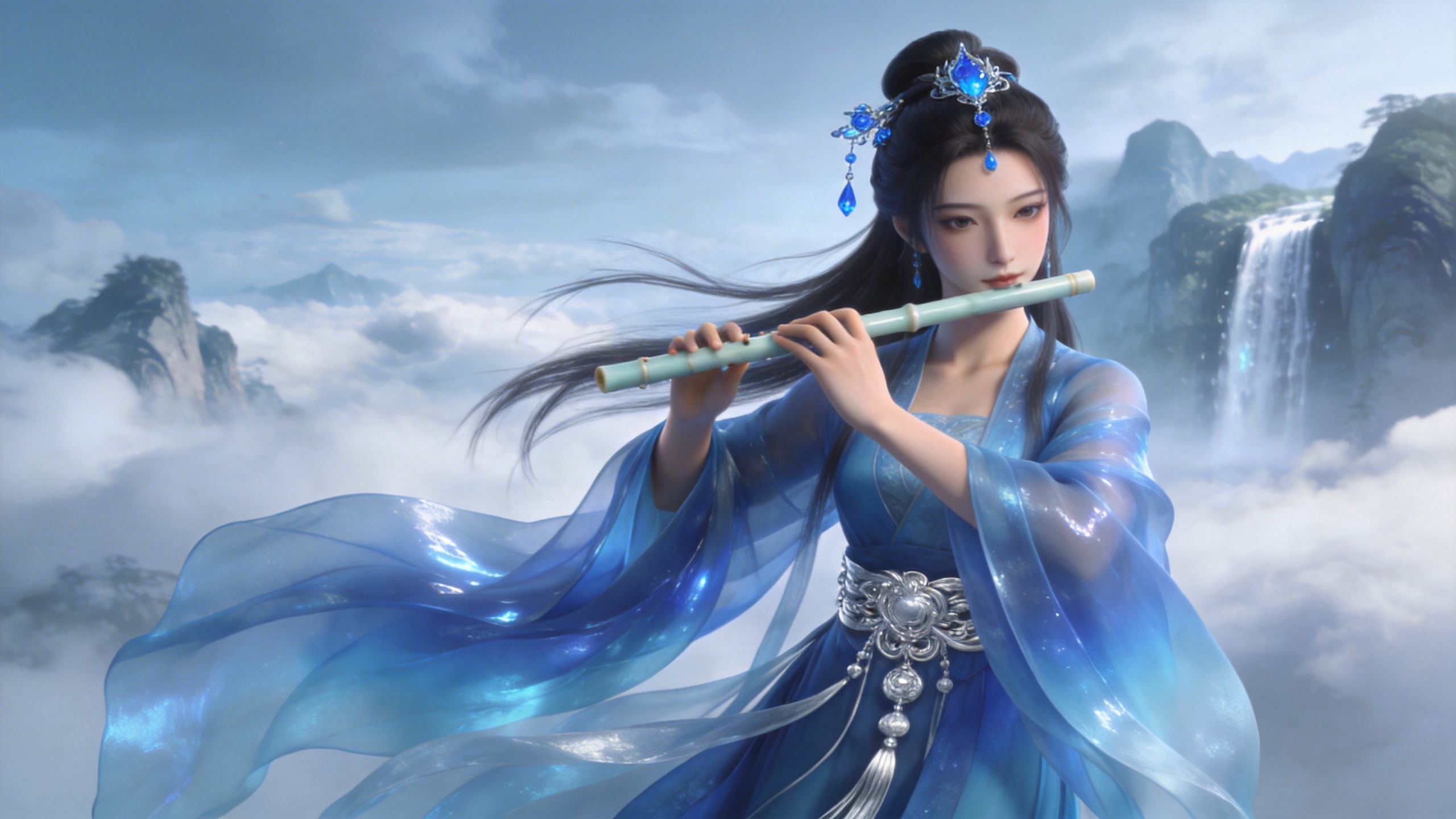
[Prompt] Refer to the golden particle effects in Video 1, so that when the character in Image 1 plays the flute, the same particle effects surround their body.
Effetti creativi
[Risultato]
[Materiale di riferimento]
▲ Video 1
▲ Image 1
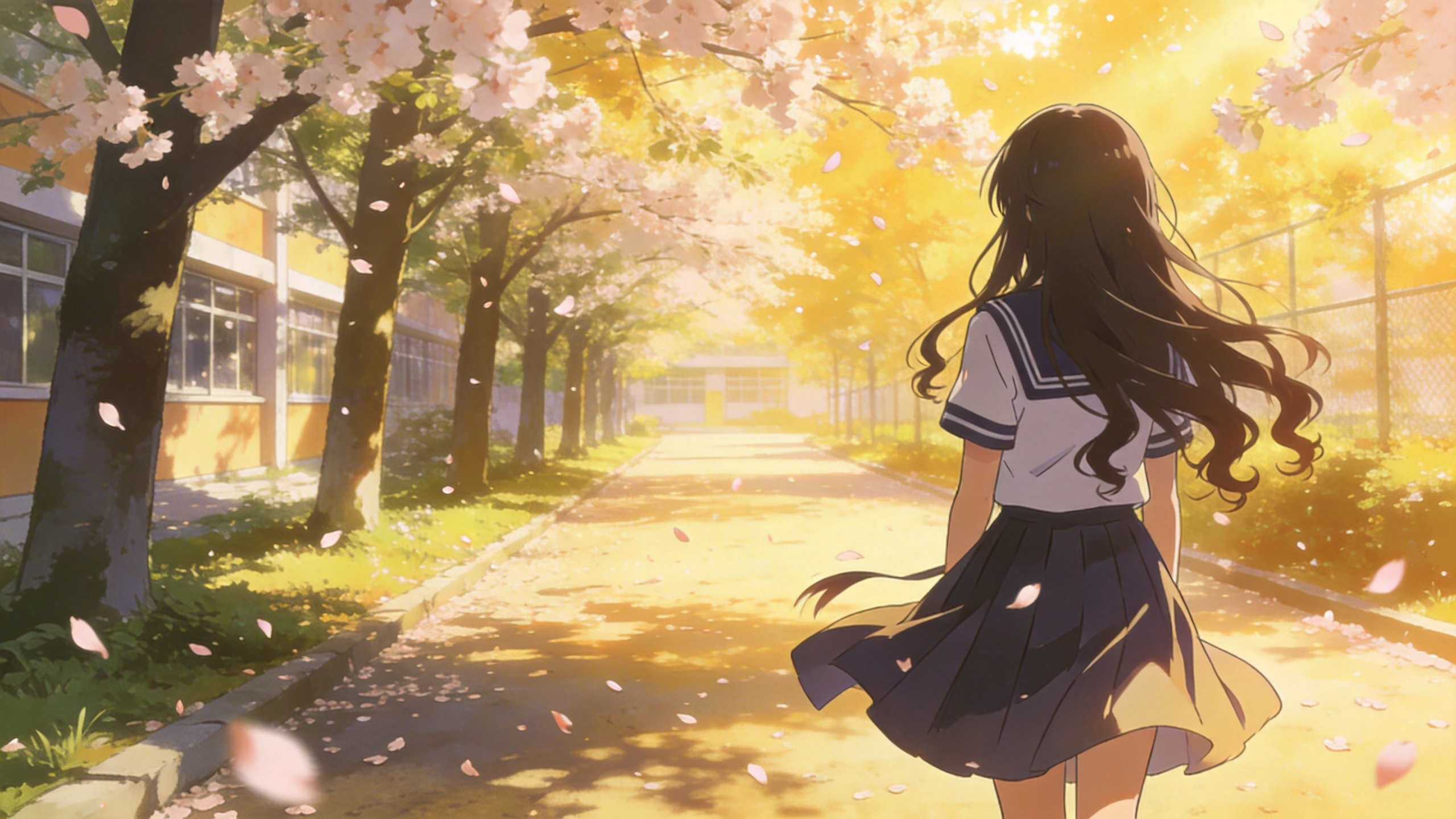
[Prompt] Refer to the special effects shown in Video 1 to generate identical wings for the girl in Image 1, ensuring the wing formation trajectory follows the exact same motion path and sequence depicted in the video.
05 Editing video
La serie Seedance 2.5 supporta l'editing video: aggiungere, rimuovere o modificare elementi, estendere la durata (in avanti e all'indietro) e allineare i raccordi. Se il progetto richiede una sequenza precisa, carica i file in ordine. Nei prompt puoi usare «video 1», «video 2», ... «video n» per una corrispondenza esatta.
5.1 Aggiungere, rimuovere o modificare elementi
Modello di prompt:
Adding: At [Timestamp/Timing] and [Spatial Location] of [Video N], add [Description of intended element].
Removing: Remove [Element to be deleted] from [Video N], keeping the rest of the video content unchanged.
Modifying: Replace [Description of element to be changed] in [Video N] with [Description of intended element].
Esempi:
Aggiungere elementi
[Risultato]
[Materiale di riferimento]
▲ Video 1
[Prompt] Add snacks such as fried chicken and pizza to the countertop in Video 1.
Rimuovere elementi
[Risultato]
[Materiale di riferimento]
▲ Video 1
[Prompt] Remove everything that isn't office stuff from the table in Video 1, keeping the rest of the video content unchanged.
Modificare elementi
[Risultato]
[Materiale di riferimento]
▲ Video 1
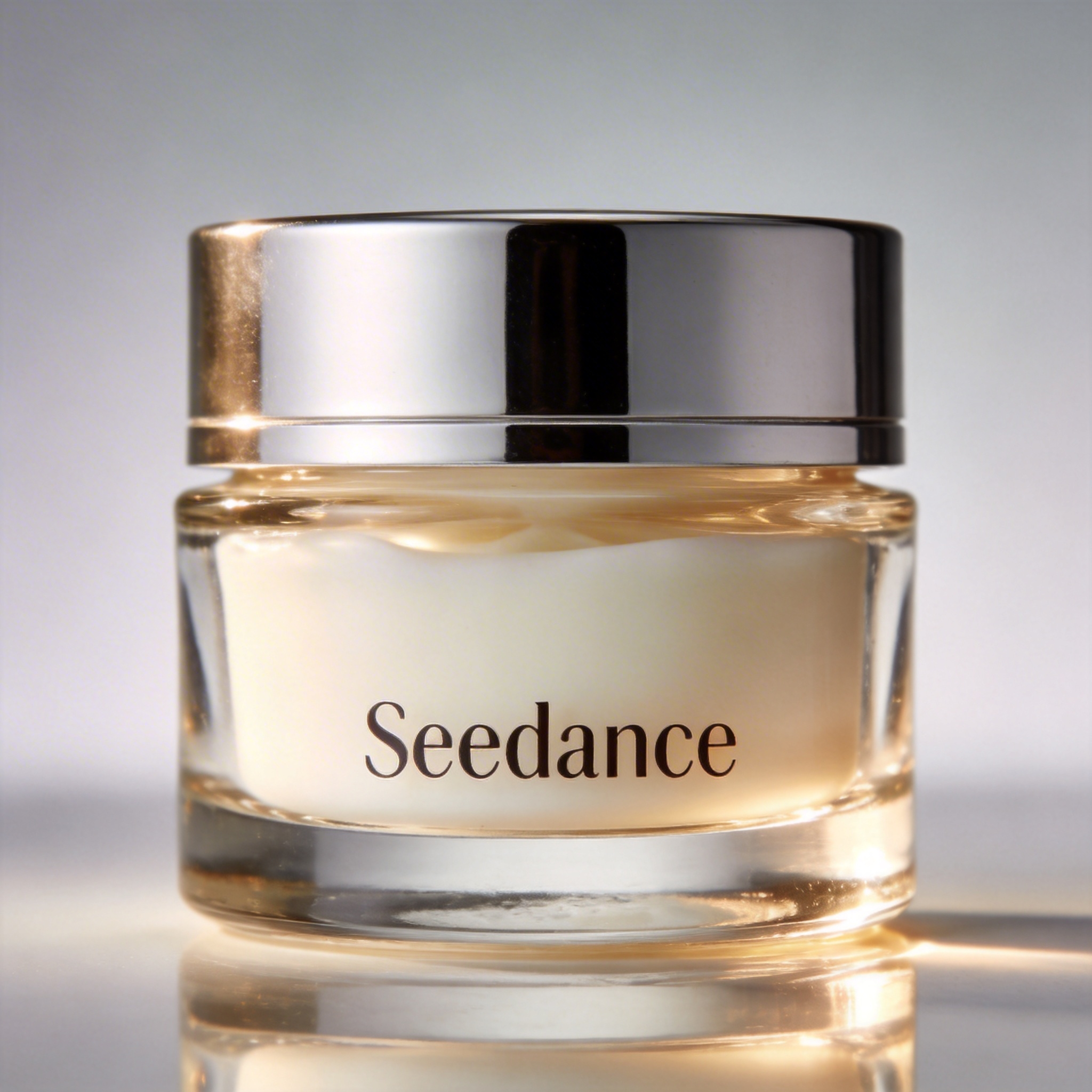
▲ Image 1
[Prompt] Replace the perfume featured in Video 1 with the face cream from Image 1, with all original motions and camera work preserved.
5.2 Estendere i video
Modello di prompt:
- Extend [Video N] forward/backward + [Description of extended content]
- Generate content before/after [Video N] + [Description of extended content]
:::warning Attenzione Il modello estrae automaticamente i fotogrammi di transizione per una fusione senza stacchi. I segmenti originali del video di input non vengono rigenerati, garantendo una continuità perfetta. ::: Esempi:
Estendere in avanti
[Risultato]
[Materiale di riferimento]
▲ Video 1
[Prompt] Generate the content after Video 1: the two men who are late run towards them, the five people finally meet and have a friendly chat.
Estendere all'indietro
[Risultato]
[Materiale di riferimento]
▲ Video 1
[Prompt] Extend the opening segment of Video 1: Set up an over-the-shoulder shot of the man in a hoodie, and the man says: “It’s not that bad. You're just stressed. Everyone goes through this, you just need to keep going.”
5.3 Completare i raccordi
Modello di prompt:
[Video 1] + [Transition Description] + followed by [Video 2] + [Transition Description] + followed by [Video 3]:::tip Nota Limite di input: la serie Seedance 2.5 accetta al massimo 3 clip video in input e la durata complessiva non può superare i 15 secondi. Taglio intelligente: durante la generazione il modello taglia automaticamente i segmenti di raccordo della prima e dell'ultima clip, conservando solo i fotogrammi necessari a una sintesi fluida e coerente. ::: Esempi:
[Risultato]
[Prompt] Video 1. The moment a leaf falls to the ground, it sets off a special effect of golden particles. A gust of wind blows by, leading into Video 2.
▲ Video 1
▲ Video 2