Seedance 2.5 プロンプトガイド
Seedance 2.5 は Bytedance のフラッグシップ動画生成モデルです。映像と音声を後から合成するのではなく、ひとつの工程で同時に生成するよう一から設計されています。自然言語の脚本をシネマティックな精度で解釈し、カットをまたいでキャラクターとシーンの一貫性を保ち、テキストに加えて画像・音声・動画をクリエイティブの基準として受け付けます。
本ガイドでは、モデルの実力を安定して引き出せるプロンプトのパターンを解説します。カットをどう言語化するか、どんなときに参考素材を使うか、そしてテキスト・動き・カメラワーク・編集をどう制御するか。以下の例はすべて Seedance 2.5 で生成したものです。テンプレートをコピーし、自分のシーンに合わせて調整しながら反復してください。
Seedance 2.5 の新しい特長:本ガイドのプロンプトパターンはそのまま使えますが、2.5 ではより長いキャンバス、より豊富な参考素材、そしてはるかに精密な編集コントロールが利用できます。
1 回の生成で最長 30 秒
1 回の生成尺が 15 秒から 30 秒へと倍増。カット間のつながりが滑らかになり、クリップ全体でキャラクターの一貫性も向上しました。
より豊富なマルチモーダル参照
画像・動画(音声トラックの有無を問わず)・音声を同時に基準にできます。画像からは人物の同一性・ビジュアルスタイル・構図を、動画からはカメラワークとアクションを、音声からは声質とメロディを引き継ぎます。
タイムスタンプ単位の編集
元動画の特定の瞬間を指定して編集できます。主要被写体の差し替え、オブジェクトの追加・削除・変更、指定フレームの描き直しまで、すべて 1 つのプロンプトで実行できます。
延長とクリップの連結
既存の動画を前後に延長したり、最大 3 本のクリップを 1 つのまとまったシーンに連結したりできます。動き・ライティング・被写体の連続性も保たれます。
01 基本原則
1.1 テキスト指示の基本フォーミュラ
Seedance 2.5 シリーズは自然言語の論理に従うことを得意としています。創作のニーズに応じて、以下の要素を自由に組み合わせてください:

生成の論理的な土台です。「誰が」「どんな動作をするか」を明確に定義しましょう。

空間的な背景、光の細部、具体的なビジュアルスタイルを描写して、全体のトーンを定めます。

応用的な指示では、シーンの効果音や環境音を加えることで、没入感のある同期したオーディオビジュアル表現が得られます。
1.2 マルチモーダル入力の参照コントロール
テキストによる描写に加えて、素材を渡すことで理想的な画面の状態を固定できます。Seedance 2.5 シリーズは画像・音声・動画の深い参照に対応しています。

プロンプトでは参照対象を明確に指定してください。例:「Image 1 の構図を使って」「Video 2 の動きに合わせて」。

モデルは参考素材から中核となる特徴を自動的に抽出し、あなたのテキストと統合します。これにより、出力は高い忠実度と予測可能性を保ちながら、創造的なバリエーションの余地も残します。
02 テキスト描画
Seedance 2.5 シリーズは、T2V(テキストから動画)、I2V(画像から動画)、R2V(参照から動画)、V2V(動画から動画)など、複数のシナリオで一般的なテキストの描画に対応しています。
- 主な機能:
- インテリジェントな適応: モデルはシーンの文脈に合わせてフォントのスタイルと色を自動的に調整し、違和感のない視覚的な統合を実現します。
- 細やかなコントロール: プロンプト内で以下の属性を明示的に指定できます:
- スタイル: 色とフォントスタイル。
- 動きの挙動: テキストの表示方法(登場の仕方)と、表示されるタイミング。
- レイアウト: 画面内での正確な配置。
- ベストプラクティス:
- 一般的な語彙を使う: 広く認知された単語や馴染みのある表現を使いましょう。モデルは標準的な英語の語彙で最も高い性能を発揮します。
- 珍しい単語・難解な単語は避ける: 複雑すぎる単語や辞書的で難解な単語は、表示のばらつきにつながることがあります。シンプルで頻出の単語ほど描画精度が高まります。
- 特殊記号は最小限に: 複雑な記号や標準外の句読点の使用を控えると、視認性とフォントの忠実度を保てます。
2.1 スローガン
プロンプトのテンプレート:
[Text Content] + [Timing] + [Positioning] + [Entrance/Appearance Style], [Visual Attributes (Color, Font Style)]ビジュアルスタイルと一貫性:
- 文脈への適応:Seedance 2.5 シリーズはシーンの文脈を自動的に判別し、最適なフォントの表現を選びます。
- 精度が求められる場合:ブランドの一貫性など、厳密なビジュアル基準の遵守が必要なプロジェクトでは、[2.2.2 複数画像参照:ロゴ参照]の章を参照してください。
例:
[出力]
[プロンプト] Hand-drawn comic style: Three people are sitting around a table enjoying the fried chicken shown in Image 1, with a friendly and joyful atmosphere. The frame then gradually blurs, and the text "Bite“”Laugh“” Seedance“ in order appears in the center of the screen.
[参考素材]
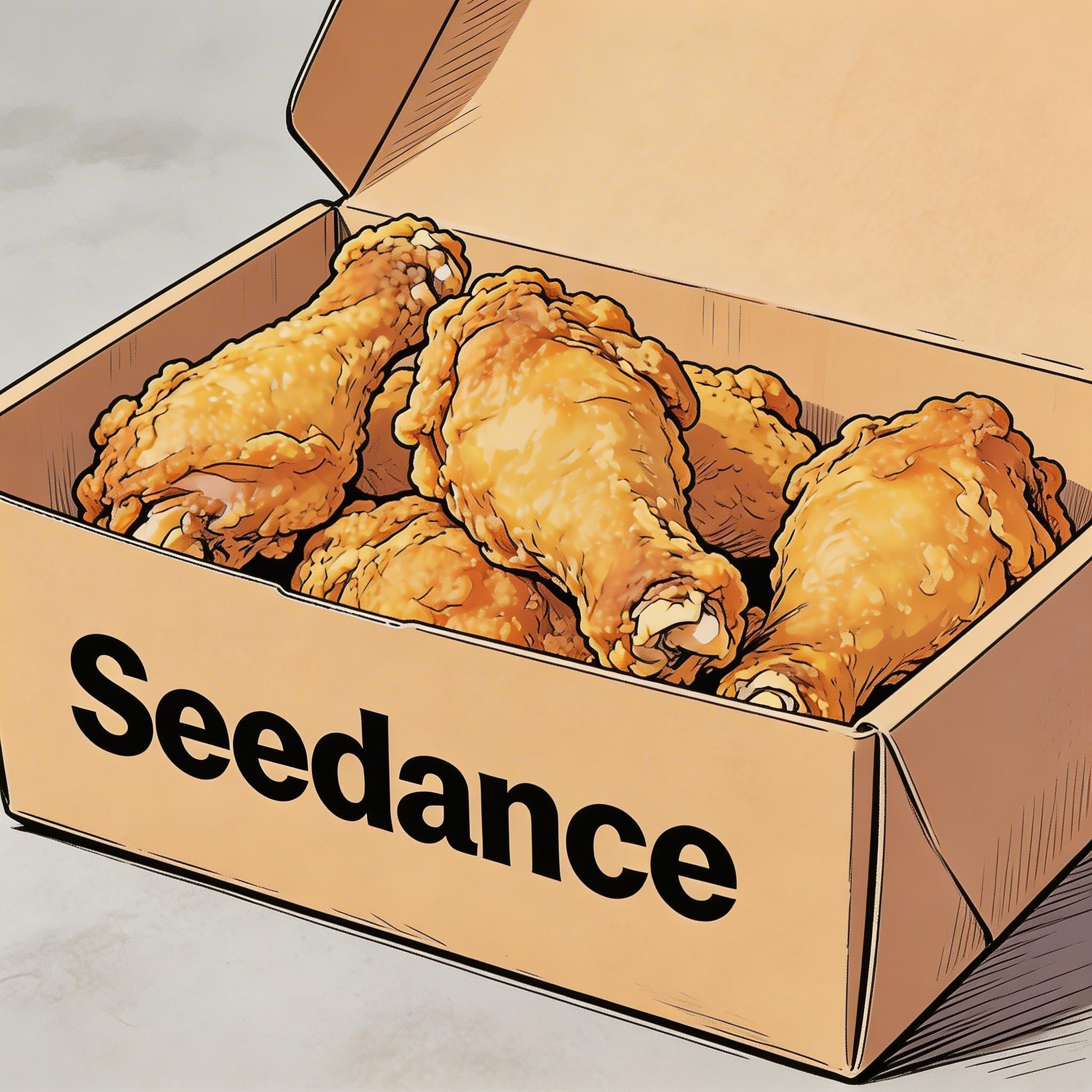
▲ Image 1
2.2 字幕
プロンプトのテンプレート:
Display subtitles at the bottom-center with the text. The subtitles must be perfectly synchronized with the audio rhythm and pacing.例:
ナレーション
[出力]
[参考素材]
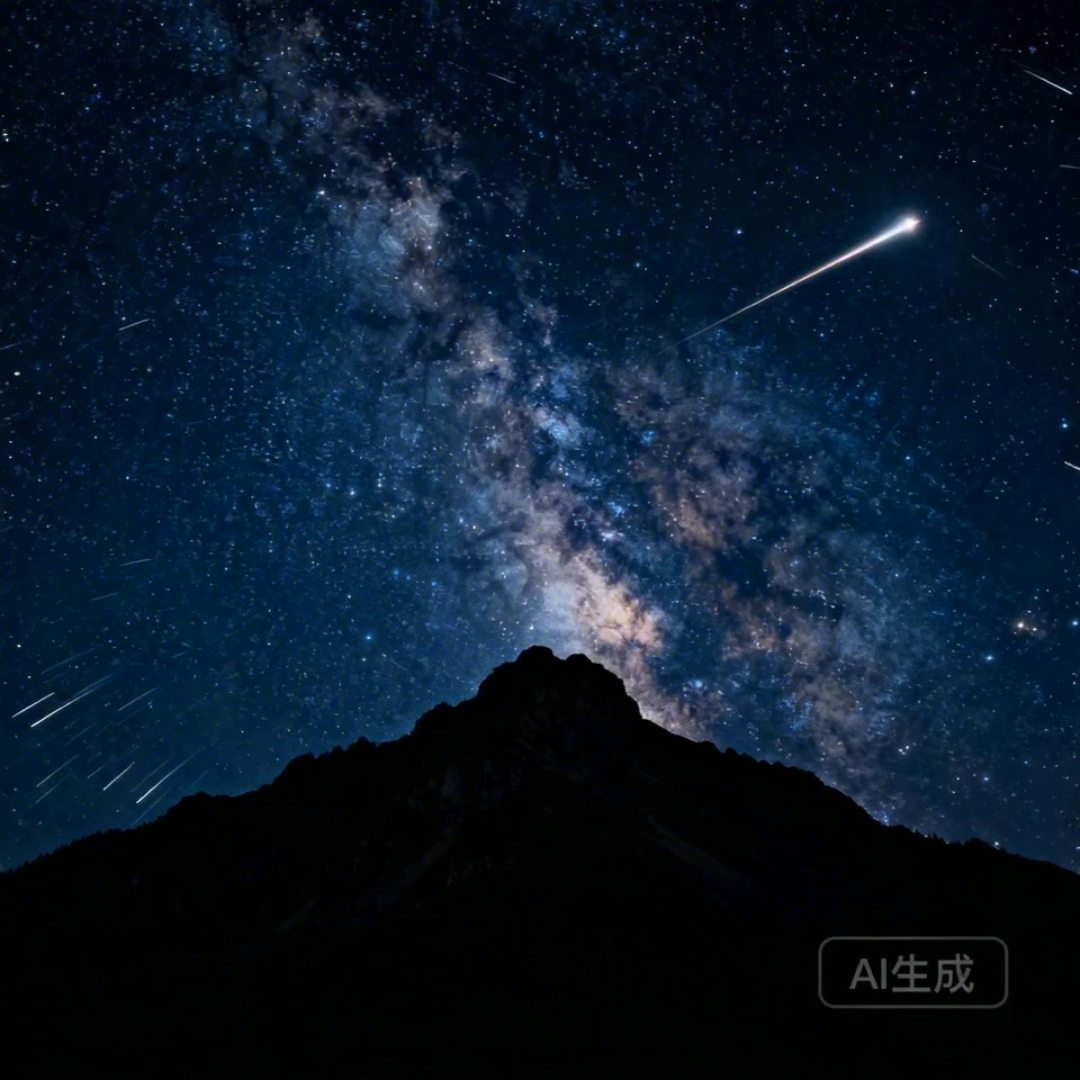
▲ Image 1
[プロンプト] I2V: A time-lapse of a mountain landscape transitioning from a vast, starry night to a vibrant dawn. Voiceover: A deep, serene male voice says: 'In the vast silence of the cosmos, our world is but a fleeting moment. Yet, within it, life defiantly thrives.' > Text Integration: Render the narration as subtitles at the bottom-center. Subtitles must be perfectly synchronized with audio timing.
吹き替え
[出力]
[参考素材]

▲ Image 1
[プロンプト] R2V: A shot of these two people in Image 1 chatting in a modern office. The woman speaks first with a playful tone: "You always arrive right on time, don't you just love that perfect timing?" followed by the man’s smiling reply: "I have my own rhythm." > Text Integration: Render the dialogue as subtitles at the bottom-center of the screen. Subtitles should appear sequentially as each character speaks.
2.3 吹き出し
プロンプトのテンプレート:
[Character] says, "[Dialogue]." Speech bubbles appear around the character containing the spoken text.例:
[出力]
[参考素材]
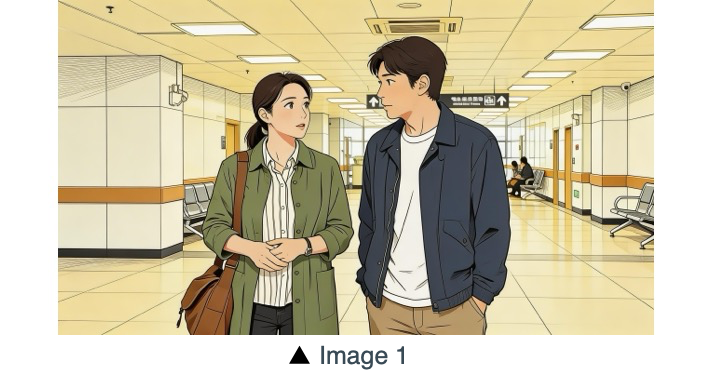
[プロンプト] The two characters from Image 1, both dressed in sportswear, are running on the school playground. The girl looks at the boy, smiling confidently as she says: "We can definitely do it!". Cut to a close-up of the boy. He hesitates and replies: "Are you sure?". Cut back to a medium close-up of the girl. She speaks in a light, upbeat tone: "Yes!" Her demeanor is bright and resolute. Speech bubbles containing the corresponding lines appear around the speaking character.
[出力]
[参考素材]
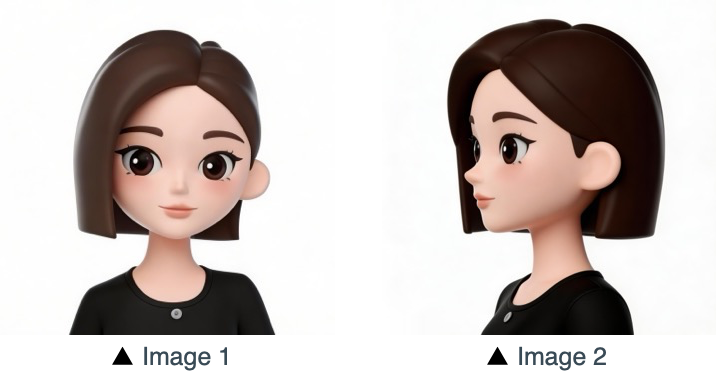
[プロンプト] Refer to the character design of the girl in Image 1 and Image 2. The scene is set in an apple field: the girl picks one apple, takes a bite, smiles and says "This is the real deal!". A speech bubble pops up beside the girl, with this line written inside.
03 画像参照
Seedance 2.5 シリーズは被写体のマルチアングル参照に加え、シーンのレイアウトやシーケンスなどの複数画像参照にも対応しています。制作上、特定の順序が必要な場合(連続した動作など)は、意図した順番で画像をアップロードしてください。その上でプロンプト内に識別子を書けば精密に制御できます。Image 1、Image 2、...Image N を使って、各参照を指示に正確に対応づけましょう。
3.1 被写体のマルチアングル参照
プロンプトのテンプレート:
Refer to/Extract/Combine/Use the [Subject] from [Image N] to generate [Scene Description], maintaining consistent [Subject] features.参照対象は必ず明確に示してください。モデルは以下のような指示(これに限りません)を処理できます。製品:
家電・コンシューマー製品
[出力]
[参考素材]
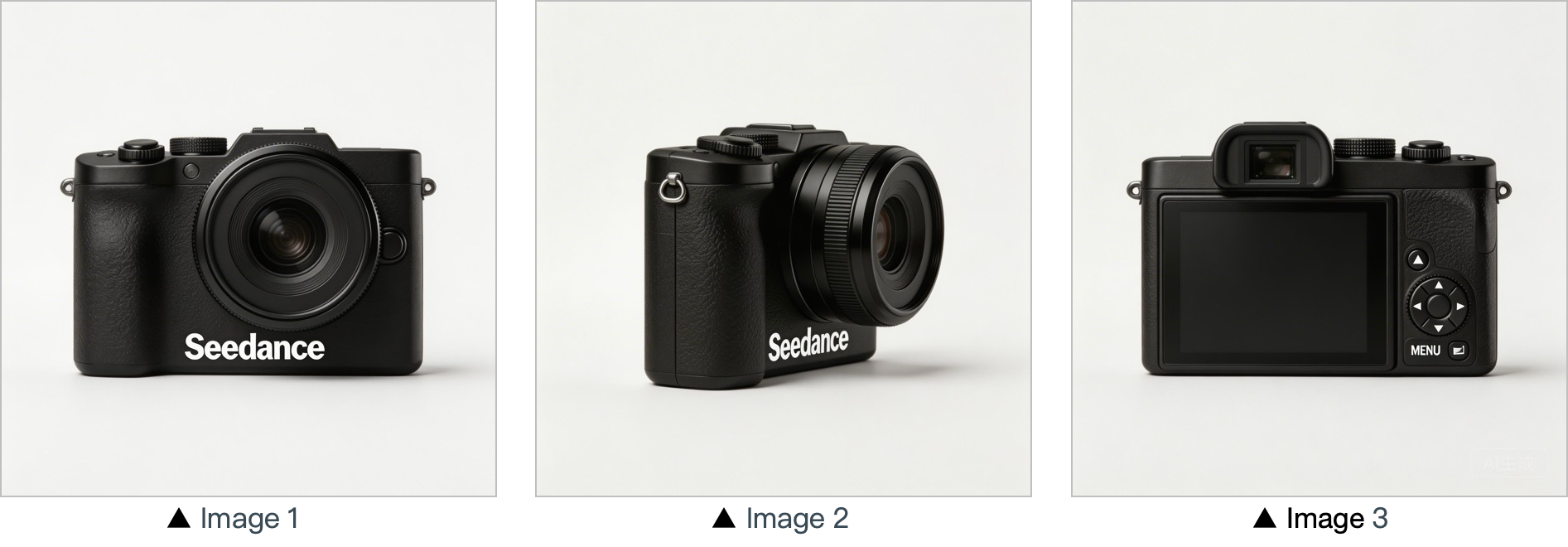
[プロンプト] Use the cameras featured in Image 1, Image 2 and Image 3. Replace the original background with a white one, and place the cameras on a white table. The shooting lens first focuses on the cameras in close-up, then slowly rotates 360° with the cameras as the main subject, clearly displaying the front, sides and back of each camera.
住まいとライフスタイル
[出力]
[参考素材]
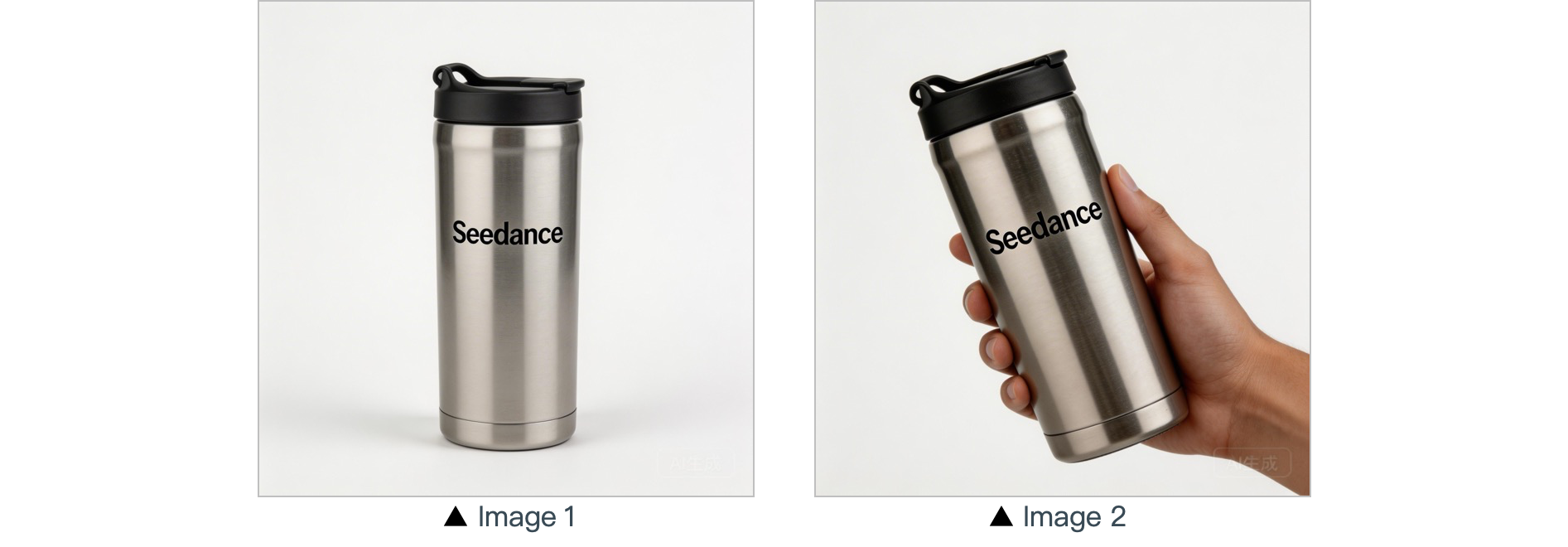
[プロンプト] In a warm-toned home setting, present the thermos shown in the reference image in a medium shot. Then smoothly push the camera into a close-up of the thermos. Next, a hand naturally enters the frame off-screen, gently grips the thermos body and picks it up. The camera follows the slight rotating motion of the hand to showcase the thermos.
キャラクター:
[出力]
[参考素材]
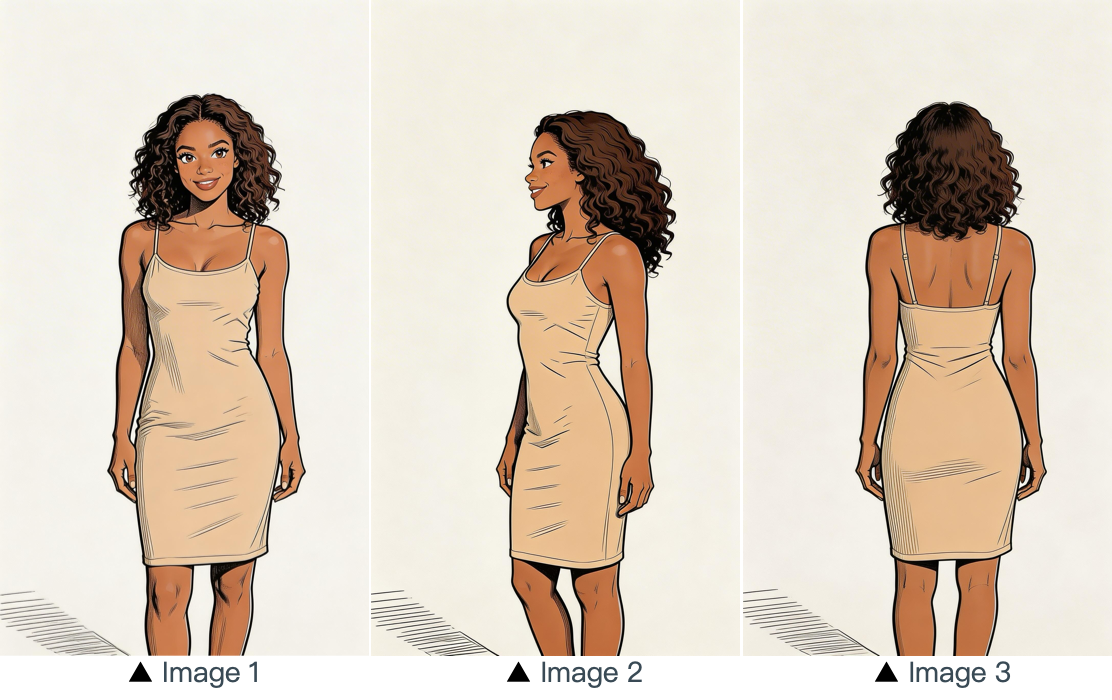
[プロンプト] Refer to the image of the woman in Image 1, Image 2 and Image 3, and generate a scene of her eating a cake in a coffee shop.
3.2 複数画像参照
プロンプトのテンプレート:
Refer to / Extract / Combine / Follow the [Description of referenced elements] from [Image N] to generate [Scene Description], while maintaining the consistency of [Referenced Elements].例:
ロゴ参照
[出力]
[参考素材]
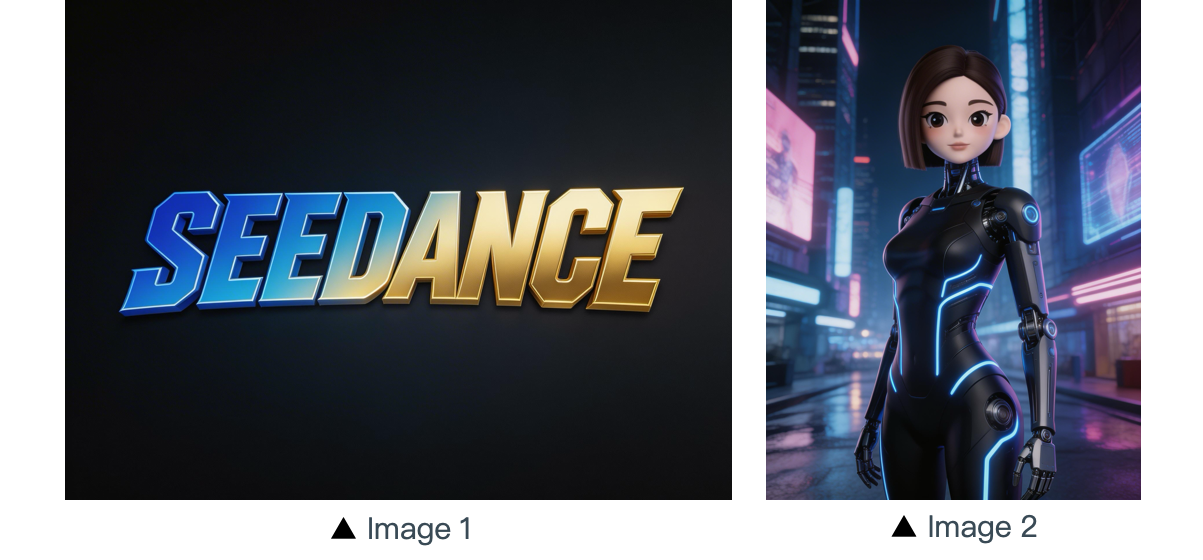
[プロンプト] The scene is set on an aerial corridor in a neon-drenched futuristic metropolis, where flying vehicles and holographic ads intertwine. Featuring the girl from Reference Image 2, the sequence opens with a medium shot of her releasing a silver floating lantern embedded with a holographic projection. The camera then pulls back to reveal floating lanterns flooding the sky, which gradually converge at the center of the frame to form the logo from Reference Image 1. The entire piece adopts a 3D cyberpunk sci-fi animation style.
複数被写体の参照
[出力]
[参考素材]
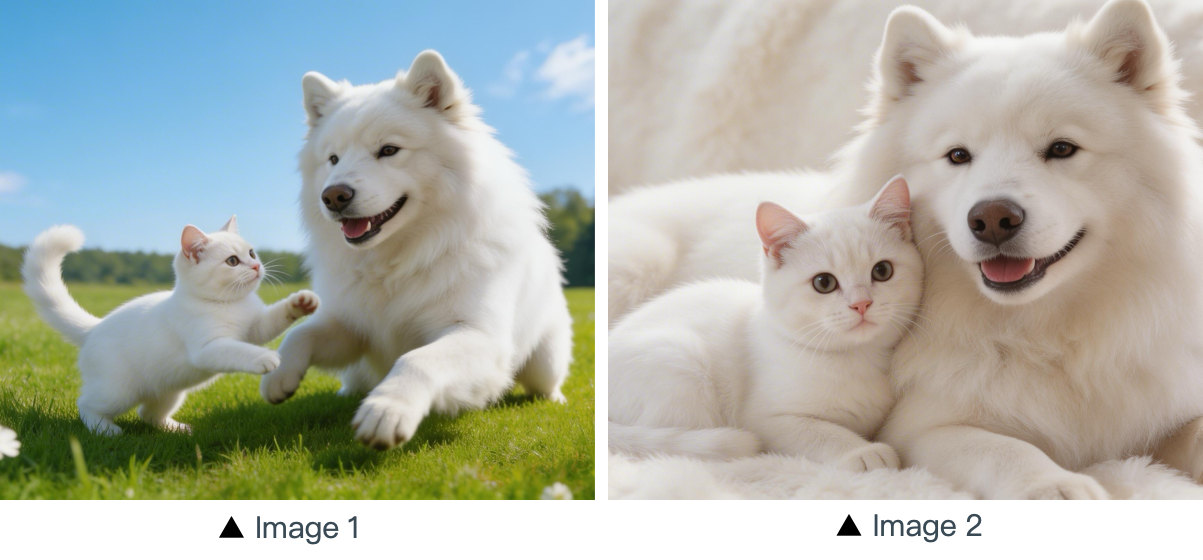
[プロンプト] Using the cat and dog from the reference Image 1 and Image 2 as prototypes, the scene unfolds in a cozy apartment. The dog is lying on the ground eating dog food when the cat approaches, extending a paw to nudge the dog. The dog pauses its meal upon noticing the cat, and the cat snuggles up next to the dog. The entire scene features a warm colored tone.
複数要素の参照
[出力]
[参考素材]
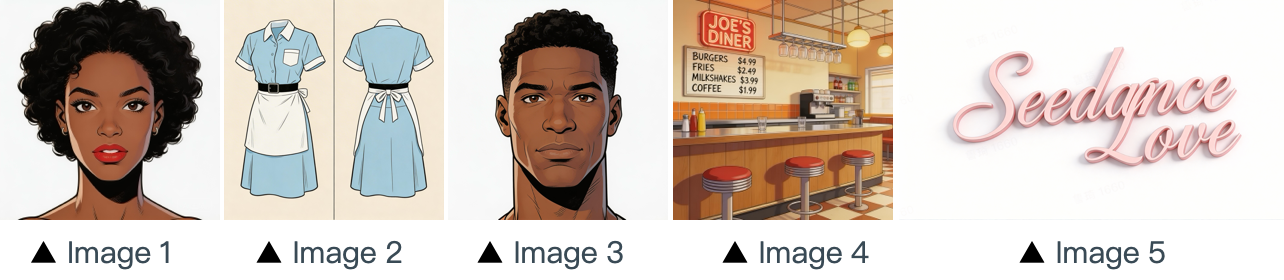
[プロンプト] The scene is set in the restaurant from image 4 with people coming and going. The girl from image 1 , wearing the clothes from image 2 , is organizing the items on the counter. The boy, a customer, from image 3 approaches her to ask for her contact information. The logo from image 5 remains in the bottom right corner throughout.
複数コマのシーケンス参照
[出力]
[参考素材]
▲ Image 1
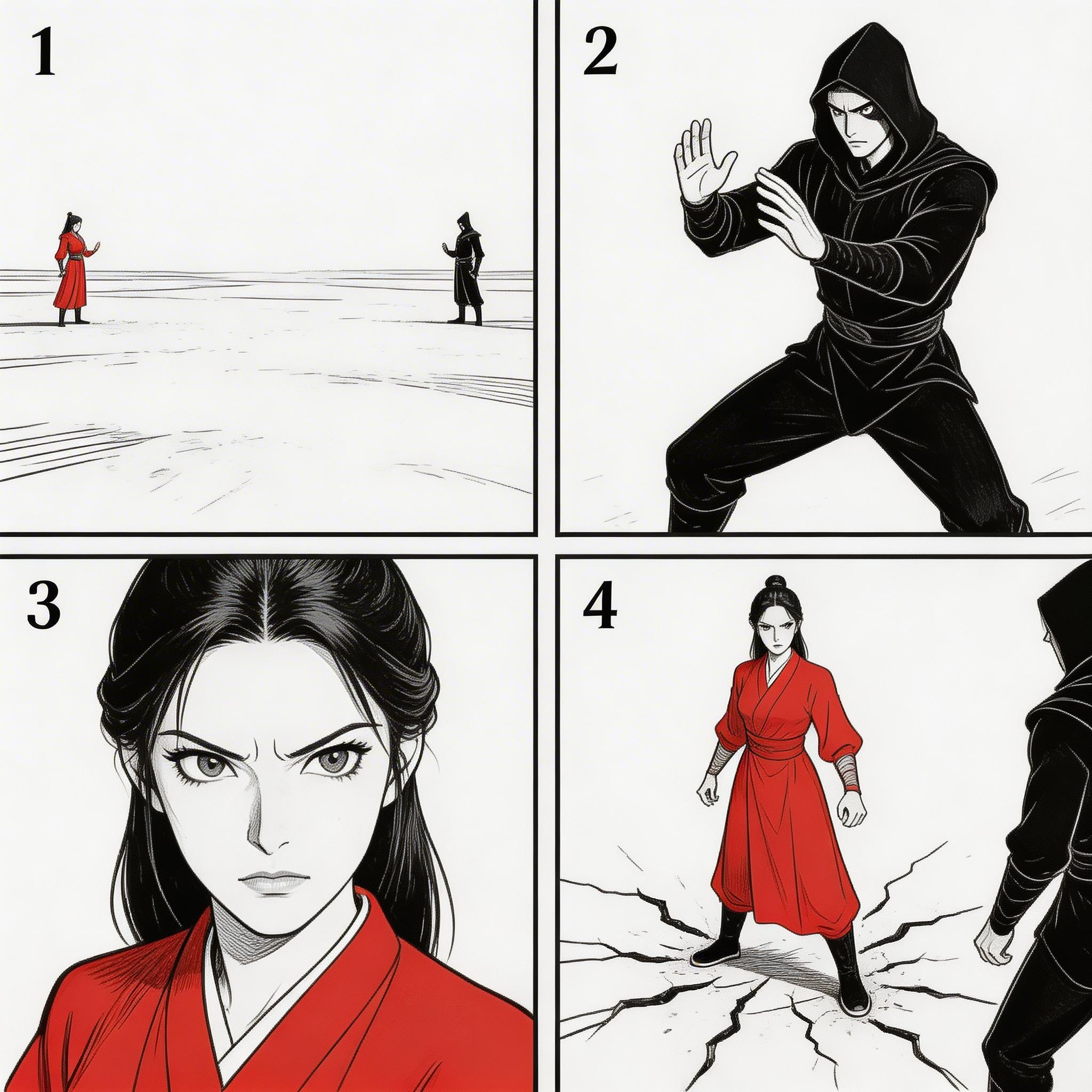
[プロンプト] Refer to the sequence in Image 1 to create an intense high-energy fight sequence. All frame compositions from Image 1 shall be presented in strict predefined order, after which the two characters engage in fierce, fast-paced combat.
シーケンス参照
[出力]
[参考素材]
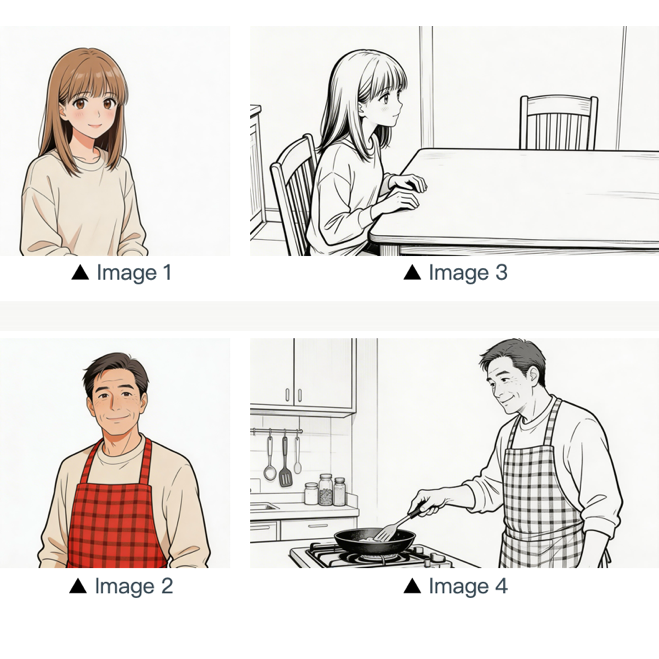
[プロンプト] Refer to the composition in Image 3. A girl (her character design refers to Image 1) is waiting for her father to finish cooking, and she says: “아빠, 배고파요! 밥 다 됐어요?”Then the camera pans right and cuts to the frame and composition shown in Image 4. The father (his character design refers to Image 2) replies to her: “거의 다 됐어, 조금만 기다려!“Next, the camera cuts back to a close-up shot of the daughter's slightly disappointed facial expression, and she says: “아직 멀었어요? 맛있는 냄새 나는데...”Then the shot switches to a close-up of the father's face, and he says: “이제 진짜 금방이야. "빨리빨리" 하지 말고 손부터 씻고 와!”
04 動画参照
Seedance 2.5 シリーズは動画を用いた参照に対応しています。
- ワークフロー上、特定の順序が必要な場合はファイルを順番にアップロードしてください。プロンプト内で
Video 1、Video 2、...Video nを使えば正確に対応づけられます。 - 生成内容と参照元の関係が明確に定義されていれば十分です。
4.1 モーション参照
プロンプトのテンプレート:
Refer to the [Motion Description] from [Video N] to generate [Scene Description], keeping the motion details consistent.例:
アート表現
[出力]
[参考素材]
▲ Video 1
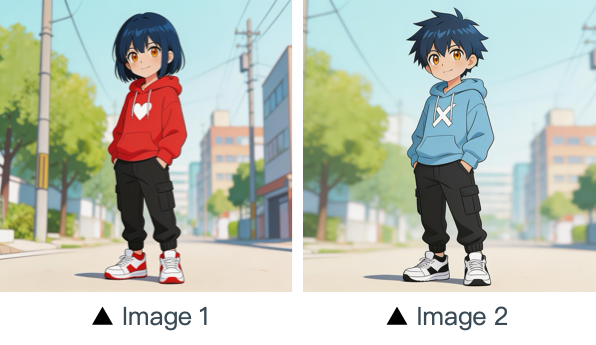
[プロンプト] Refer to the character movements and shot language in Video 1 to create a fight scene with the character from Image 2 on the left and the character from Image 1 on the right. Include intense background music.
マーケティング
[出力]
[参考素材]
▲ Video 1
[プロンプト] Referencing the running shape of the horse in the video, generate a scene: a golden steed runs on the grassland, then freezes its magnificent running posture and turns into a horse-shaped gold pendant.
4.2 カメラワーク参照
プロンプトのテンプレート:
Refer to the [Camera Movement Description] from [Video N] to generate [Scene Description], keeping the scene consistent.例:
[出力]
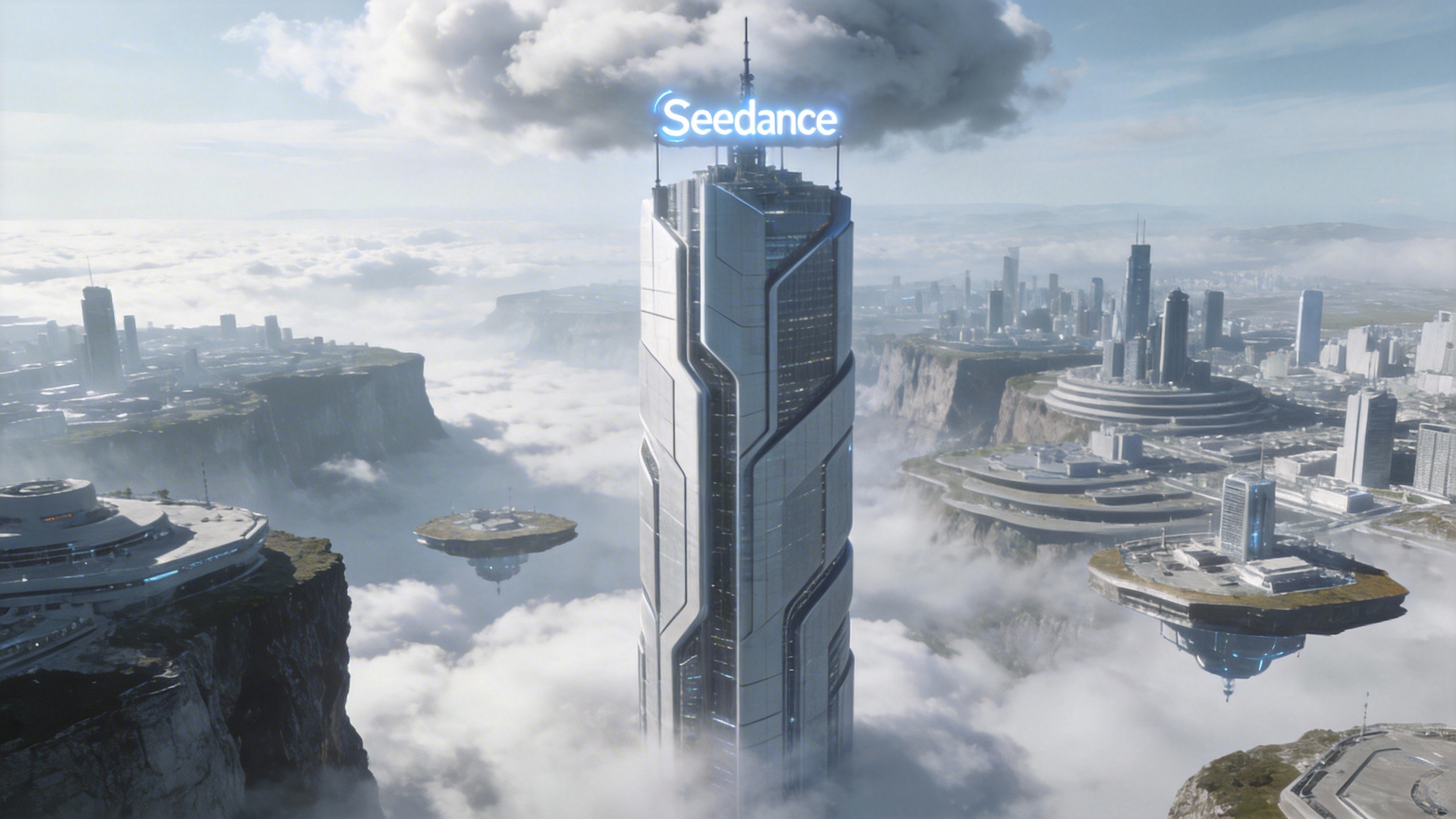
[プロンプト] Referring to the camera movement in video 1, create a concept video for a science and technology park, with the tall building in the image as the visual center, also using a first-person diving perspective, to reflect the sense of technology in the park from image 1.
[参考素材]
▲ Video 1
▲ Image 1
4.3 ビジュアルエフェクト(VFX)参照
プロンプトのテンプレート:
Refer to the [VFX Effects Description] from [Video N] to generate [Scene Description], keeping the special effects consistent.例:
映像制作
[出力]
[参考素材]
▲ Video 1
▲ Image 1
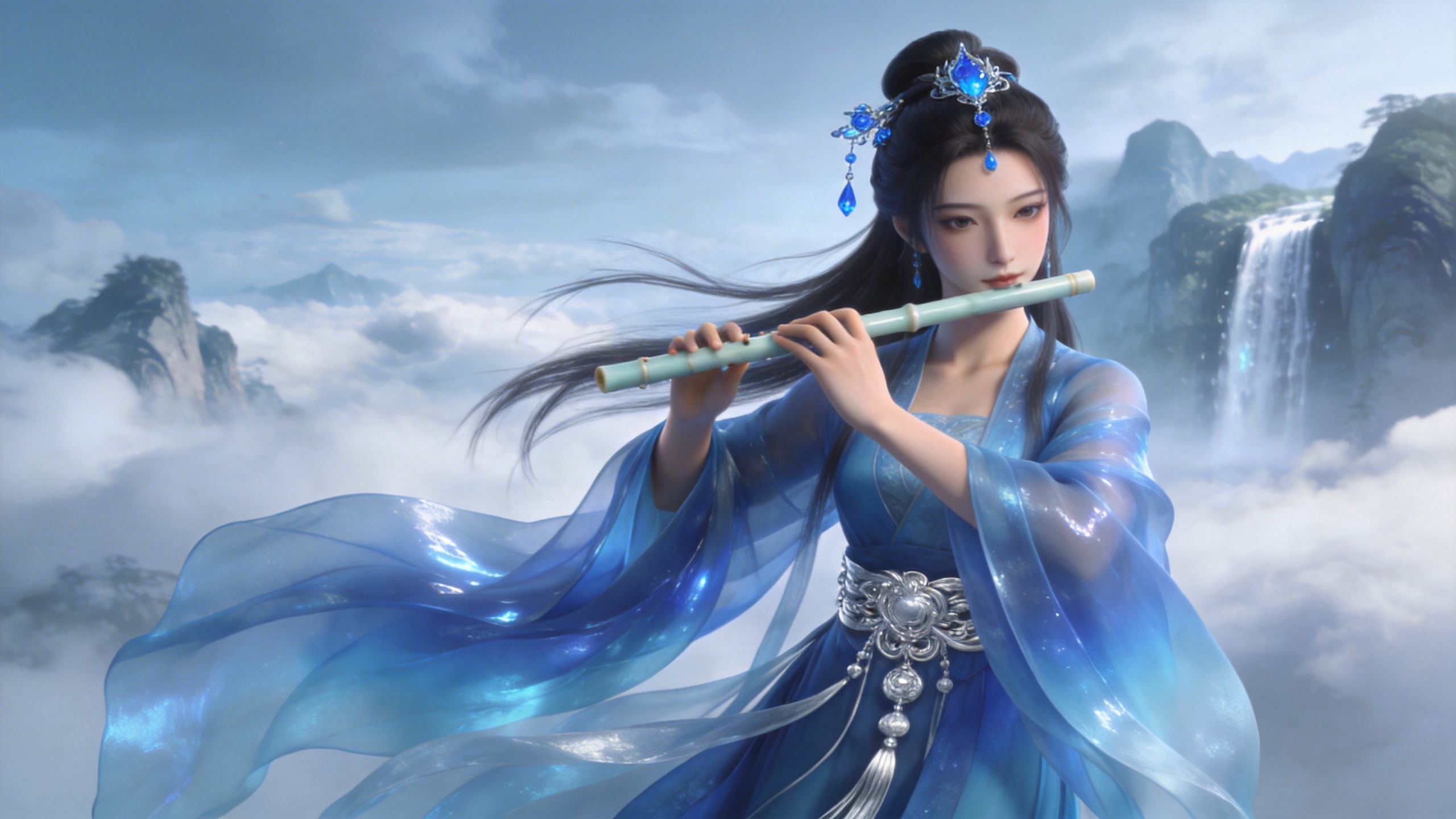
[プロンプト] Refer to the golden particle effects in Video 1, so that when the character in Image 1 plays the flute, the same particle effects surround their body.
クリエイティブ VFX
[出力]
[参考素材]
▲ Video 1
▲ Image 1
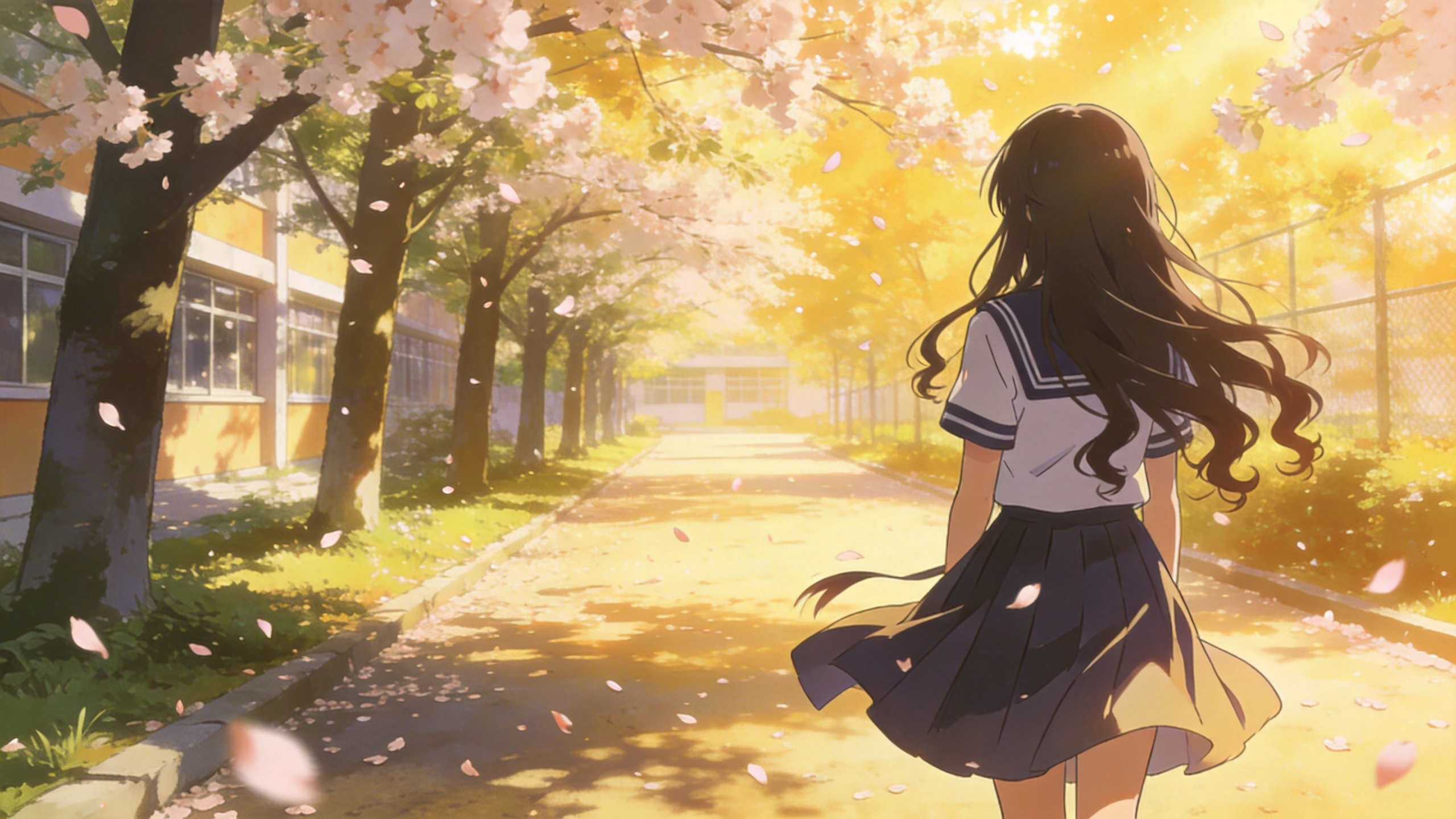
[プロンプト] Refer to the special effects shown in Video 1 to generate identical wings for the girl in Image 1, ensuring the wing formation trajectory follows the exact same motion path and sequence depicted in the video.
05 動画編集
Seedance 2.5 シリーズは動画編集に対応しています。要素の追加・削除・変更、尺の延長(前方向・後方向)、つなぎの整合などが可能です。プロジェクトで特定の順序が必要な場合は、ファイルを順番にアップロードしてください。プロンプト内で「video 1」「video 2」...「video n」を使えば正確に対応づけられます。
5.1 要素の追加・削除・変更
プロンプトのテンプレート:
Adding: At [Timestamp/Timing] and [Spatial Location] of [Video N], add [Description of intended element].
Removing: Remove [Element to be deleted] from [Video N], keeping the rest of the video content unchanged.
Modifying: Replace [Description of element to be changed] in [Video N] with [Description of intended element].
例:
要素を追加
[出力]
[参考素材]
▲ Video 1
[プロンプト] Add snacks such as fried chicken and pizza to the countertop in Video 1.
要素を削除
[出力]
[参考素材]
▲ Video 1
[プロンプト] Remove everything that isn't office stuff from the table in Video 1, keeping the rest of the video content unchanged.
要素を変更
[出力]
[参考素材]
▲ Video 1
▲ Image 1
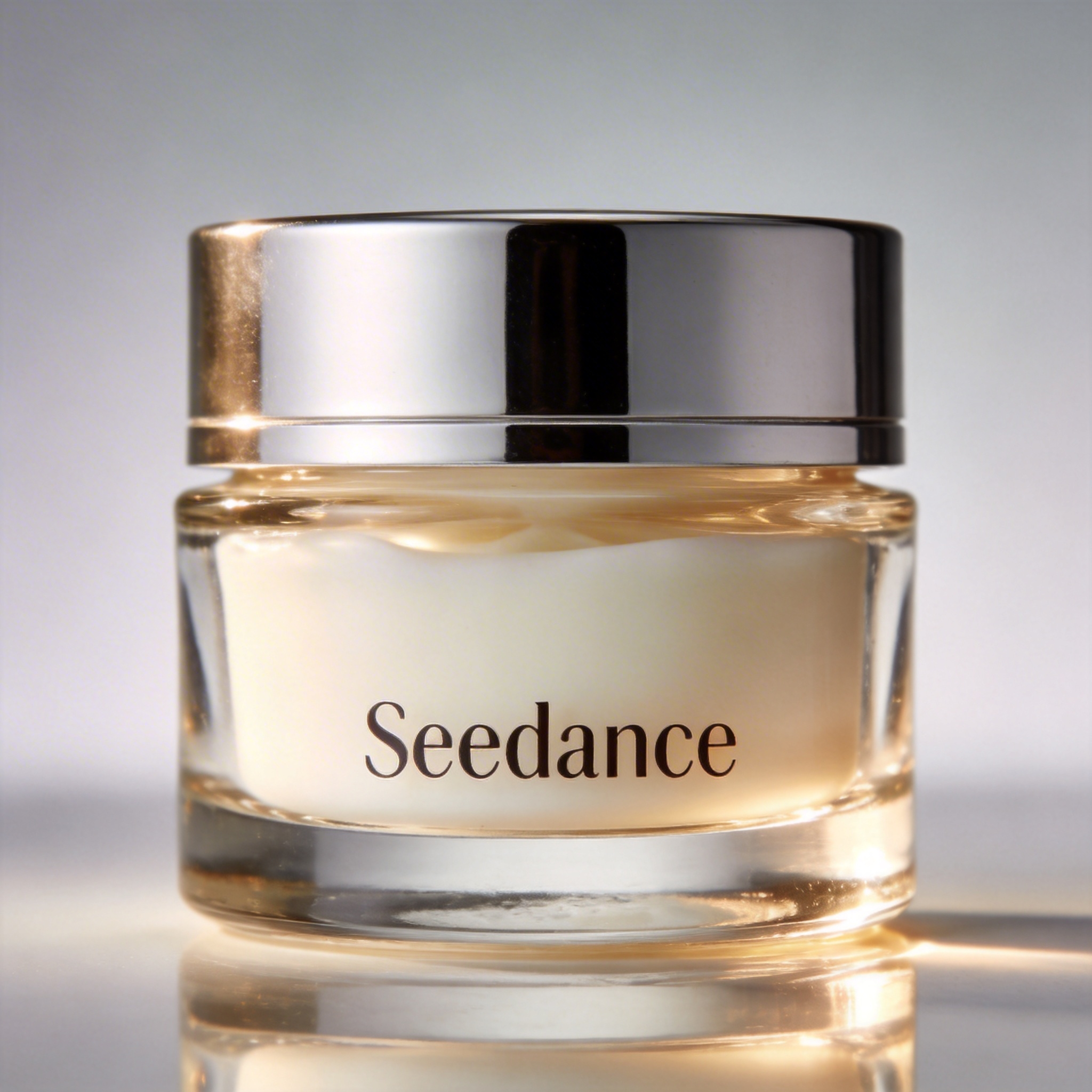
[プロンプト] Replace the perfume featured in Video 1 with the face cream from Image 1, with all original motions and camera work preserved.
5.2 動画の延長
プロンプトのテンプレート:
- Extend [Video N] forward/backward + [Description of extended content]
- Generate content before/after [Video N] + [Description of extended content]
:::warning 注意 モデルはシームレスに馴染ませるため、つなぎ目のフレームを自動的に抽出します。入力動画の元の区間は再生成されないため、完全な連続性が保たれます。::: 例:
後方向へ延長
[出力]
[参考素材]
▲ Video 1
[プロンプト] Generate the content after Video 1: the two men who are late run towards them, the five people finally meet and have a friendly chat.
前方向へ延長
[出力]
[参考素材]
▲ Video 1
[プロンプト] Extend the opening segment of Video 1: Set up an over-the-shoulder shot of the man in a hoodie, and the man says: “It’s not that bad. You're just stressed. Everyone goes through this, you just need to keep going.”
5.3 つなぎの補完
プロンプトのテンプレート:
[Video 1] + [Transition Description] + followed by [Video 2] + [Transition Description] + followed by [Video 3]:::tip 注記 入力の上限:Seedance 2.5 シリーズが入力として受け付けられるのは最大 3 本の動画クリップで、合計の長さは 15 秒を超えられません。スマートトリミング:生成時、モデルは先頭と末尾のクリップの接続部分を自動的にトリミングし、必要なフレームだけを残すことで、シームレスで筋の通った合成を実現します。::: 例:
[出力]
[プロンプト] Video 1. The moment a leaf falls to the ground, it sets off a special effect of golden particles. A gust of wind blows by, leading into Video 2.
▲ Video 1
▲ Video 2