Guía de prompts de Seedance 2.5
Seedance 2.5 es el modelo insignia de generación de video de Bytedance, diseñado desde cero para sintetizar imagen y sonido en una sola pasada en lugar de unirlos después. Lee guiones en lenguaje natural con precisión cinematográfica, mantiene la coherencia de personajes y escenas entre planos, y acepta imágenes, audio y video como anclas creativas junto a tu texto.
Esta guía recorre los patrones de prompt que sacan el máximo partido al modelo de forma constante: cómo formular un plano, cuándo apoyarte en material de referencia y cómo controlar el texto, el movimiento, los movimientos de cámara y la edición. Todos los ejemplos siguientes se generaron con Seedance 2.5: copia una plantilla, adáptala a tu escena e itera.
Novedades de Seedance 2.5: todos los patrones de prompt de esta guía siguen siendo válidos, pero 2.5 te da un lienzo más largo, material de referencia más rico y un control de edición mucho más preciso.
Hasta 30 segundos por generación
La duración de una sola generación se duplica de 15 a 30 segundos, con transiciones entre planos más fluidas y mayor coherencia de personajes a lo largo de todo el clip.
Referencias multimodales más ricas
Ancla un plano con imágenes, video (con o sin pista de audio) y audio a la vez: hereda identidad, estilo y composición de las imágenes, movimiento de cámara y acción del video, y timbre vocal y melodía del audio.
Edición a nivel de marca de tiempo
Dirige una edición a un momento concreto del video original: sustituir el sujeto principal, añadir, eliminar o modificar objetos y repintar fotogramas seleccionados, todo desde un único prompt.
Extender y unir clips
Extiende un video existente hacia delante o hacia atrás, o une hasta tres clips en una escena coherente con continuidad de movimiento, iluminación y sujeto.
01 Principios generales
1.1 Fórmula básica para instrucciones de texto
La serie Seedance 2.5 destaca siguiendo la lógica del lenguaje natural. Puedes combinar con flexibilidad los siguientes elementos según tus necesidades creativas:

La base lógica de tu generación. Define con claridad «quién» realiza «qué acción».

Define el tono general describiendo el fondo espacial, los detalles de iluminación o estilos visuales concretos.

Las instrucciones avanzadas pueden incluir efectos de sonido de escena o ambientales para lograr un resultado audiovisual inmersivo y sincronizado.
1.2 Control de referencias para entradas multimodales
Además de las descripciones de texto, puedes aportar material para fijar el estado ideal del encuadre. La serie Seedance 2.5 admite referencias profundas de imágenes, audio y video.

En el prompt, indica con claridad el objeto de referencia; por ejemplo, «Usa la composición de Image 1» o «Replica el movimiento de Video 2».

El modelo extrae automáticamente las características principales del material de referencia y las fusiona con tu texto. Así el resultado mantiene fidelidad y previsibilidad sin renunciar a la variación creativa.
02 Renderizado de texto
La serie Seedance 2.5 permite generar texto habitual en múltiples escenarios, incluidos T2V (texto a video), I2V (imagen a video), R2V (referencia a video) y V2V (video a video).
- Capacidades clave:
- Adaptación inteligente: El modelo ajusta automáticamente los estilos y colores de fuente al contexto de tu escena para una integración visual fluida.
- Control granular: Puedes definir explícitamente los siguientes atributos en tus prompts:
- Estilo: Color y estilo de fuente.
- Comportamiento dinámico: Cómo aparece el texto (estilo de entrada) y el momento exacto en que aparece.
- Composición: Posicionamiento preciso dentro del encuadre.
- Buenas prácticas:
- Usa vocabulario común: Usa palabras ampliamente reconocidas y expresiones familiares. El modelo rinde mejor con el léxico inglés estándar.
- Evita palabras raras o poco frecuentes: Las palabras muy complejas o poco habituales pueden generar inconsistencias. Las palabras sencillas y frecuentes garantizan mayor precisión de renderizado.
- Reduce los símbolos especiales: Limita el uso de símbolos complejos o puntuación no estándar para mantener la claridad visual y la fidelidad tipográfica.
2.1 Eslóganes
Plantilla de prompt:
[Text Content] + [Timing] + [Positioning] + [Entrance/Appearance Style], [Visual Attributes (Color, Font Style)]Estilo visual y coherencia:
- Adaptación contextual: la serie Seedance 2.5 identifica automáticamente el contexto de la escena para elegir la estética tipográfica más adecuada.
- Requisitos de precisión: si tu proyecto exige cumplir estándares visuales estrictos (por ejemplo, coherencia de marca), consulta la sección [2.2.2 Referencia con varias imágenes: referencia de logotipo] para obtener orientación avanzada.
Ejemplos:
[Resultado]
[Prompt] Hand-drawn comic style: Three people are sitting around a table enjoying the fried chicken shown in Image 1, with a friendly and joyful atmosphere. The frame then gradually blurs, and the text "Bite“”Laugh“” Seedance“ in order appears in the center of the screen.
[Material de referencia]
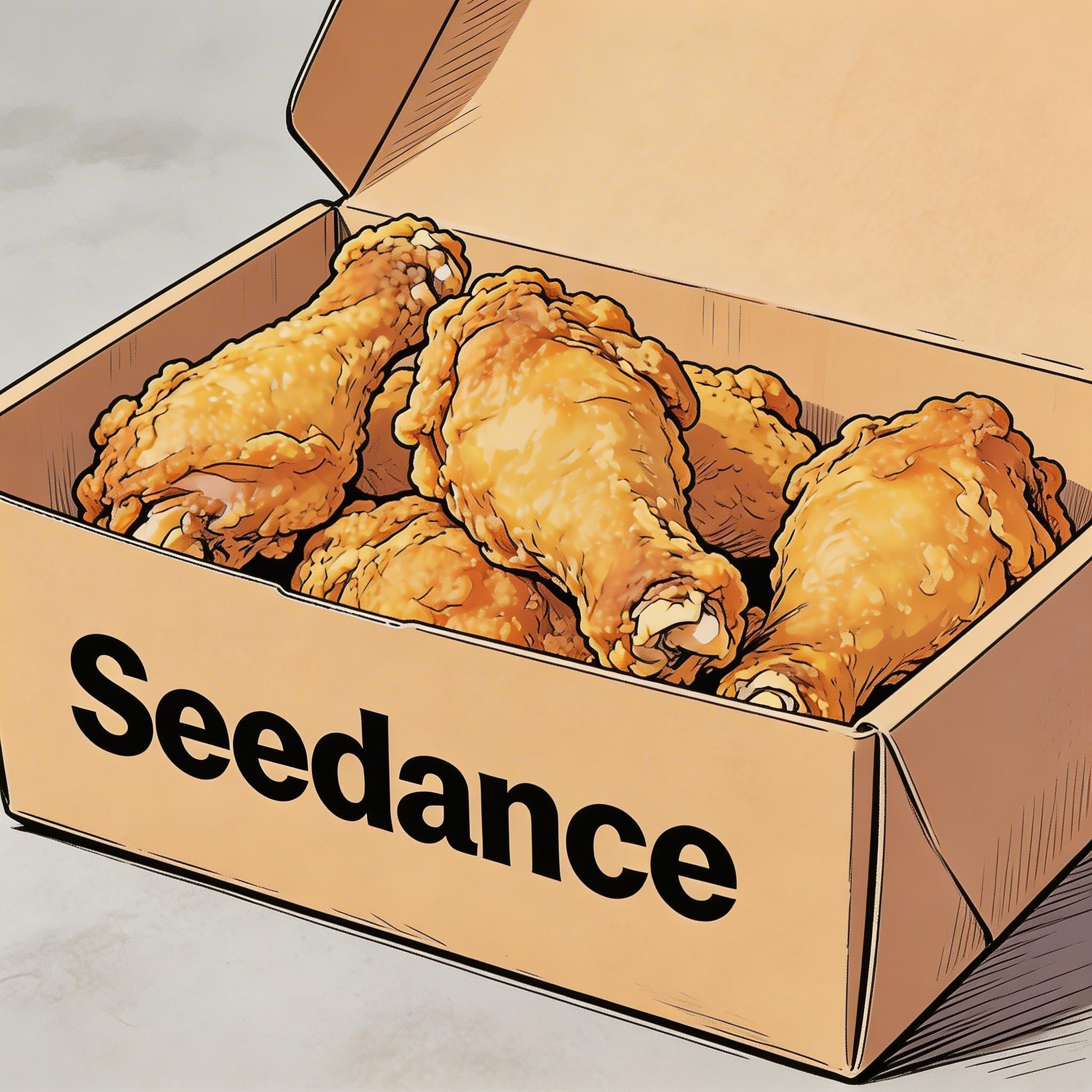
▲ Image 1
2.2 Subtítulos
Plantilla de prompt:
Display subtitles at the bottom-center with the text. The subtitles must be perfectly synchronized with the audio rhythm and pacing.Ejemplos:
Voz en off
[Resultado]
[Material de referencia]
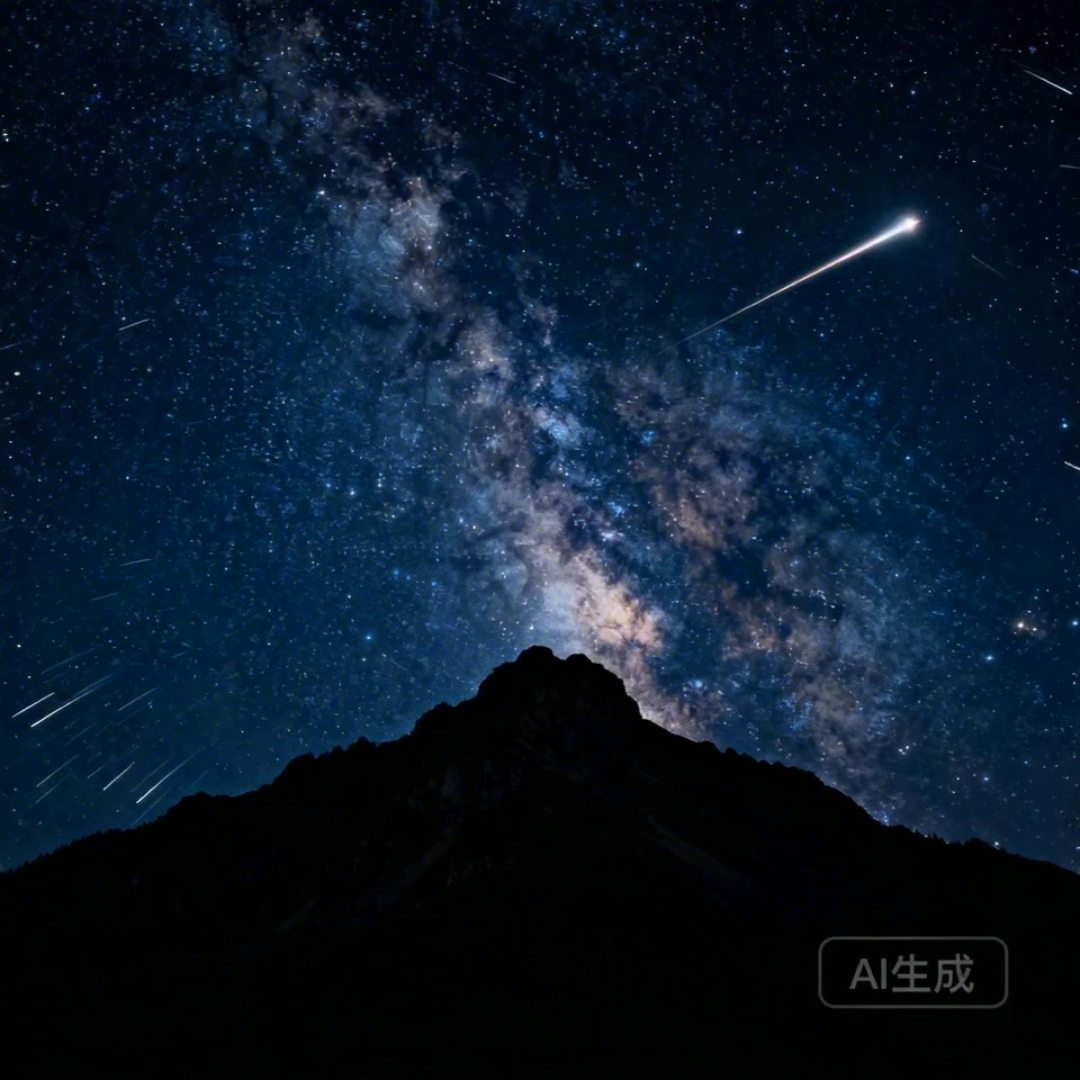
▲ Image 1
[Prompt] I2V: A time-lapse of a mountain landscape transitioning from a vast, starry night to a vibrant dawn. Voiceover: A deep, serene male voice says: 'In the vast silence of the cosmos, our world is but a fleeting moment. Yet, within it, life defiantly thrives.' > Text Integration: Render the narration as subtitles at the bottom-center. Subtitles must be perfectly synchronized with audio timing.
Doblaje
[Resultado]
[Material de referencia]

▲ Image 1
[Prompt] R2V: A shot of these two people in Image 1 chatting in a modern office. The woman speaks first with a playful tone: "You always arrive right on time, don't you just love that perfect timing?" followed by the man’s smiling reply: "I have my own rhythm." > Text Integration: Render the dialogue as subtitles at the bottom-center of the screen. Subtitles should appear sequentially as each character speaks.
2.3 Bocadillos de diálogo
Plantilla de prompt:
[Character] says, "[Dialogue]." Speech bubbles appear around the character containing the spoken text.Ejemplos:
[Resultado]
[Material de referencia]
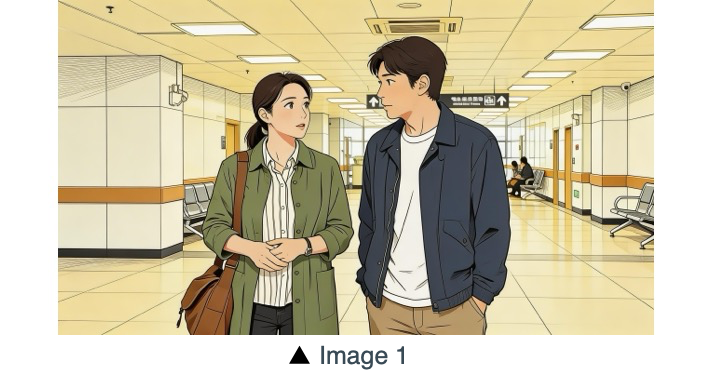
[Prompt] The two characters from Image 1, both dressed in sportswear, are running on the school playground. The girl looks at the boy, smiling confidently as she says: "We can definitely do it!". Cut to a close-up of the boy. He hesitates and replies: "Are you sure?". Cut back to a medium close-up of the girl. She speaks in a light, upbeat tone: "Yes!" Her demeanor is bright and resolute. Speech bubbles containing the corresponding lines appear around the speaking character.
[Resultado]
[Material de referencia]
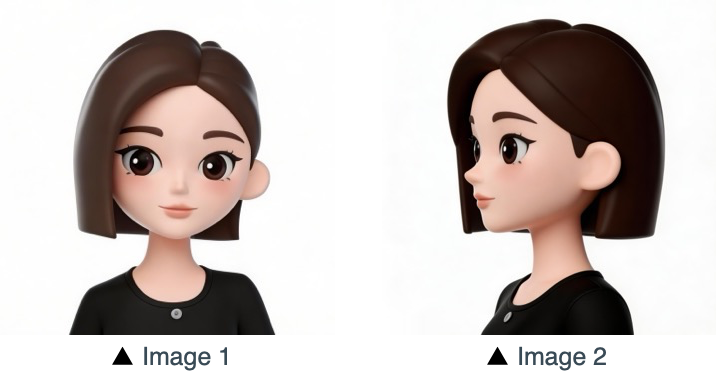
[Prompt] Refer to the character design of the girl in Image 1 and Image 2. The scene is set in an apple field: the girl picks one apple, takes a bite, smiles and says "This is the real deal!". A speech bubble pops up beside the girl, with this line written inside.
03 Referencia de imagen
La serie Seedance 2.5 admite referencias desde varias perspectivas para los sujetos, así como referencias con varias imágenes para composiciones de escena, secuencias y más. Si tu proceso creativo requiere un orden concreto (por ejemplo, para un movimiento secuencial), sube las imágenes en el orden deseado. Después puedes usar identificadores específicos en el prompt para un control preciso: usa Image 1, Image 2, ...Image N para asignar cada referencia a tus instrucciones.
3.1 Referencia del sujeto desde varias perspectivas
Plantilla de prompt:
Refer to/Extract/Combine/Use the [Subject] from [Image N] to generate [Scene Description], maintaining consistent [Subject] features.Asegúrate de identificar con claridad los objetos de referencia. El modelo puede procesar instrucciones como las siguientes, entre otras. Productos:
Electrónica de consumo
[Resultado]
[Material de referencia]
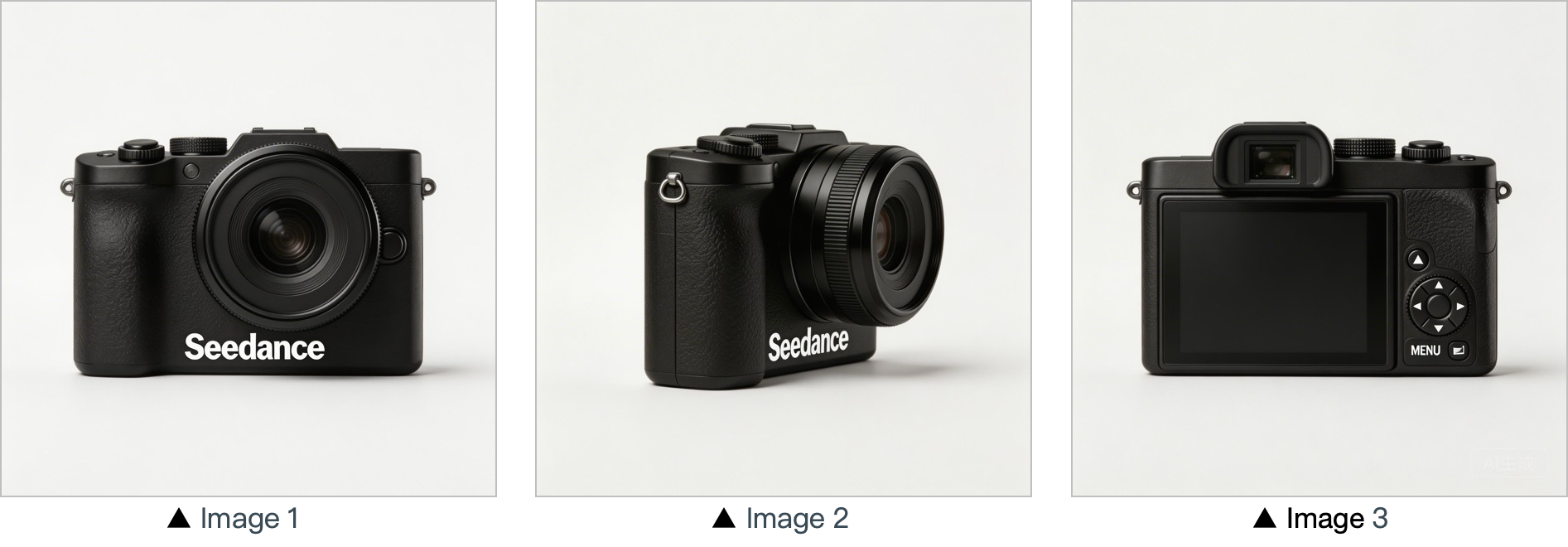
[Prompt] Use the cameras featured in Image 1, Image 2 and Image 3. Replace the original background with a white one, and place the cameras on a white table. The shooting lens first focuses on the cameras in close-up, then slowly rotates 360° with the cameras as the main subject, clearly displaying the front, sides and back of each camera.
Hogar y estilo de vida
[Resultado]
[Material de referencia]
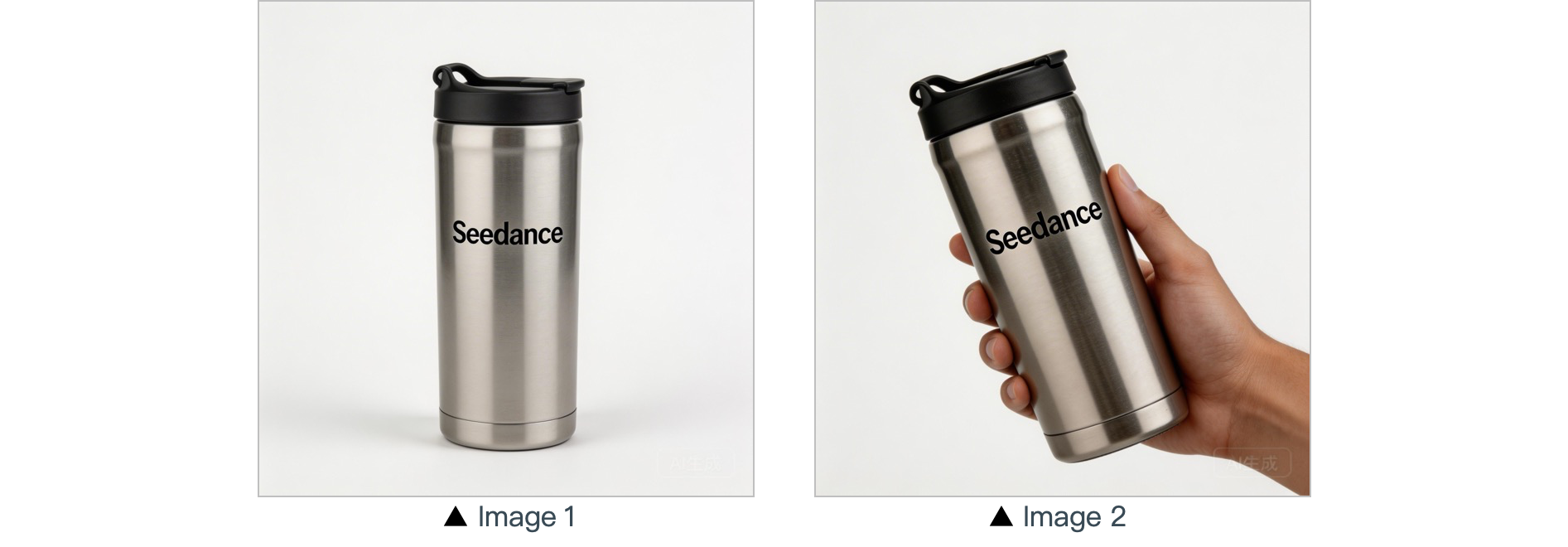
[Prompt] In a warm-toned home setting, present the thermos shown in the reference image in a medium shot. Then smoothly push the camera into a close-up of the thermos. Next, a hand naturally enters the frame off-screen, gently grips the thermos body and picks it up. The camera follows the slight rotating motion of the hand to showcase the thermos.
Personajes:
[Resultado]
[Material de referencia]
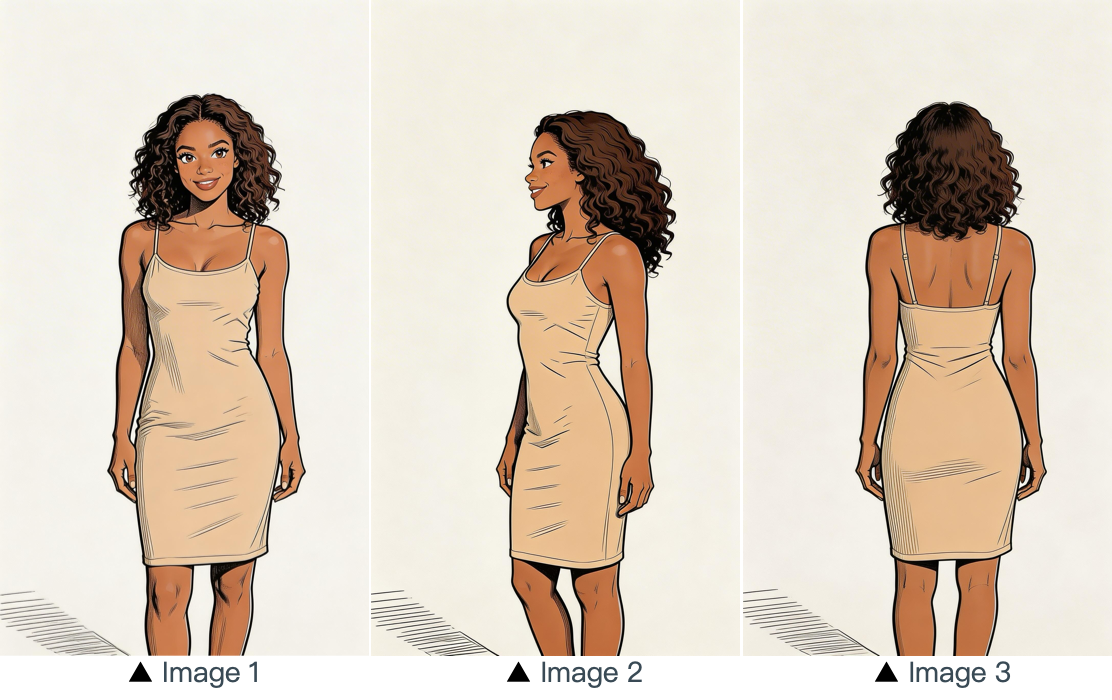
[Prompt] Refer to the image of the woman in Image 1, Image 2 and Image 3, and generate a scene of her eating a cake in a coffee shop.
3.2 Referencia con varias imágenes
Plantilla de prompt:
Refer to / Extract / Combine / Follow the [Description of referenced elements] from [Image N] to generate [Scene Description], while maintaining the consistency of [Referenced Elements].Ejemplos:
Referencia de logotipo
[Resultado]
[Material de referencia]
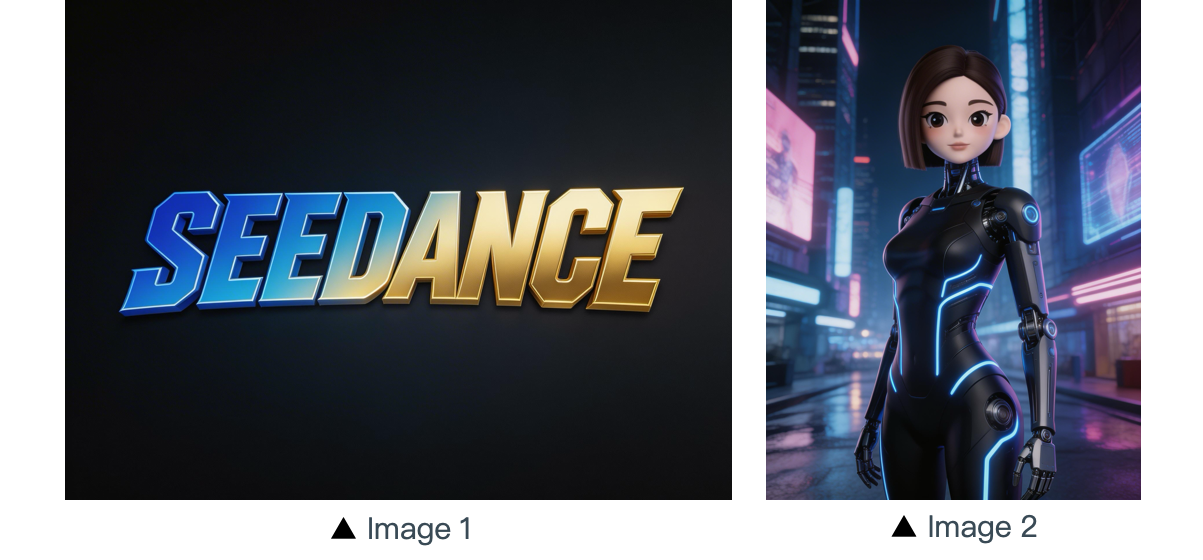
[Prompt] The scene is set on an aerial corridor in a neon-drenched futuristic metropolis, where flying vehicles and holographic ads intertwine. Featuring the girl from Reference Image 2, the sequence opens with a medium shot of her releasing a silver floating lantern embedded with a holographic projection. The camera then pulls back to reveal floating lanterns flooding the sky, which gradually converge at the center of the frame to form the logo from Reference Image 1. The entire piece adopts a 3D cyberpunk sci-fi animation style.
Referencia con varios sujetos
[Resultado]
[Material de referencia]
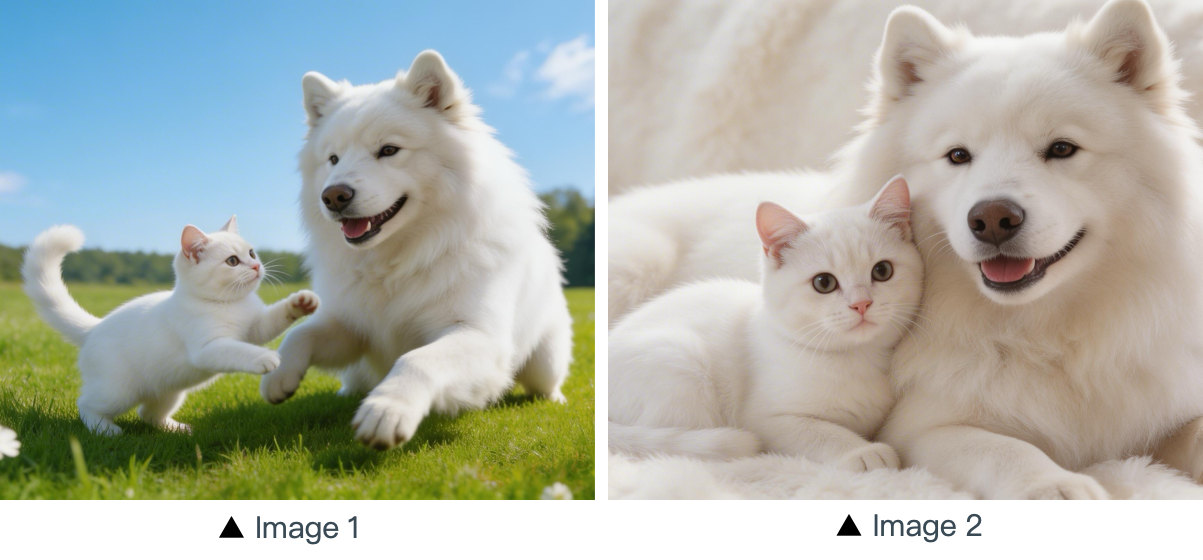
[Prompt] Using the cat and dog from the reference Image 1 and Image 2 as prototypes, the scene unfolds in a cozy apartment. The dog is lying on the ground eating dog food when the cat approaches, extending a paw to nudge the dog. The dog pauses its meal upon noticing the cat, and the cat snuggles up next to the dog. The entire scene features a warm colored tone.
Referencia con varios elementos
[Resultado]
[Materiales de referencia]
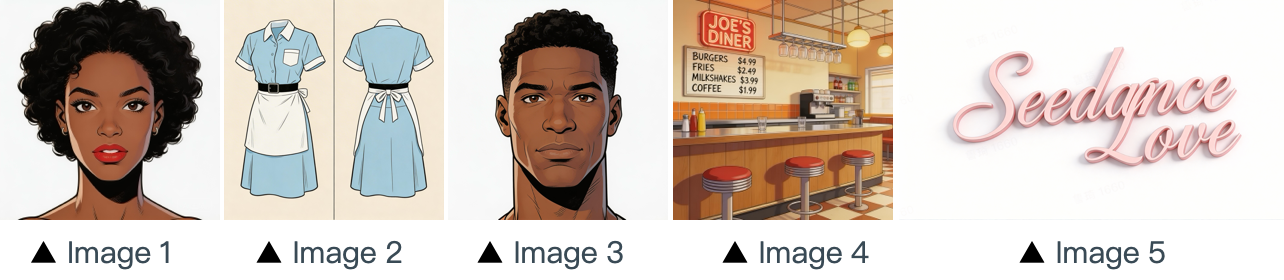
[Prompt] The scene is set in the restaurant from image 4 with people coming and going. The girl from image 1 , wearing the clothes from image 2 , is organizing the items on the counter. The boy, a customer, from image 3 approaches her to ask for her contact information. The logo from image 5 remains in the bottom right corner throughout.
Referencia de secuencia con varias viñetas
[Resultado]
[Materiales de referencia]
▲ Image 1
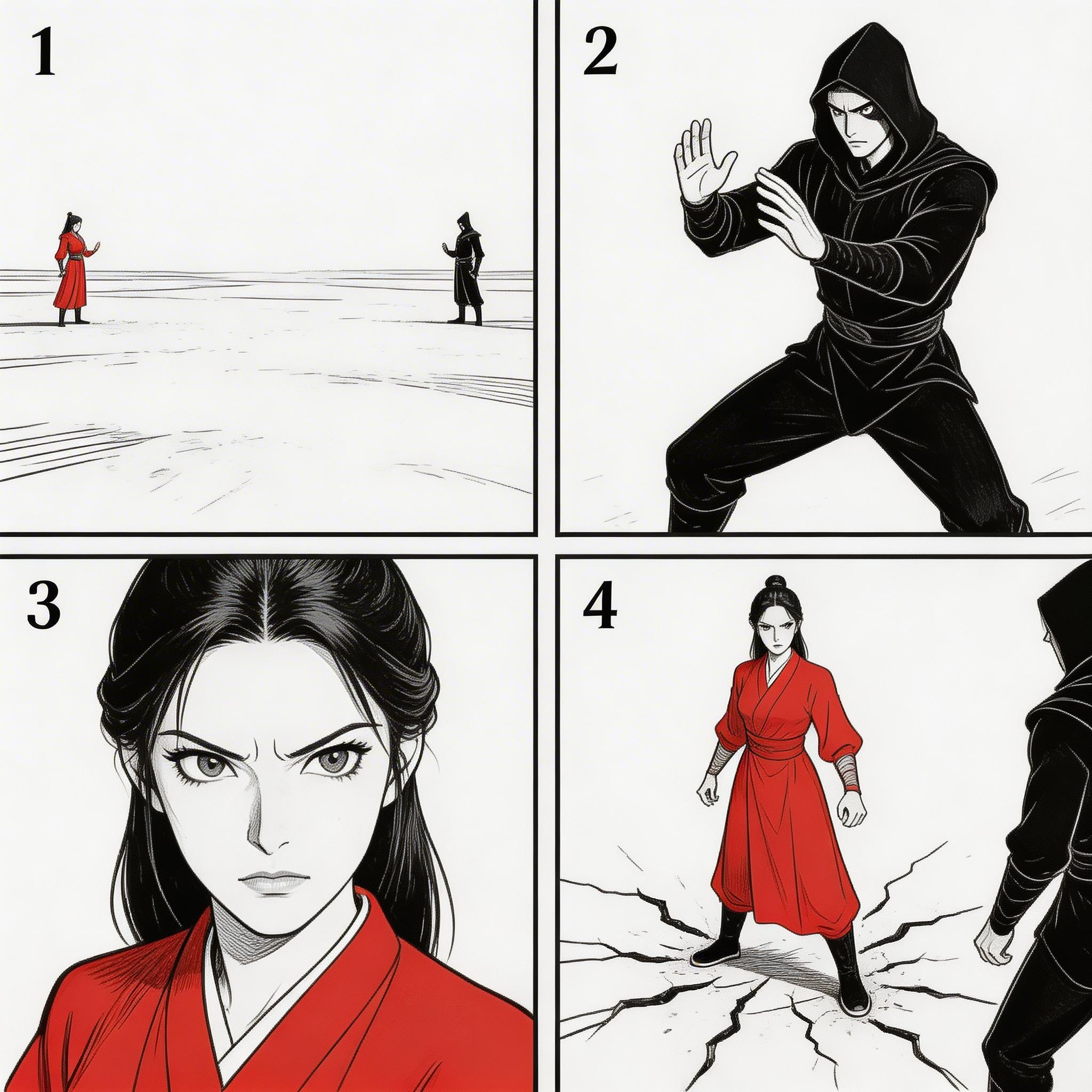
[Prompt] Refer to the sequence in Image 1 to create an intense high-energy fight sequence. All frame compositions from Image 1 shall be presented in strict predefined order, after which the two characters engage in fierce, fast-paced combat.
Referencia de secuencia
[Resultado]
[Material de referencia]
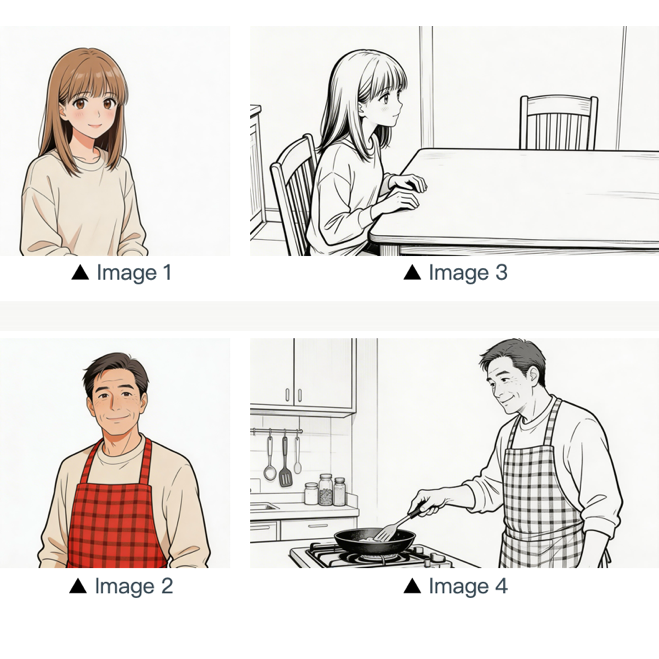
[Prompt] Refer to the composition in Image 3. A girl (her character design refers to Image 1) is waiting for her father to finish cooking, and she says: “아빠, 배고파요! 밥 다 됐어요?”Then the camera pans right and cuts to the frame and composition shown in Image 4. The father (his character design refers to Image 2) replies to her: “거의 다 됐어, 조금만 기다려!“Next, the camera cuts back to a close-up shot of the daughter's slightly disappointed facial expression, and she says: “아직 멀었어요? 맛있는 냄새 나는데...”Then the shot switches to a close-up of the father's face, and he says: “이제 진짜 금방이야. "빨리빨리" 하지 말고 손부터 씻고 와!”
04 Referencia de video
La serie Seedance 2.5 admite referencias basadas en video.
- Si tu flujo de trabajo requiere una secuencia concreta, sube los archivos en orden. Puedes usar
Video 1,Video 2, ...Video nen tus prompts para una asignación precisa. - Basta con que la relación entre el contenido generado y la fuente de referencia quede claramente definida.
4.1 Referencia de movimiento
Plantilla de prompt:
Refer to the [Motion Description] from [Video N] to generate [Scene Description], keeping the motion details consistent.Ejemplos:
Artístico
[Resultado]
[Materiales de referencia]
▲ Video 1
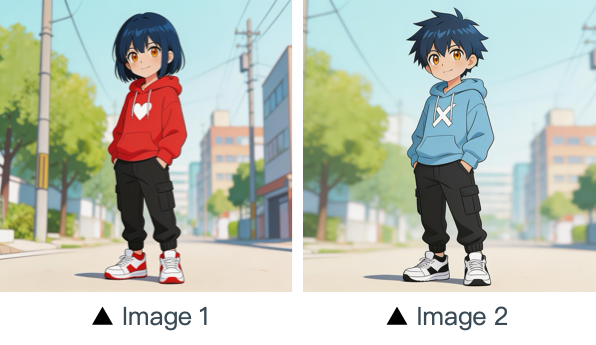
[Prompt] Refer to the character movements and shot language in Video 1 to create a fight scene with the character from Image 2 on the left and the character from Image 1 on the right. Include intense background music.
Marketing
[Resultado]
[Materiales de referencia]
▲ Video 1
[Prompt] Referencing the running shape of the horse in the video, generate a scene: a golden steed runs on the grassland, then freezes its magnificent running posture and turns into a horse-shaped gold pendant.
4.2 Referencia de movimiento de cámara
Plantilla de prompt:
Refer to the [Camera Movement Description] from [Video N] to generate [Scene Description], keeping the scene consistent.Ejemplos:
[Resultado]
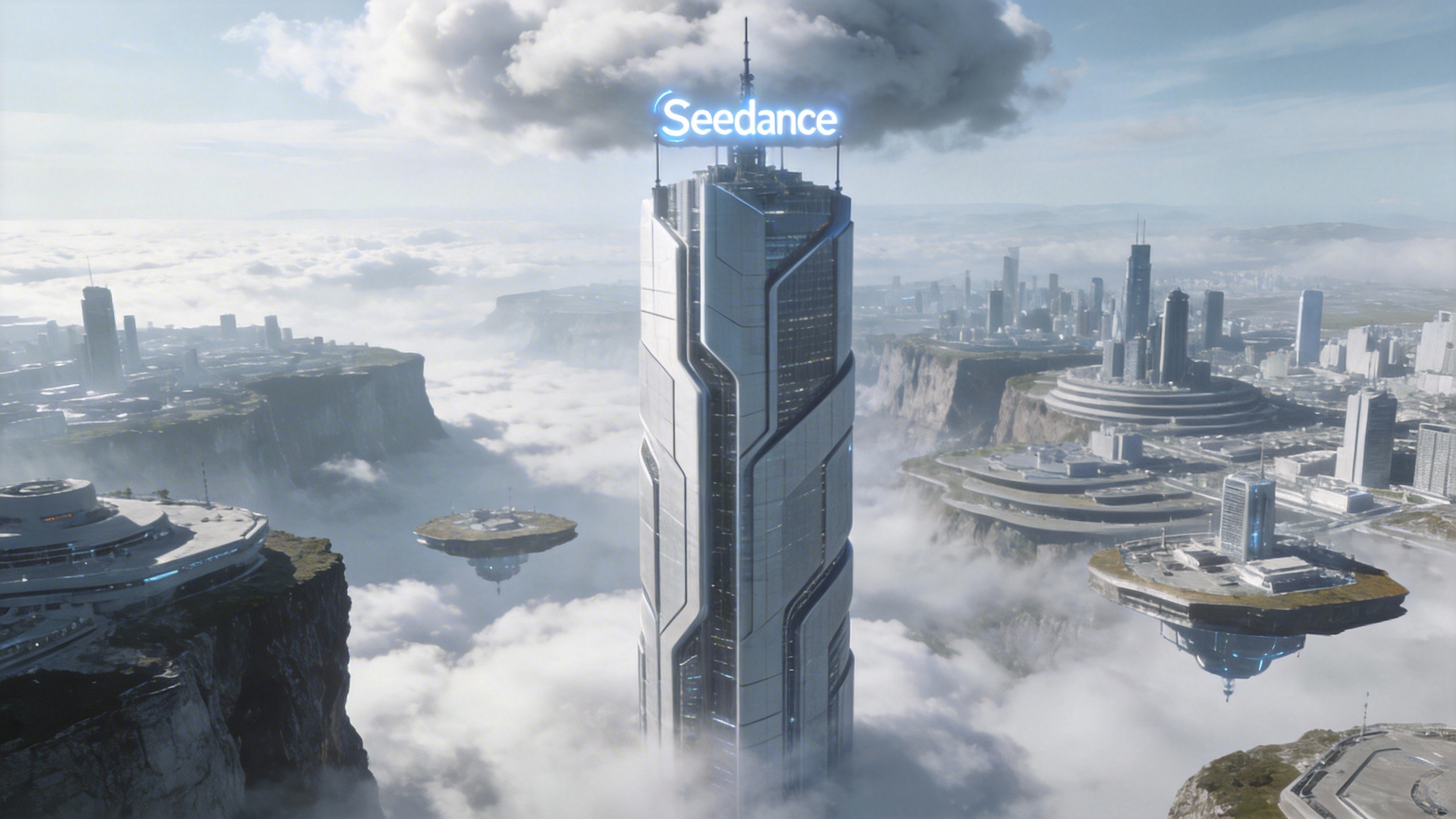
[Prompt] Referring to the camera movement in video 1, create a concept video for a science and technology park, with the tall building in the image as the visual center, also using a first-person diving perspective, to reflect the sense of technology in the park from image 1.
[Material de referencia]
▲ Video 1
▲ Image 1
4.3 Referencia de efectos visuales (VFX)
Plantilla de prompt:
Refer to the [VFX Effects Description] from [Video N] to generate [Scene Description], keeping the special effects consistent.Ejemplos:
Producción de video
[Resultado]
[Material de referencia]
▲ Video 1
▲ Image 1
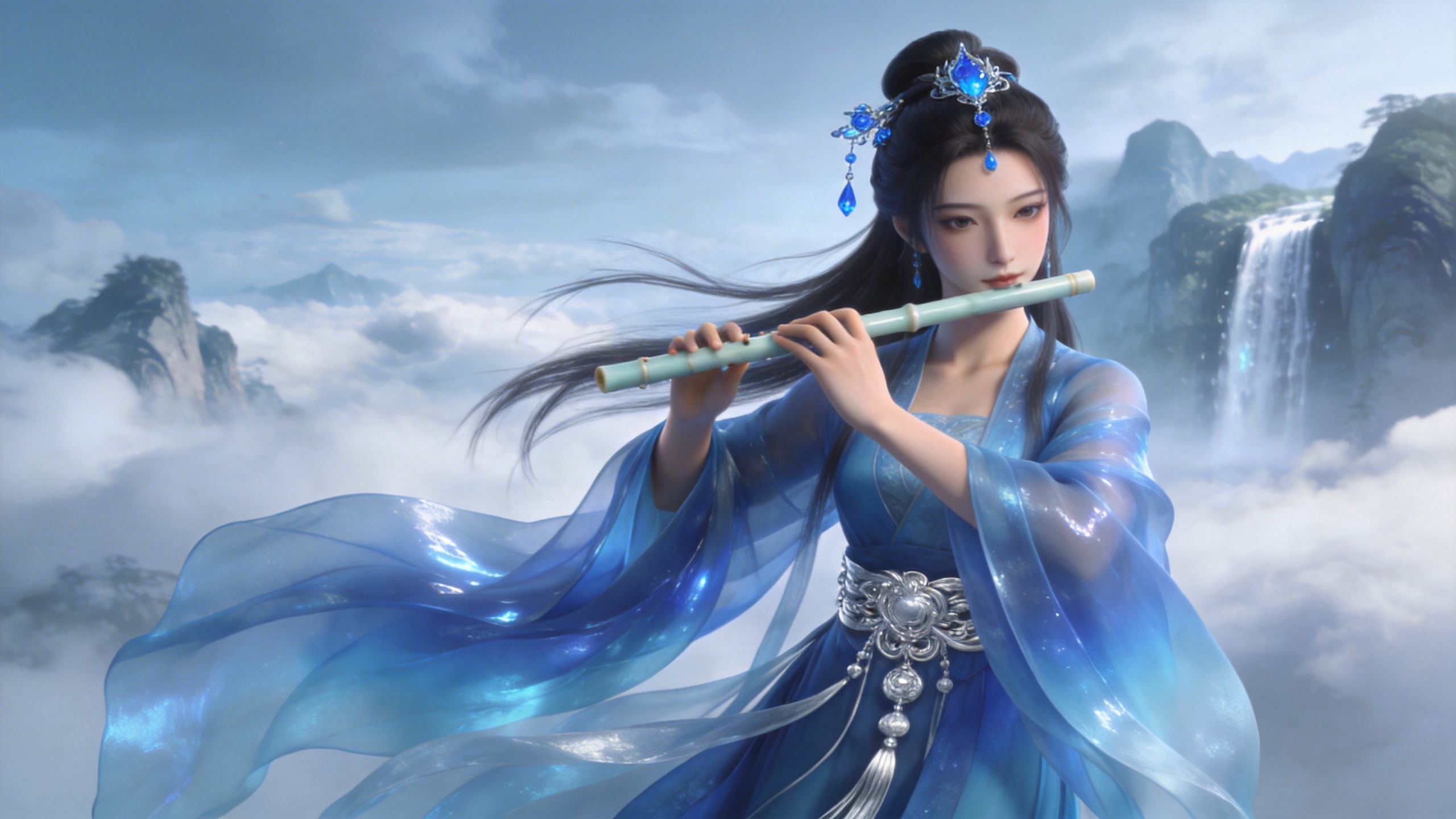
[Prompt] Refer to the golden particle effects in Video 1, so that when the character in Image 1 plays the flute, the same particle effects surround their body.
Efectos creativos
[Resultado]
[Material de referencia]
▲ Video 1
▲ Image 1
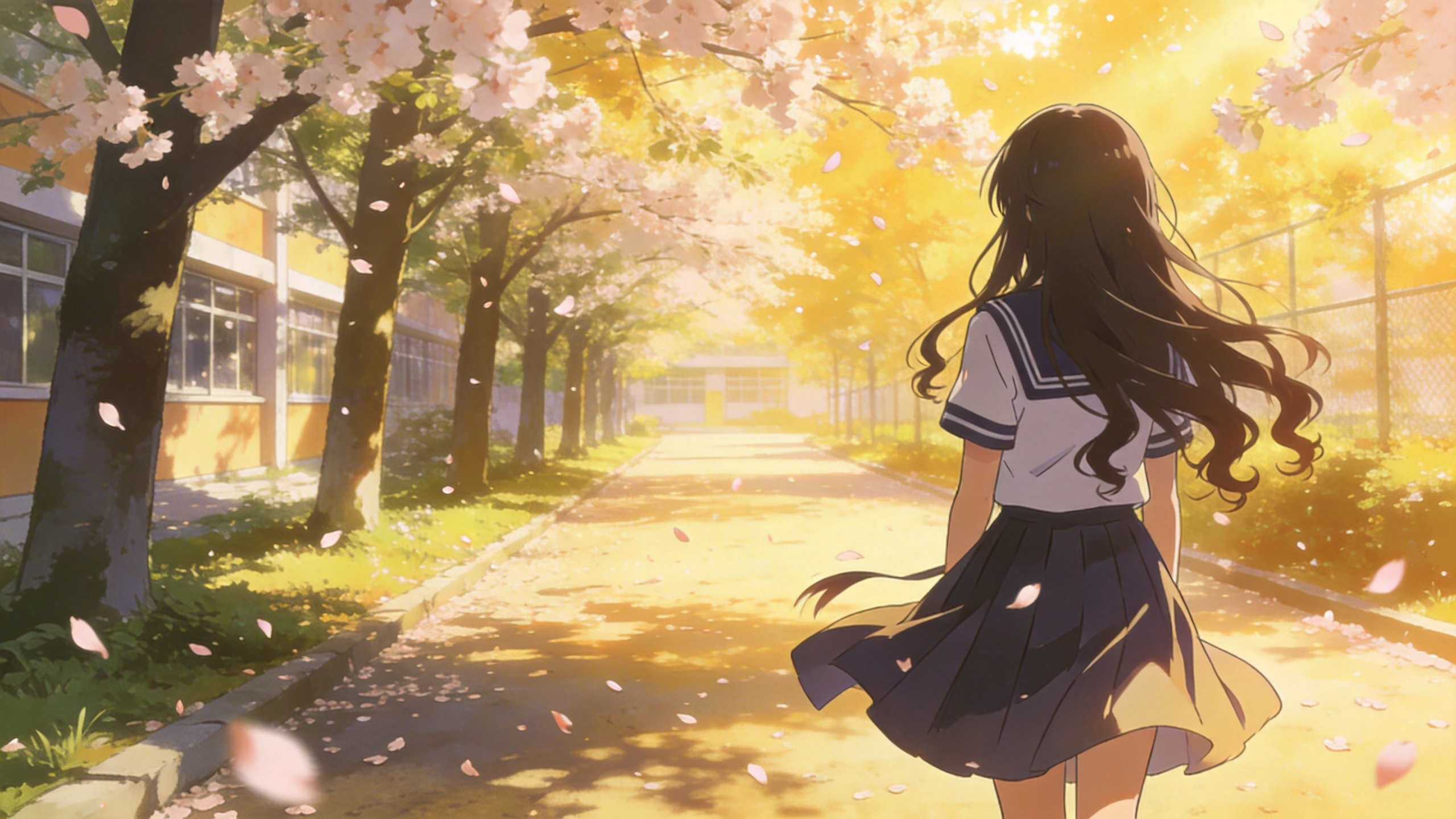
[Prompt] Refer to the special effects shown in Video 1 to generate identical wings for the girl in Image 1, ensuring the wing formation trajectory follows the exact same motion path and sequence depicted in the video.
05 Edición de video
La serie Seedance 2.5 admite edición de video: añadir, eliminar o modificar elementos, extender la duración (hacia delante y hacia atrás) y alinear transiciones. Si tu proyecto requiere una secuencia concreta, sube los archivos en orden. Puedes usar «video 1», «video 2», ... «video n» en tus prompts para una asignación precisa.
5.1 Añadir, eliminar o modificar elementos
Plantilla de prompt:
Adding: At [Timestamp/Timing] and [Spatial Location] of [Video N], add [Description of intended element].
Removing: Remove [Element to be deleted] from [Video N], keeping the rest of the video content unchanged.
Modifying: Replace [Description of element to be changed] in [Video N] with [Description of intended element].
Ejemplos:
Añadir elementos
[Resultado]
[Material de referencia]
▲ Video 1
[Prompt] Add snacks such as fried chicken and pizza to the countertop in Video 1.
Eliminar elementos
[Resultado]
[Material de referencia]
▲ Video 1
[Prompt] Remove everything that isn't office stuff from the table in Video 1, keeping the rest of the video content unchanged.
Modificar elementos
[Resultado]
[Material de referencia]
▲ Video 1

▲ Image 1
[Prompt] Replace the perfume featured in Video 1 with the face cream from Image 1, with all original motions and camera work preserved.
5.2 Extender videos
Plantilla de prompt:
- Extend [Video N] forward/backward + [Description of extended content]
- Generate content before/after [Video N] + [Description of extended content]
:::warning Advertencia El modelo extrae automáticamente los fotogramas de transición para fundir el resultado sin cortes. Los segmentos originales del video de entrada no se vuelven a generar, lo que garantiza una continuidad perfecta. ::: Ejemplos:
Extender hacia delante
[Resultado]
[Material de referencia]
▲ Video 1
[Prompt] Generate the content after Video 1: the two men who are late run towards them, the five people finally meet and have a friendly chat.
Extender hacia atrás
[Resultado]
[Material de referencia]
▲ Video 1
[Prompt] Extend the opening segment of Video 1: Set up an over-the-shoulder shot of the man in a hoodie, and the man says: “It’s not that bad. You're just stressed. Everyone goes through this, you just need to keep going.”
5.3 Completar transiciones
Plantilla de prompt:
[Video 1] + [Transition Description] + followed by [Video 2] + [Transition Description] + followed by [Video 3]:::tip Nota Límite de entrada: la serie Seedance 2.5 admite un máximo de 3 clips de video como entrada, y la duración total combinada no puede superar los 15 segundos. Recorte inteligente: durante la generación, el modelo recorta automáticamente los segmentos de unión del primer y el último clip, conservando solo los fotogramas necesarios para una síntesis fluida y coherente. ::: Ejemplos:
[Resultado]
[Prompt] Video 1. The moment a leaf falls to the ground, it sets off a special effect of golden particles. A gust of wind blows by, leading into Video 2.
▲ Video 1
▲ Video 2